Exit
  • Global community
    • Language:
      • Deutsch
      • English
      • Español
      • Français
      • Português
  • 日本語コミュニティ
  • 한국 커뮤니티
0

Shear tool missing.

Community Beginner ,
Nov 19, 2018 Nov 19, 2018

Hey guys... title says everything. Shear tool is always in with the scale tool, but it's missing from my tools. Has is moved in the latest release? Maybe I'm overlooking something simple?

J

4.1K
Translate
Report
Community guidelines
Be kind and respectful, give credit to the original source of content, and search for duplicates before posting. Learn more
community guidelines

correct answers 1 Correct answer

Enthusiast , Nov 19, 2018 Nov 19, 2018

Hi,

which workspace are you using? In the new Essentials workspace Shear tool is into a transform group (rotate)... Try to reset a workspace.

Also set your tools bar in EDIT > Keyboard Shortcuts > Tools
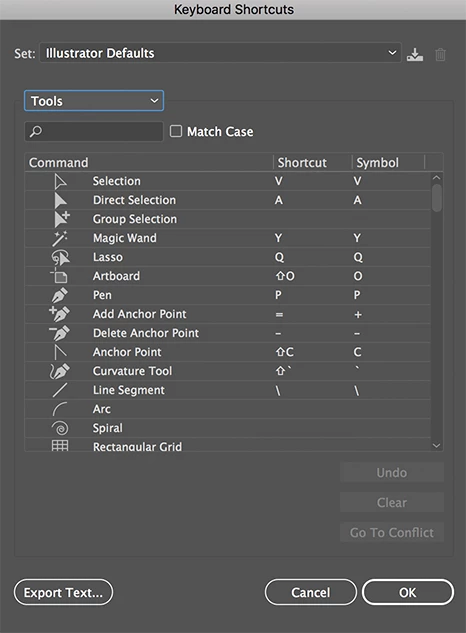
Tools options.png

Translate
Adobe
Enthusiast ,
Nov 19, 2018 Nov 19, 2018

Hi,

which workspace are you using? In the new Essentials workspace Shear tool is into a transform group (rotate)... Try to reset a workspace.

Also set your tools bar in EDIT > Keyboard Shortcuts > Tools

Tools options.png

Translate
Report
Community guidelines
Be kind and respectful, give credit to the original source of content, and search for duplicates before posting. Learn more
community guidelines
Community Expert ,
Nov 19, 2018 Nov 19, 2018

The toolbar can be edited in the latest release.

Click on the 3 dots in the toolbar to configure it. That confiure panel has a penl menu to reset whatever may have happened.

To set it to the advanced toolbar, go to Window > Tools > Advanced

Translate
Report
Community guidelines
Be kind and respectful, give credit to the original source of content, and search for duplicates before posting. Learn more
community guidelines
Community Beginner ,
Nov 19, 2018 Nov 19, 2018
LATEST

Resetting the workspace helped! Thank you 🙂

Translate
Report
Community guidelines
Be kind and respectful, give credit to the original source of content, and search for duplicates before posting. Learn more
community guidelines