jjjnyt
Inspiring
October 16, 2017
Answered

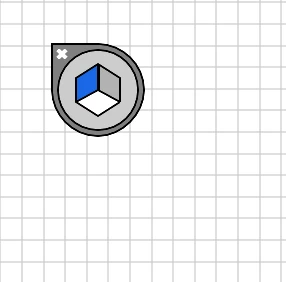
Show/Hide Perspective Widget
  • October 16, 2017
  • 1 reply
  • 5362 views

How do I show and hide?

    This topic has been closed for replies.
    Correct answer Bill Silbert

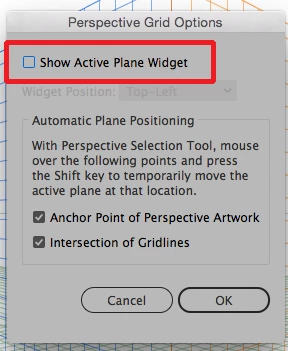
    Double-click on the perspective tool in the tool bar and in the Perspective Grid Options that will come up uncheck Show Active Plane Widget.
    1 reply

    Bill Silbert
    Community Expert
    Bill SilbertCommunity ExpertCorrect answer
    Community Expert
    October 16, 2017

    Double-click on the perspective tool in the tool bar and in the Perspective Grid Options that will come up uncheck Show Active Plane Widget.

    jjjnyt
    jjjnytAuthor
    Inspiring
    October 16, 2017

    Hi Bill, thanks for the answer but I'm still experiencing an issue with every object I create is still on a perspective grid.

    For instance, if I try to draw a two-dimensional rectangle it looks more like a polygon.

    Bill Silbert
    Community Expert
    Community Expert
    October 16, 2017

    Thank you Bill, that has resolved the issue....it's rare Illustrator's tools are this unintuitive but I guess the tool is a little more complex than most. thanks.


    Happy to help.
