Copy link to clipboard
Copied
Hello, I am quite new with Illustrator and I am using the CS6 version.
I have a little dilemma, I don't know if this can be done, but I was wondering if there is a way to simplify or transform a map contour (vector) in a more simplified, geometric contour. Because when I try to draw it, well, not good
)

Thanks.
That would be just some clicks with the pen tool.
Use the Shift key to constrain the path segments in 45° steps.
Copy link to clipboard
Copied
You could try if Object > Path > Simplify does the job for you. Please try the options and read here about the function: How to edit and reshape paths in Illustrator
If not, please post your artwork and an example of what you want to achieve.
Copy link to clipboard
Copied
Hi, thank you for your reply.
Unfortunately that command is not giving me a good enough result.
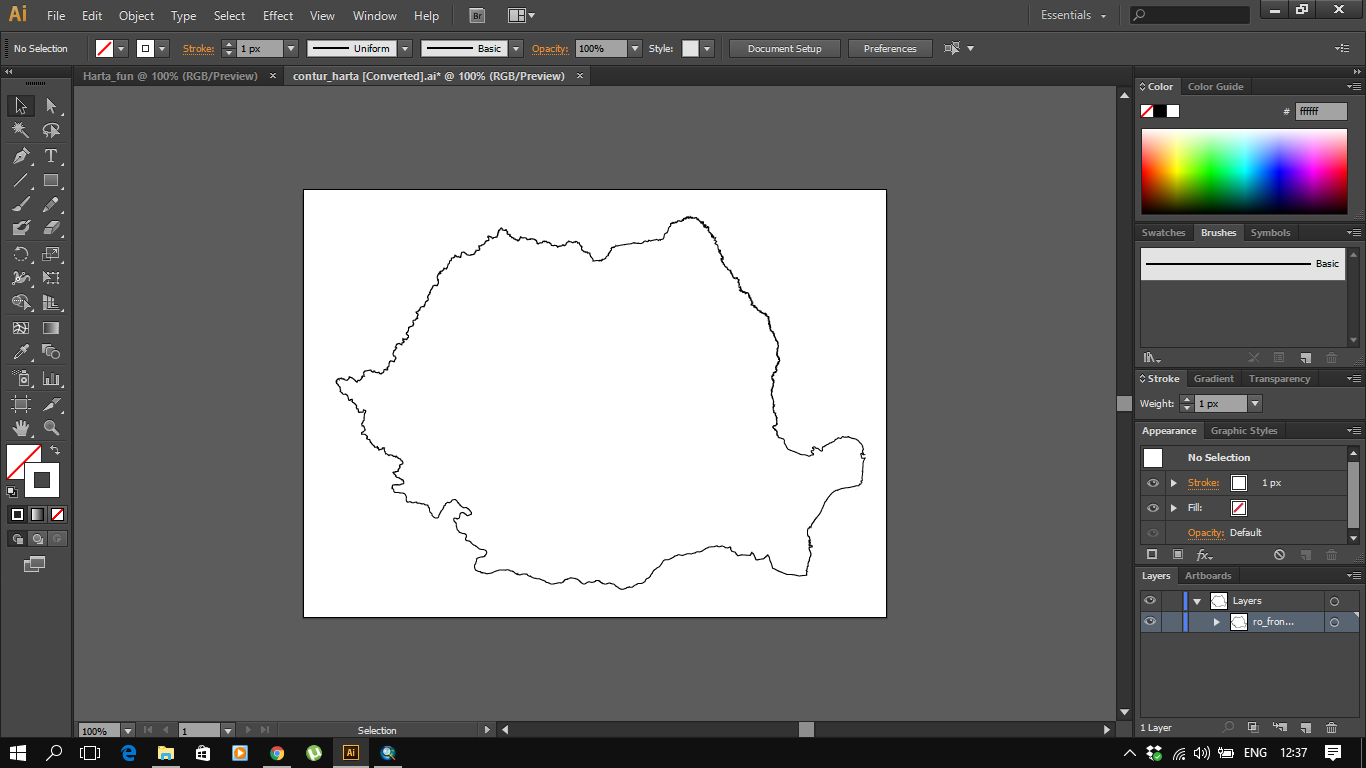
I have this:

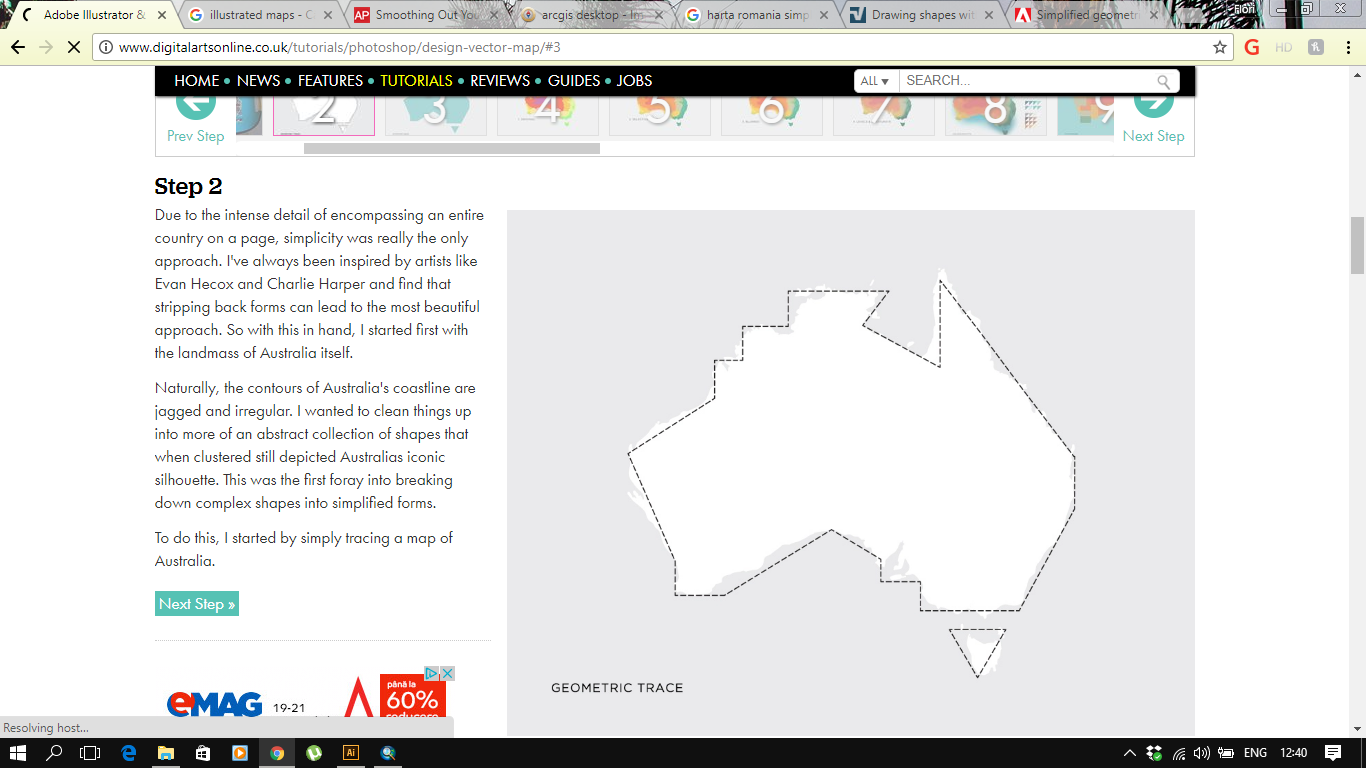
and I want to achieve something like this:

Like I said, I don't know if it can be automatically done, but I wanted to ask.
Copy link to clipboard
Copied
That would be just some clicks with the pen tool.
Use the Shift key to constrain the path segments in 45° steps.
Copy link to clipboard
Copied
Thank you, I shall try that ![]()
Get ready! An upgraded Adobe Community experience is coming in January.
Learn more