
Participant
January 17, 2024
Question

Simulated Colored Paper - export issues

  • January 17, 2024
  • 1 reply
  • 397 views

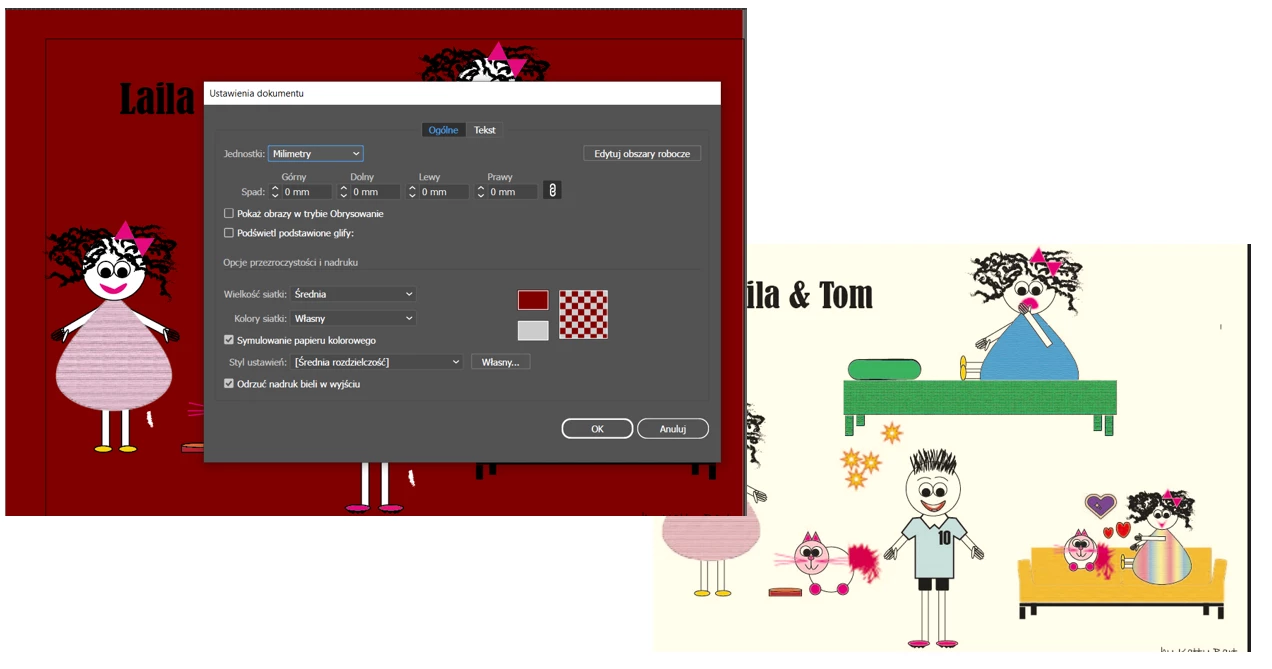
Hi, please help .... I set a simulated color paper in document settings and it works well in AI - everything looks good until I try to export file to JPG/PDF. Then the background color is not as set which is driving me crazy. Please help, what could be the issue? I am almost sure I am clicking something wrong as it worked in the past. THANK YOU ALL 🙂
 

This topic has been closed for replies.

1 reply

Ton Frederiks
Community Expert
Community Expert
January 17, 2024

Papercolor in Illustrator is not really a color, it is just there to simulate how your design would look if printed.

Try Show Transparency Grid to see the papercolor disappear.

If you want something to export in the background; create a layer at the bottom with a colored rectangle.

Participant
January 17, 2024

Thank you. This explains a lot 🙂

Ton Frederiks
Community Expert
Community Expert
January 17, 2024

Good to hear that helped.