

InsaneXade
Participant
December 26, 2020
Answered

Simulating a hardwood floor with a pattern

  • December 26, 2020
  • 3 replies
  • 1364 views

I'm trying to do a little perspective on my floor. However I cannot find an answer that works. I tried Envelope distort>make with top object with the distort pattern fills on but it simply slanted the vertical lines instead of squashing the horizontal ones. I found this one How can I transform patterns in Illustrator to simulate a perspective? - Graphic Design Stack Exchange but I have abolutely no idea where to find answer one's "Transform Pattern Tiles" in the prefences. Knowing my luck that would happen again. is there any way to have the effect I want without doing it manually?


Thanks for reading and have a great day.
This topic has been closed for replies.
Correct answer tromboniator

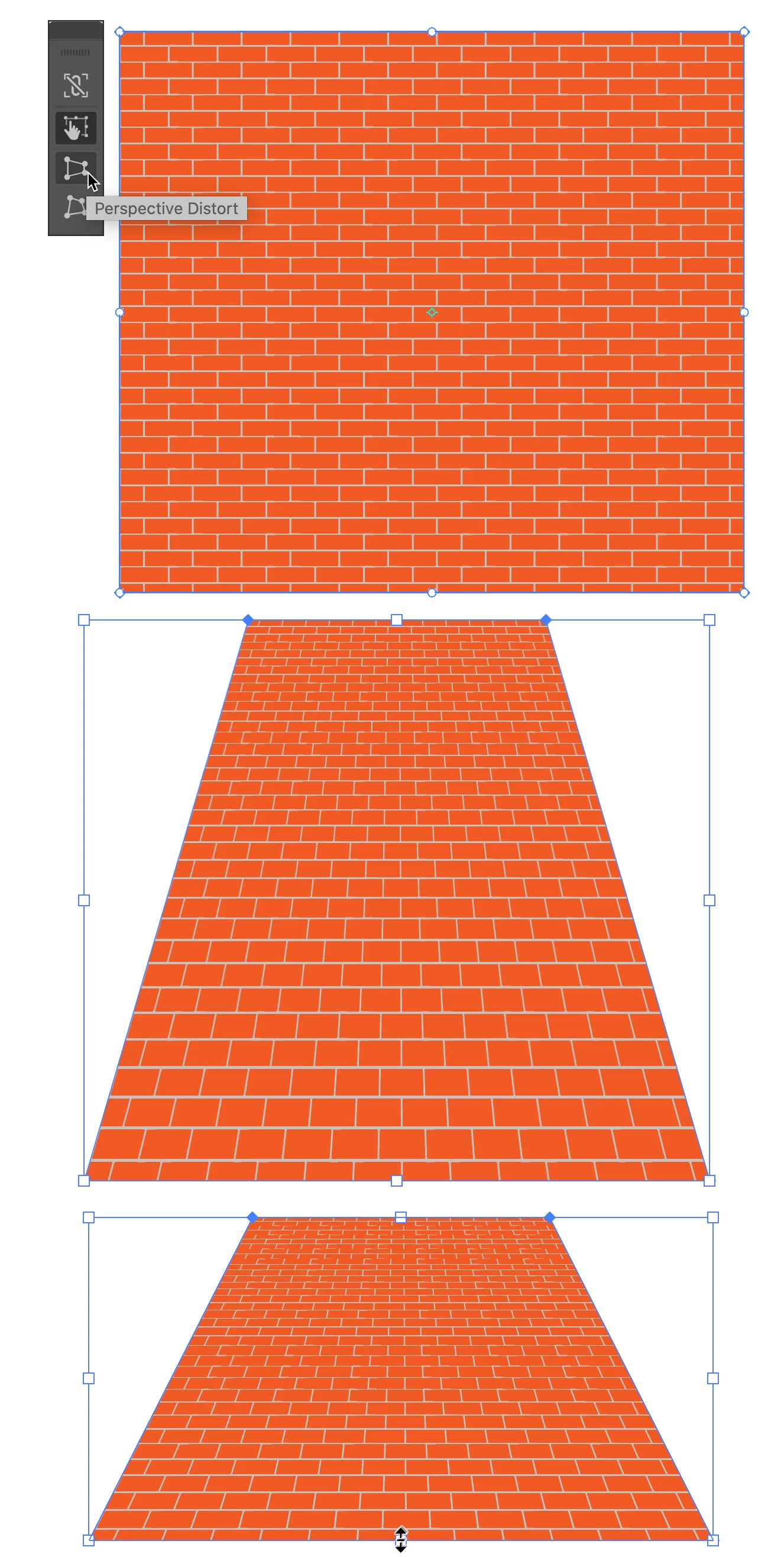
You could also try Envelope Distort > Make with Mesh, set it to 1 row, 1 column. Select the Free Transform Tool > Perspective Distort. Drag a corner to distort horizontally or vertically. It may take experimentation to determine the size object you need to start with and how much you need to resize the distorted object with the Selection Tool after distorting to get your foreground tiles back to correct proportions.


Peter


3 replies

tromboniator
Community Expert
Community Expert
December 26, 2020

You're welcome. "Experimentation" was my word, but "fiddling" is probably more accurate. I'm glad you got it to work.


Peter

tromboniator
Community Expert
tromboniatorCommunity ExpertCorrect answer
Community Expert
December 26, 2020

You could also try Envelope Distort > Make with Mesh, set it to 1 row, 1 column. Select the Free Transform Tool > Perspective Distort. Drag a corner to distort horizontally or vertically. It may take experimentation to determine the size object you need to start with and how much you need to resize the distorted object with the Selection Tool after distorting to get your foreground tiles back to correct proportions.


Peter


InsaneXade
Participant
December 26, 2020

After fiddling around with it for a while I finally got it looking right. Thanks

Ton Frederiks
Community Expert
Community Expert
December 26, 2020

You could try the 3D Rotate effect with perspective or expand the pattern fill and use the perspective grid.