
Inspiring
October 13, 2020
Answered

Smart Guides in Illustrator not showing [when using Grid]

  • October 13, 2020
  • 2 replies
  • 1828 views

Mac Illustrator 2020


Turned on Smart Guides with CMD + U with these settings
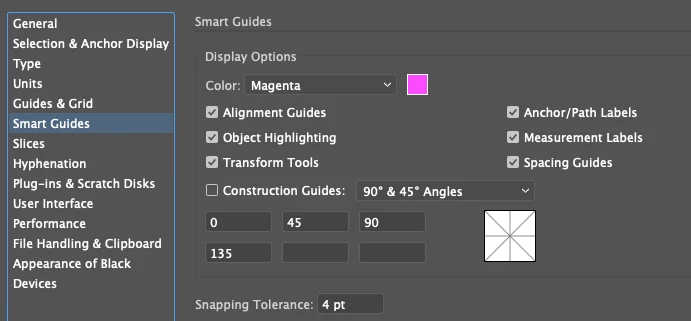
 

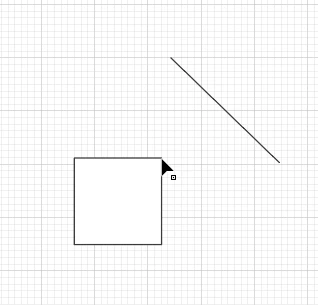
Was expecting to see the word 'anchor' or 'path' when hovering over the object, but am seeing none.

How can I fix this ?
 

This topic has been closed for replies.
Correct answer user620

Just figured it works only when Snap to Grid is turned off. 

2 replies

Jose Luis Romero, Jr
New Participant
December 9, 2021

I'm using a Mac, and after trying all the classics without any results, I realized that the snapping tolerance was set at 0. After changing the snapping tolerance to 4 I had smart guides working as expected.


I hope this helps!

Jose Luis Romero, Jr
New Participant
December 9, 2021

By the way, you can set up the snapping tolerance down to work and the smart guides will work as well.

user620AuthorCorrect answer
Inspiring
October 13, 2020

Just figured it works only when Snap to Grid is turned off. 

user620Author
Inspiring
October 21, 2020

Is this how its supposed to work on Illustrator 2020 (mac) ??

jane-e
Community Expert
November 15, 2020

"Is this how its supposed to work on Illustrator 2020 (mac) ??"


It's always worked like this. Smart guides only work when Snap to Grid is off.


~ Jane