
Snap to pixel and perfect pixels are not working.
Hello, first time posting.
I've been creating pixel art artworks for a project, and all of the sudden the pixel perfect and snap to pixel features stopped working. I made sure all those features where correctly selected, and illustrator shows me a message implying those are activated. I already did so much pixel artwork on illustrator and I swear it all worked fine, haven't touched anything or changed everything, the only thing I did is that I rasterized a big piece of the main artwork bc so many sqares drawn were causing the program to run slowly. The next thing I knew is that perfect pixel now does not work.
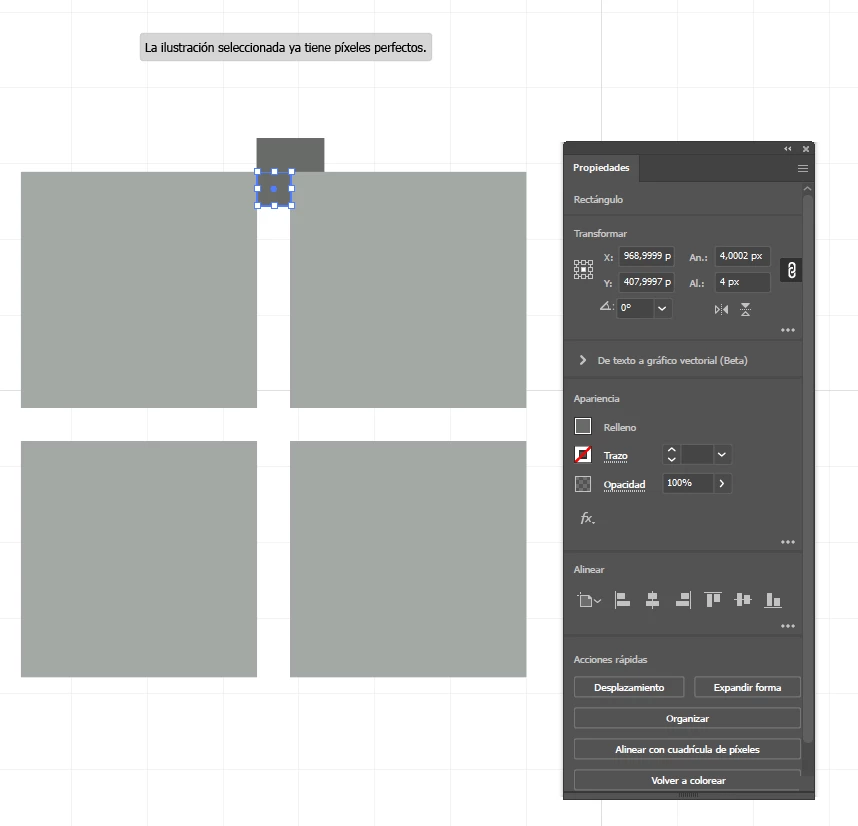
On the properties window, once you move perfect sqare of 4px by 4px it suddenly changes to 4,0002px, and the position is also really bad, this affects the result of the rasterized piece.
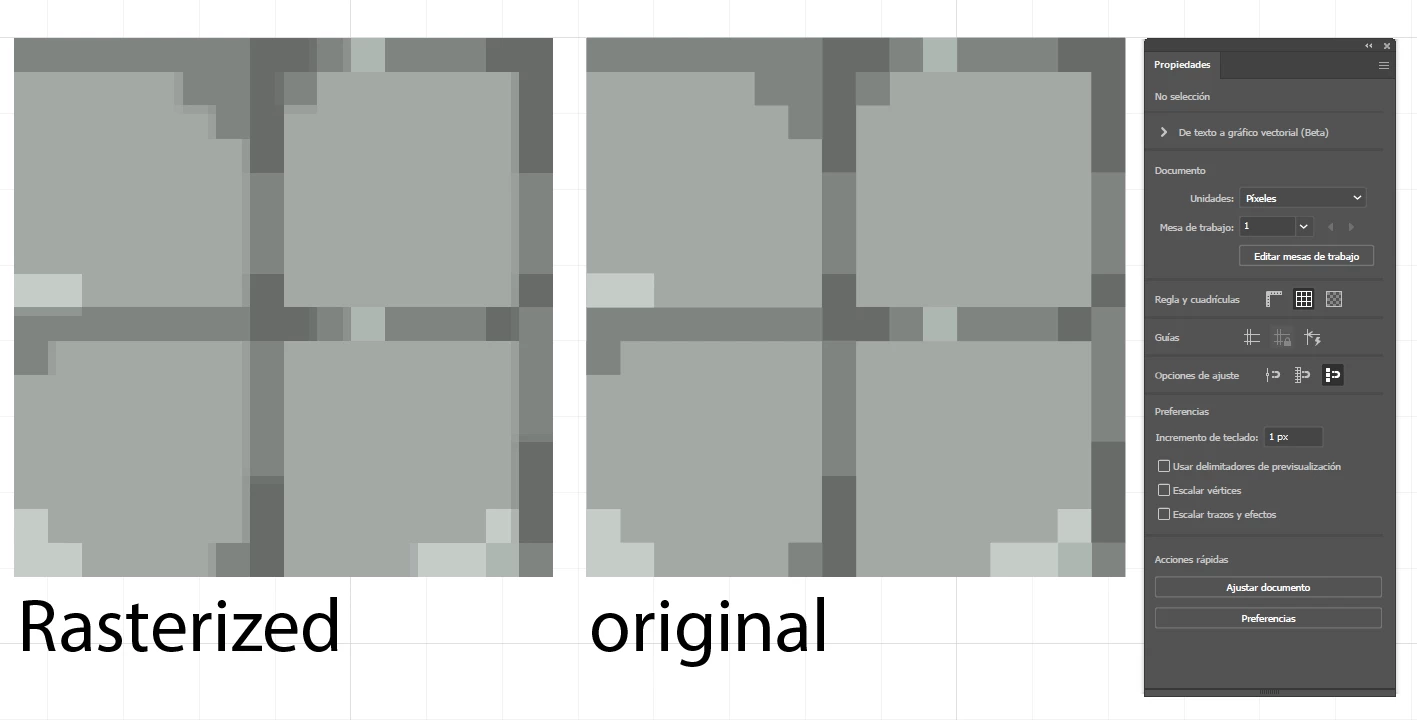
As you can see here, the rasterization goes wrong. The original piece looks good and has no reason to be the wrong size and end up that way once you rasterize it, I made sure tthat each of the individual squares of the original piece are pixel perfect and the position is also perfect, but once you group them, suddenly the size is 64px by 64,0001px, and the rasterization turns that into a bad result.
What is going on? How can i fix this?
Thank you all in advance.
 AdChoices