yes! I'm attaching it here, (type the .ait, remove .pdf)
Hopefully it will be solved
Thanks
Well the script works perfectly for me. I chose all the "BM" swatches to add to a swatch group:
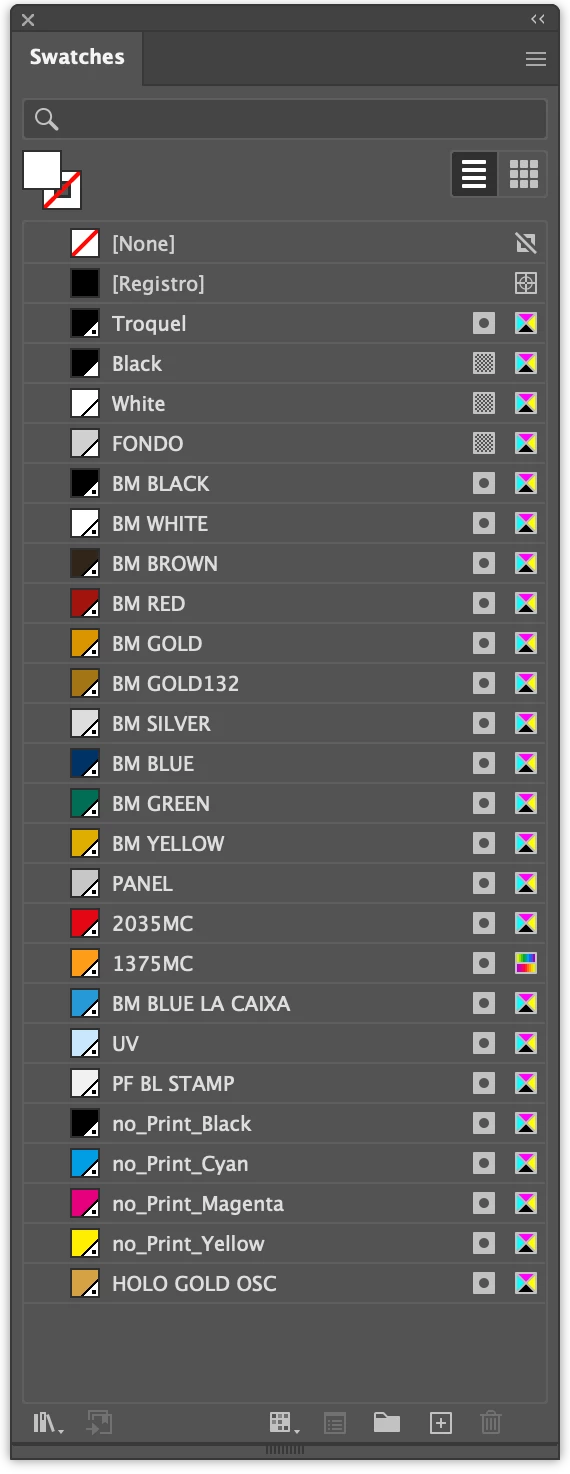
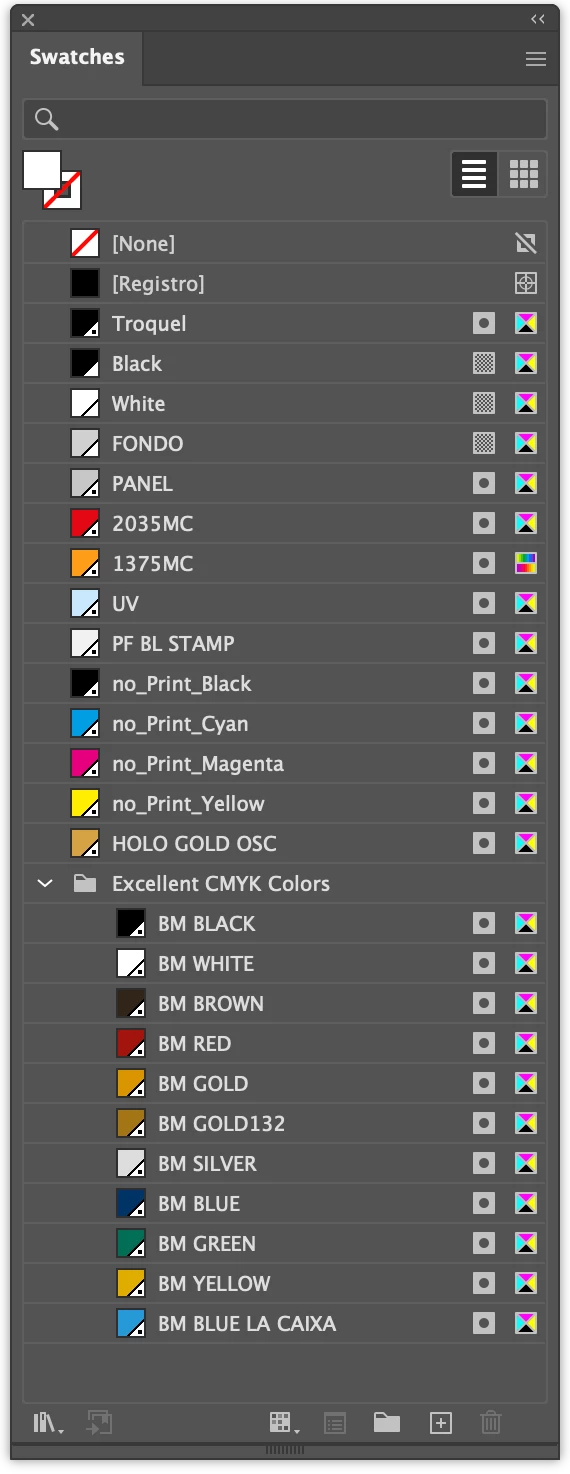
Here is the exact script I used:
(function () {

    // get reference to active document
    var doc = app.activeDocument;

    // get reference to each color swatches I want, stored in array
    var mySwatches = [
        doc.swatches.getByName('BM BLACK'),
        doc.swatches.getByName('BM WHITE'),
        doc.swatches.getByName('BM BROWN'),
        doc.swatches.getByName('BM RED'),
        doc.swatches.getByName('BM GOLD'),
        doc.swatches.getByName('BM GOLD132'),
        doc.swatches.getByName('BM SILVER'),
        doc.swatches.getByName('BM BLUE'),
        doc.swatches.getByName('BM GREEN'),
        doc.swatches.getByName('BM YELLOW'),
        doc.swatches.getByName('BM BLUE LA CAIXA'),
    ];

    // create a swatch group
    var mySwatchGroup = doc.swatchGroups.add();
    mySwatchGroup.name = 'Excellent CMYK Colors';

    // add my swatches to the color group
    for (var i = 0; i < mySwatches.length; i++) {
        mySwatchGroup.addSwatch(mySwatches[i]);
    }

})();
Do you get the same result from this script? Maybe you need to share your exact script so we can test it with your sample document.
- Mark

 AdChoices