Participant
May 15, 2020
Answered

Spiral Illustrator

  • May 15, 2020
  • 1 reply
  • 1739 views

Does anyone know how to create this spiral effect with a vector graphic? The only tutorials I can find use much more simple dots.
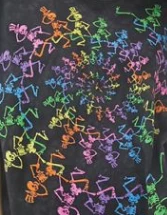
Does anyone know of a tutorial that may help me please?

This topic has been closed for replies.
Correct answer Jeff Witchel, ACI

Hi BP1010,

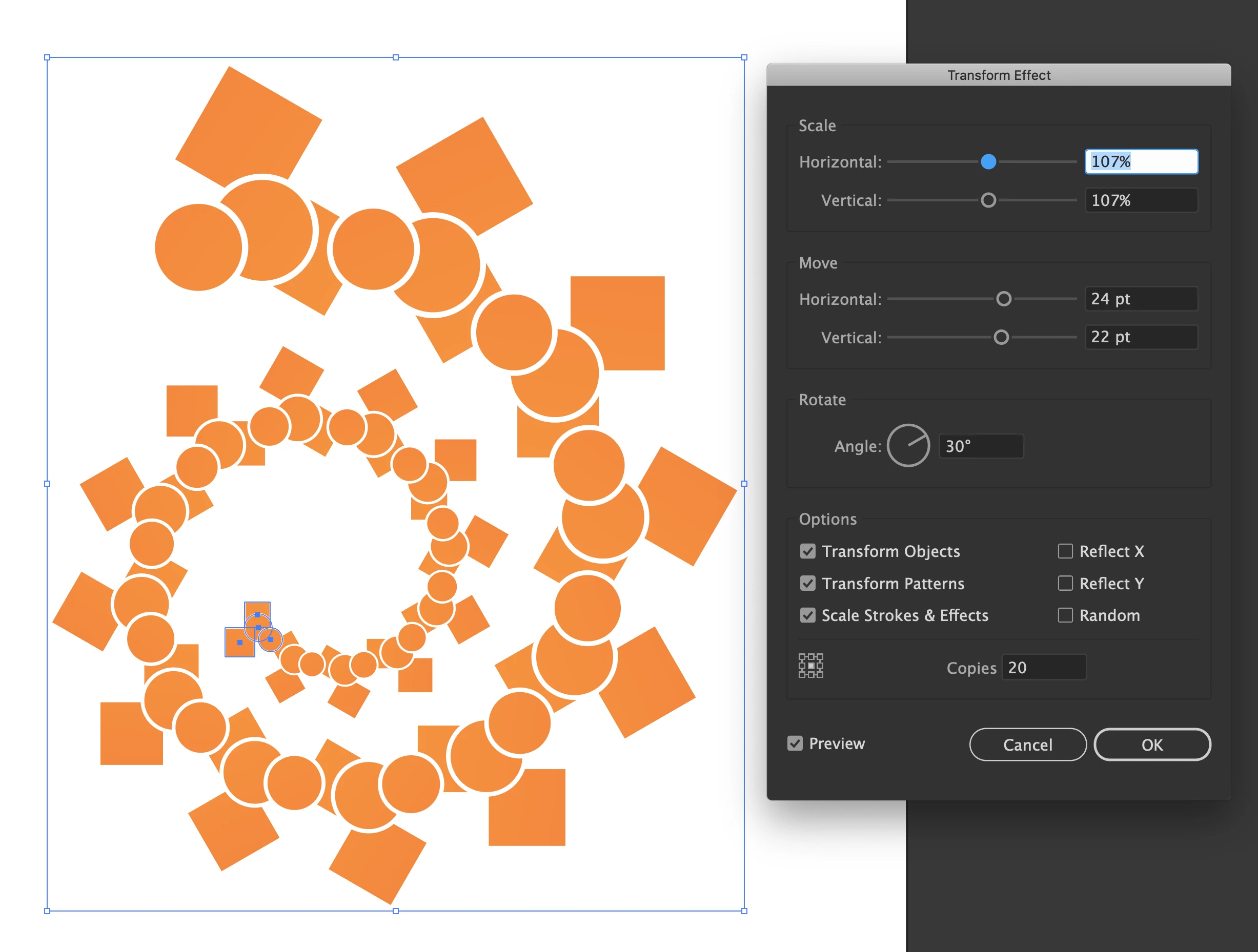
Your settings are really important with this Effect as they are with every Effect. The slightest change to any of the settings can make a HUGE difference. So play with the settings (with Preview checked) to see the results.

Also, make sure to check "Scale Strokes and Effects" or the Transform Effect can look really strange in some cases. (Please see screenshot below.)

Hope this helps!
 

1 reply

Jeff Witchel, ACI
Community Expert
Community Expert
May 15, 2020

The dot video, which could be mine (http://www.jeffwitchel.net/2016/06/creating-spiraling-dots-in-illustrator/) should work with any object or group of objects. If you're looking to change the colors of the steps, expand the Effect afterwards (Object > Expand Appearance) and color in the objects any way you wish.

BP1010Author
Participant
May 16, 2020

Thank you for your reply. Yes this is a similar tutorial to one I have seen. However, when I use a vector graphic, the graphic becomes a solid fill shape by the end of the spiral. The graphic repeat also overlaps by the end of the spiral and then are too far apart at the centre of the spiral. Do you know how I make the graphic sit side by side all the way around the spiral like the example above?

Jeff Witchel, ACI
Community Expert
Jeff Witchel, ACICommunity ExpertCorrect answer
Community Expert
May 16, 2020

Hi BP1010,

Your settings are really important with this Effect as they are with every Effect. The slightest change to any of the settings can make a HUGE difference. So play with the settings (with Preview checked) to see the results.

Also, make sure to check "Scale Strokes and Effects" or the Transform Effect can look really strange in some cases. (Please see screenshot below.)

Hope this helps!