
spot color issue with photoshop effect
Dear Community,
Since I have the Illustrator 24.2.1, I am facing some problems with the spot colors and the application of «Photoshop effect» as the gaussian blur for example.
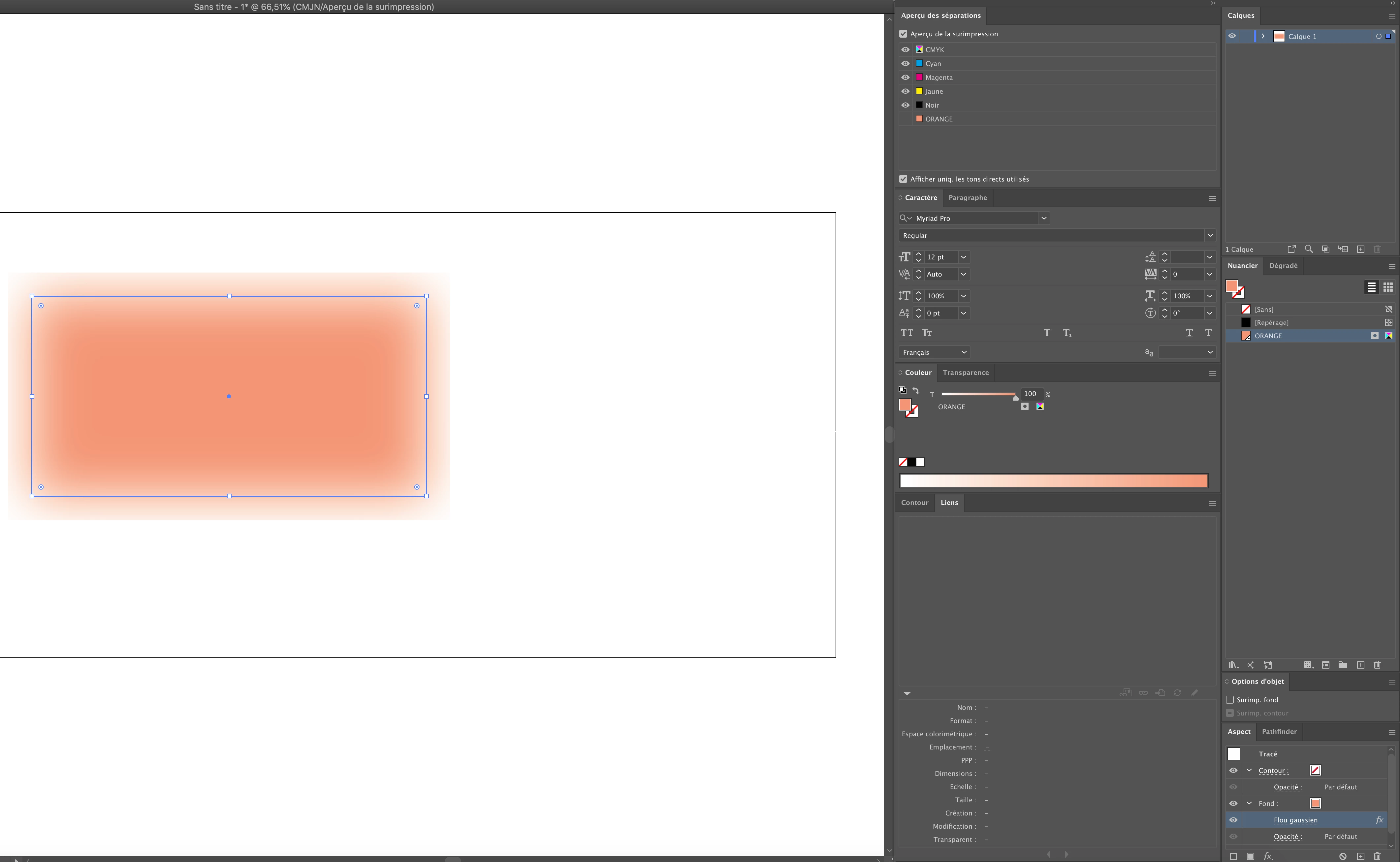
On the old version 24.0 (which I have on a different computer) when I do a spot color object (rectangle, square, etc) and I apply a gaussian blur, the effect keeps the spot color information.
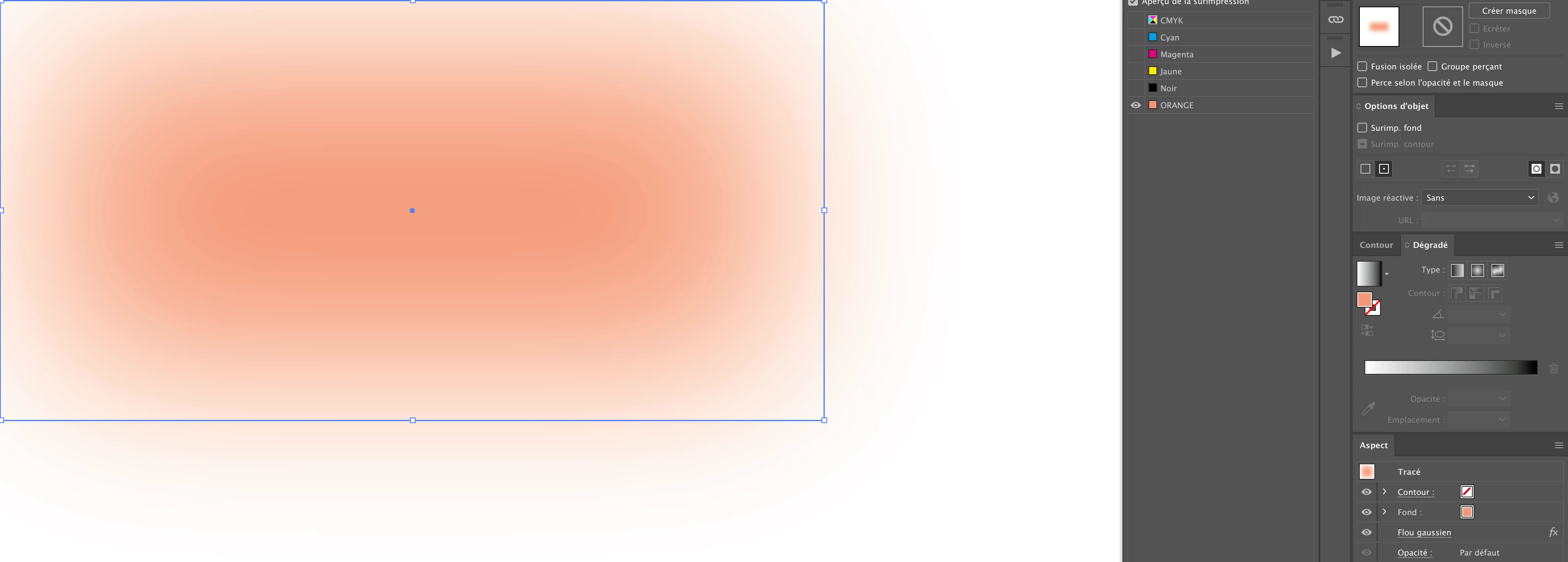
But with the new version of Illustrator (24.2.1), once the gaussian blur is applied on my object, the color is converted in CMYK instead of keeping the spot color information.
I don't know if there is a setting to change in Illustrator or if this is a software problem but it is really annoying because of the different projects we have to manage. Hopefully, we try to avoid the Photoshop effect in Illustrator but for some of them, we have no choice.
If it helps, find below the screenshot from AI 24.0 and AI 24.2.1
Thank you for your help and feedbacks.
Christophe
 AdChoices