Participant
November 6, 2017
Answered

Star tool is creating 2x the number of points

  • November 6, 2017
  • 2 replies
  • 1629 views

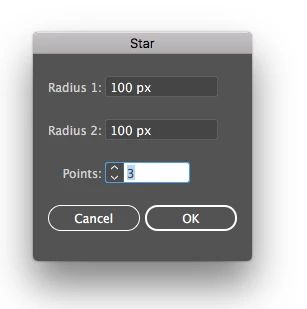
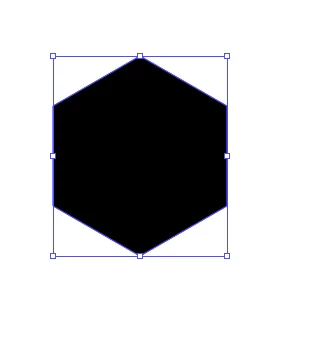
The star tool is behaving oddly for me. I select the tool and click on the canvas where I'd like to place the star. The number of points I specify are being doubled. I've tried changing the number of points and tried changing each of the radius values but I continue to experience the same problem. Specifying 3 points creates a hexagon. Specifying 4 points creates an octagon, etc.
This topic has been closed for replies.
Correct answer barbara_a7746676

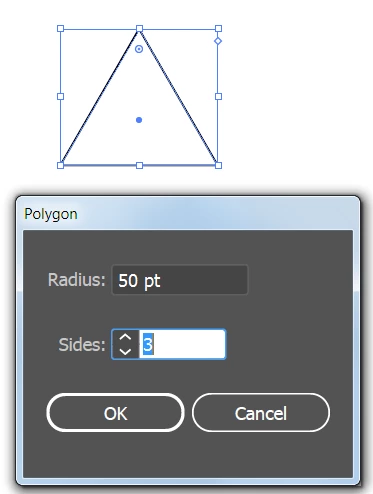
How would you make an equilateral triangle (my original task)? In previous versions of illustrator this could be accomplished by selecting a 3 point star.


Use the polygon tool.

2 replies

barbara_a7746676
Community Expert
Community Expert
November 6, 2017

To create a star, Radius 2 needs to be smaller than Radius 1. Note that Radius 2 in much smaller than Radius 1 in both examples below.

For example, with the following settings, you get this:

Or with 4 points, you get this:

michelew83603738
Community Expert
Community Expert
November 6, 2017

Right now all I can see is that radius 1 and 1 are both 100px so you are going to get a hexagon even if you have 3 points selected. Try radius 1 with 5 px and radius 2 with 50 px and 3 points and see what happens.

Participant
November 6, 2017

Still double the points.

Participant
November 6, 2017

A star will always double the points because it has an inner and an outer radius. That's just the way the tool works.


How would you make an equilateral triangle (my original task)? In previous versions of illustrator this could be accomplished by selecting a 3 point star.