Participant
February 2, 2018
Question

Start screen fail..

  • February 2, 2018
  • 1 reply
  • 250 views

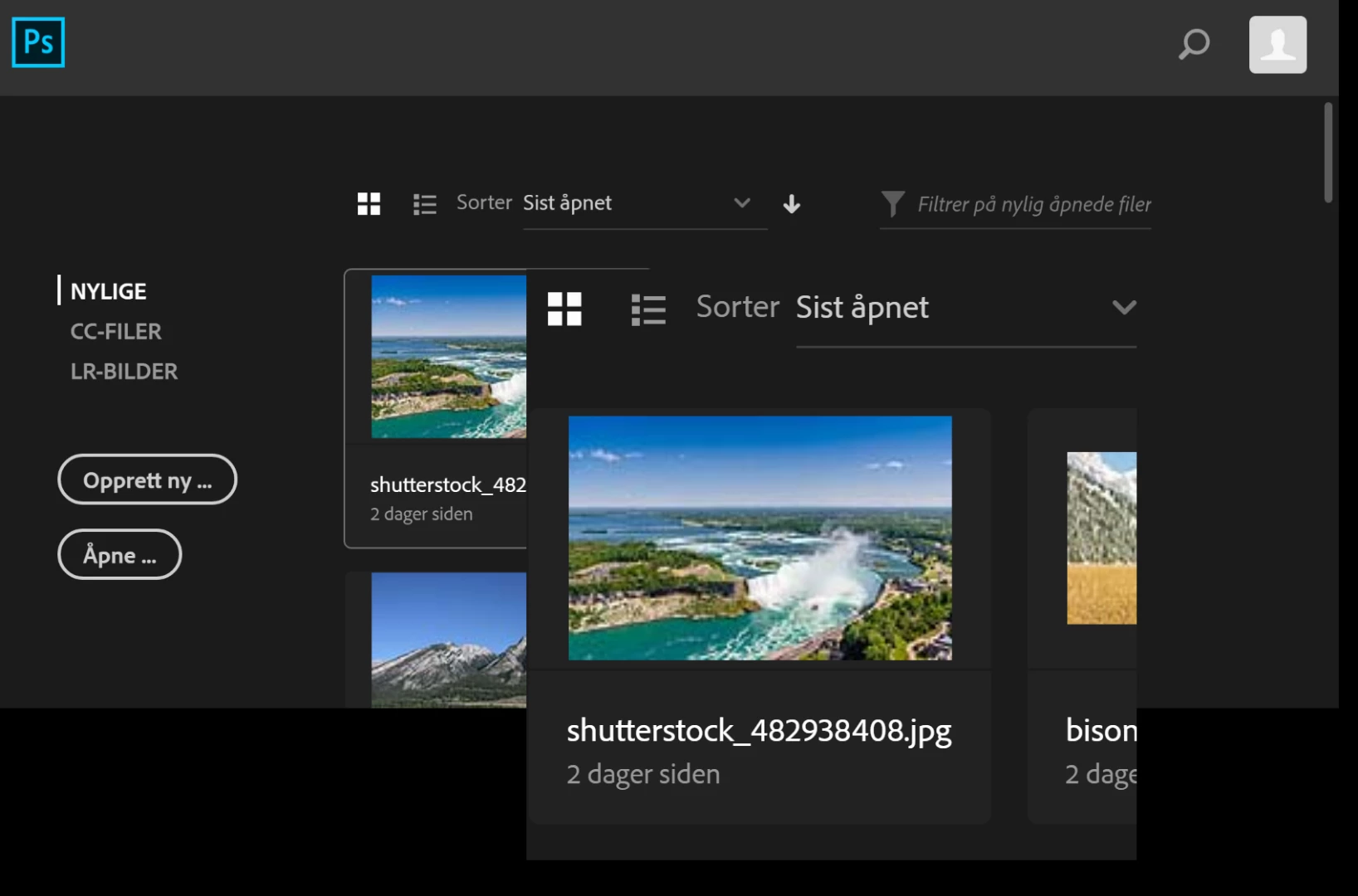
When I start up my CC-apps the screen looks as in the picture attached here. It's the same in AI and PS.

Does anyone know what this is and how to fix it?
    This topic has been closed for replies.

    1 reply

    Monika Gause
    Community Expert
    Community Expert
    February 2, 2018

    Can you open the preferences?

    Try and disable the GPU acceleration. Does that help?

    Participant
    February 2, 2018

    No, it's already disabled.

    Didn't help to turn it on either..

    Monika Gause
    Community Expert
    Community Expert
    February 2, 2018

    Did you perhaps change your monitor resolution setting to something irregular?

    Did this ever work correctly?

    Did you already restart the computer?

    It might be with the preferences:

    How to set preferences in Illustrator

    Also this might be an issue with the OOBE folder

    "Unknown Server Error" when logging in to Adobe Creative Cloud

    And since it is already Friday, you could try and contact the Customer Care team. If it's something in your system, they can find it, because they can log in

    contact-bumper
