
haleym49284702
Participant
April 1, 2018
Answered

Stipple/Grain drop shadow effect?

  • April 1, 2018
  • 2 replies
  • 6517 views

Hi everyone! I've been searching for a while and I can't seem to find an answer to how to achieve a certain effect in Illustrator. I'm looking to create a drop shadow effect that follows the curve of my letterforms, but has a grainy/stippled effect. I can create a stipple gradient using some of the tutorials I've found, but it always only goes in one overall direction instead of following each letter's individual curves. Specifically, I'm looking to create something similar to this effect:


I've tried a few things with the blend tool, but I just can't figure out the grainy gradient bit. Any help much appreciated!!
This topic has been closed for replies.
Correct answer Ray Yorkshire

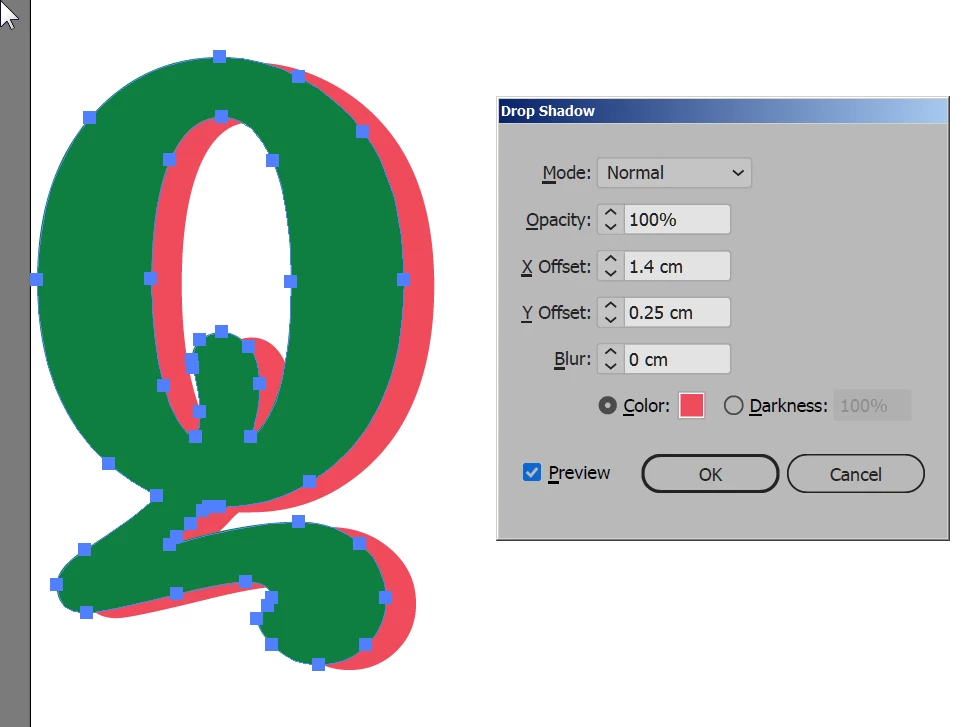
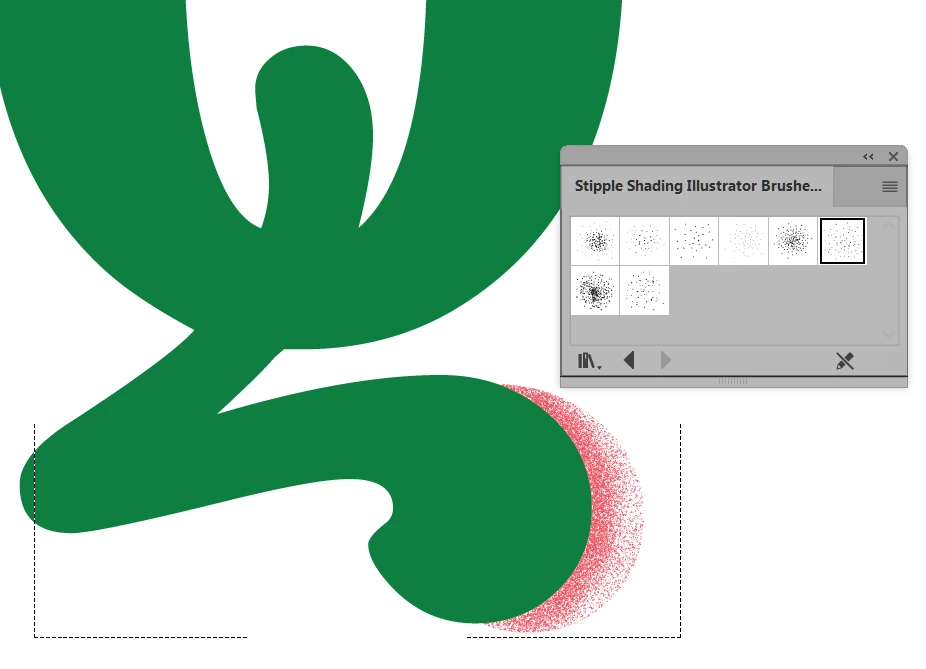
You could try something along these lines -  but with a little more care taken..

Type > Create outlines

Effect > Stylise > Drop Shadow

Object > Expand Appearance

Object >  Ungroup (a couple of times until it's  grayed out)

Select ' shadow' object

Enter Draw Inside mode

change stroke to fill

switch to brush tool

use the  stipple shading  brushs

Then similar with main shape adding darer stipple on top

8 Free Stipple Shading Brushes for Adobe Illustrator

2 replies

Ray Yorkshire
Ray YorkshireCorrect answer
Participating Frequently
April 1, 2018

You could try something along these lines -  but with a little more care taken..

Type > Create outlines

Effect > Stylise > Drop Shadow

Object > Expand Appearance

Object >  Ungroup (a couple of times until it's  grayed out)

Select ' shadow' object

Enter Draw Inside mode

change stroke to fill

switch to brush tool

use the  stipple shading  brushs

Then similar with main shape adding darer stipple on top

8 Free Stipple Shading Brushes for Adobe Illustrator

Monika Gause
Community Expert
Community Expert
April 1, 2018

Those examples look like they have been edited in Photoshop using a mixture of layering techniques that include conversions to bitmap in order to get the diffusion dither.

In Illustrator you might try the plugin Stipplism.

But it won't give you the same effect.