

csgaraglino
Known Participant
June 14, 2023
Question

Stop illustrator from automatically opening XML files!

  • June 14, 2023
  • 3 replies
  • 670 views

For years adobe, illustrator has been opening XML files in a variety of different macOS is. But I've had just about enough. This is getting worse and it's getting very, very disruptive to my daily flow.


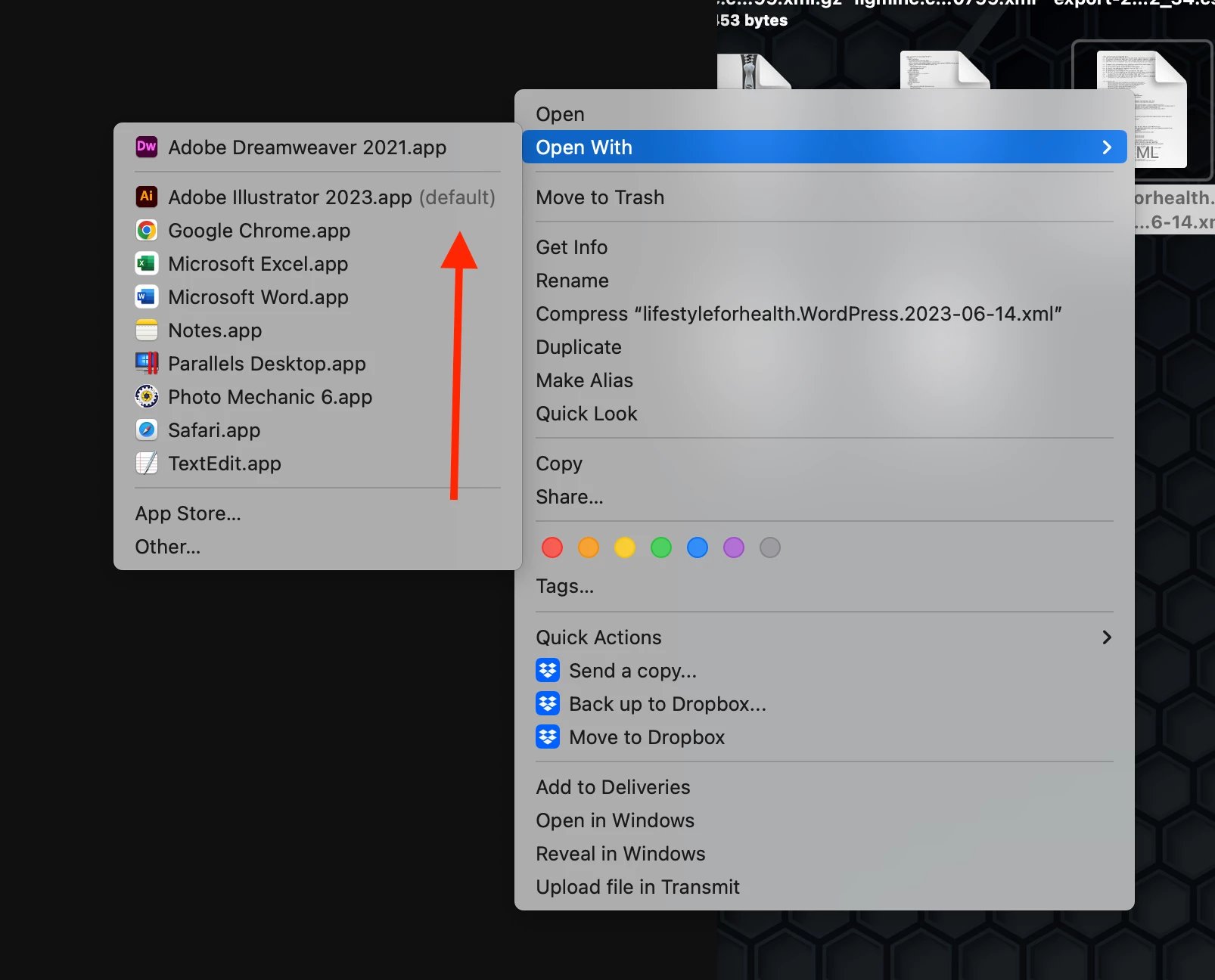
Yes, I have set XML files to be open with Dreamweaver by default. Two problems happened either as soon as there's a reboot, it switches back to Adobe Illustrator two it shows Dreamweaver as the program to open but the default tag is still stuck on the Illustrator application see photo below.


I work with dream Weaver and XML files every single day 9 to 5 and Adobe illustrator keeps taking over 5,6,7, and sometimes 10 15 times a day it's got to stop I don't know what else to do. I'm about to uninstall the Adobe software if I can't get this fixed ASAP.
 

This topic has been closed for replies.

3 replies

Avoin.Systems
Participant
April 17, 2024

Feel you, and been there until now. 

I think there might be different settings for the individual file and the file type in general. I now followed these steps: 

  1. Open a Finder window.
  2. Select an XML file, then choose File > Get Info.
  3. In the Info window, click the arrow next to “Open with.”
  4. Click the pop-up menu, choose an app, then click Change All.


Source: https://support.apple.com/guide/mac-help/choose-an-app-to-open-a-file-on-mac-mh35597/mac 

Legend
June 14, 2023

I think macOS favours the newest app that says it can open the files. Illustrator only says it's capable of doing it, it doesn't make the call or take over...

Monika Gause
Community Expert
Community Expert
June 14, 2023

Illustrator cannot make changes to your operating system on its own. Particularly not in Mac OS. 

You might want to investigate the OS X LaunchServices