
TheHappyPrinters
Inspiring
March 9, 2023
Answered

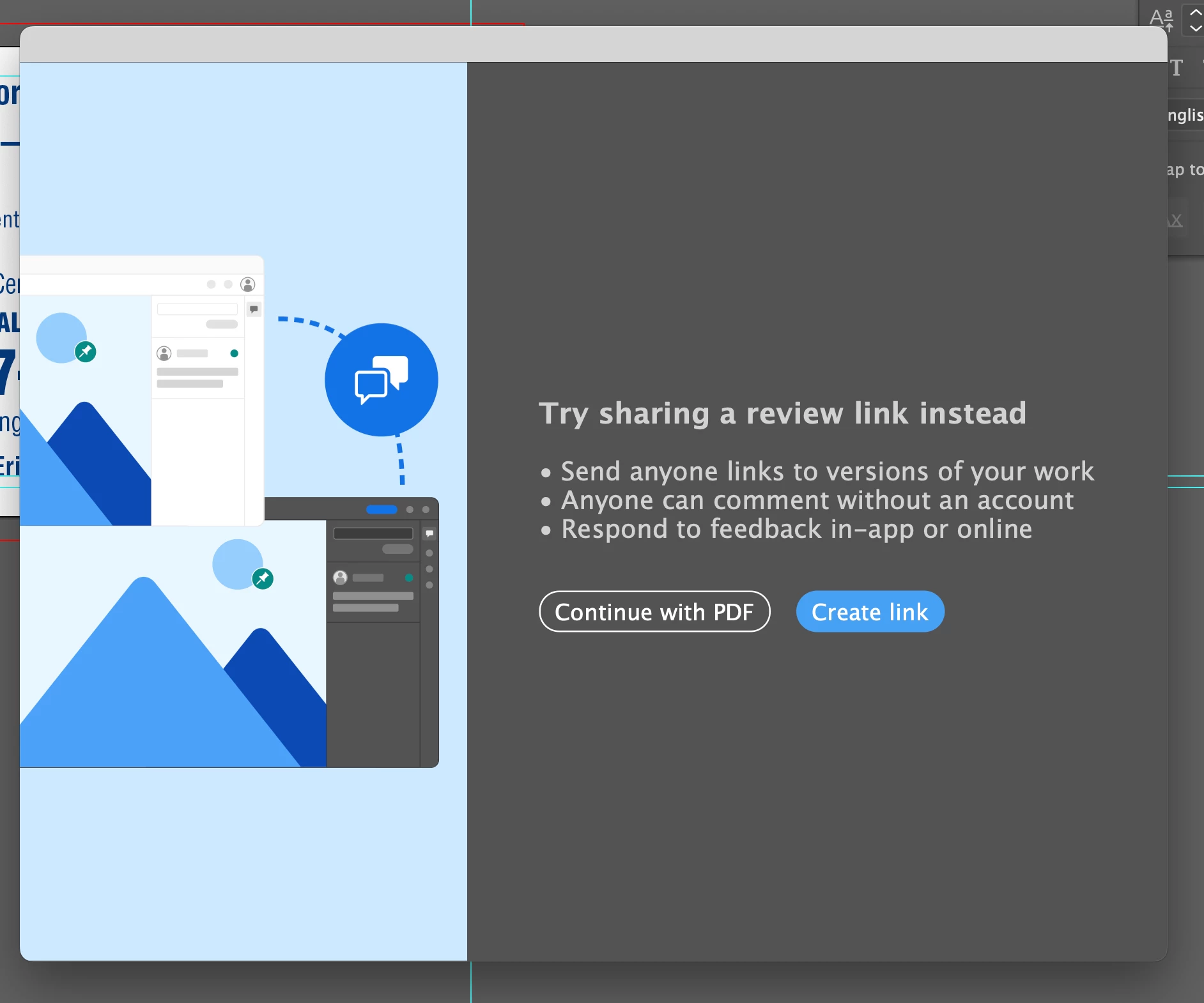
Stop Share for review dialog box pop up to create review link when saving PDF in Illustrator v27.3.1

  • March 9, 2023
  • 17 replies
  • 9923 views

This is beginning to get really frustrating, I'm seeing this almost 40 or 50 times per day since a recent update. I have absolutely no intention of using this service and would love to know how to stop this dialogue box from ever appearing again.
Please any help would be very much appreciated.
This topic has been closed for replies.
Correct answer Anshul_Saini

Hello everyone,


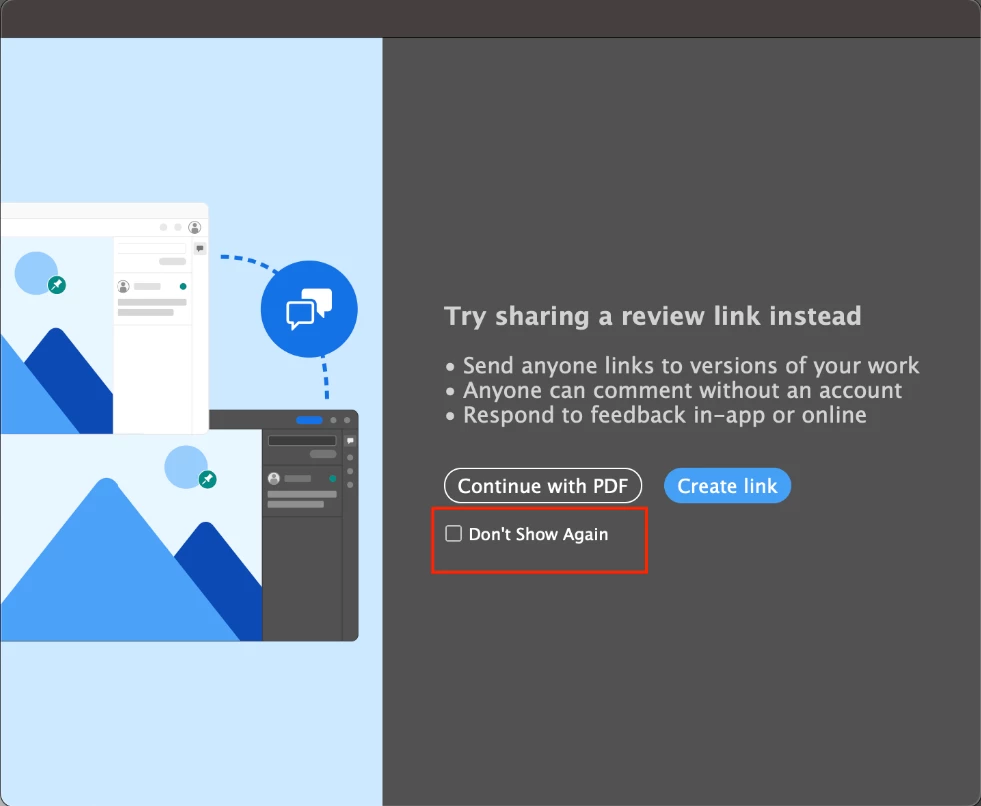
We are pleased to announce that we have resolved the issue related to the Share for Review modal in Illustrator. We have added a "Don't Show Again" checkbox option on the 2nd instance of the modal.


Please ensure that you have updated to Illustrator v27.4.1 to access this feature. If you still encounter any issues or the checkbox option does not appear, please let us know.


Best regards,

Anshul Saini

#Marking this correct to highlight

17 replies

Participant
April 7, 2023

Adding my name to the hat. This isn't something that goes away after a few times. It keeps on occurring. I export many dozens of PDFs a day, and this comes up around 25% of the time. It's annoying and uneeded. 


To paraphrase: Adobe, strop trying to make fetch happen. 

Participant
April 6, 2023

With the improved Share for Review in Illustrator


Why are "share for review" or "maybe later" the only options in this obnoxious dialog box that appears randomly when I export files?


Please add a "no" and "never" option.


I swear, with each passing year I feel that Adobe finds new ways to annoy users and force workflows on them that they do not need.  


Meanwhile, we still don't have a search function to find a specific preference or setting, in what is now a sprawling and random list of check boxes.


Honestly, I don't even know why I'm posting this. Ranting, I guess. Moderators here have zero power and just placate users with standard "Sorry you're having problem. I've forwarded your concern to the relevant team." 

MTmedia
Participant
April 3, 2023

It's annoying! How can I turn off that annoying "'Fürs Review freigeben' testen" dialog that is annoying me every time I export some images?

Inspiring
March 30, 2023

Can you please switch off the 'Share for Review' lightbox prompt that pops up every few times I export to PDF? It's really annoying. I have no desire to use this new function so stop trying to upsell me the usefulness of it. You're just adding superfluous gimmicks that I don't wish to use. Here you are again, trying to extoil the virtues of project sharing in ways my clients simply don't want to work. If I click on the suggestion to not use this feature once, I don't want to see it again, thank you.

Srishti Bali
Community Manager
Community Manager
March 31, 2023

Hi @cyclopsdx 


I apologize for any inconvenience this may have caused. I have brought this issue to the attention of our product team, and they are actively working to resolve it. Please stay tuned for further updates, and thank you for your patience in advance.


Regards,

Srishti

swxpkg
Participant
April 4, 2023

Thank you!!!  🙂 

TheHappyPrinters
Inspiring
March 10, 2023

Thank you all for your help but I have created a work around. Instead of saving from AI to PDF, I just open Acrobat and create a PDF from the AI file.

Anshul_Saini
Community Manager
Community Manager
March 23, 2023

Hi @TheHappyPrinters @Kev28410820xkum,


I understand how frustrating it can be to constantly see a dialog box appear on your screen. I'm sorry to hear that you're experiencing this issue even after the recent update. It's good to hear that you have found a workaround by creating a PDF from the AI file in Acrobat.


Regarding the issue, the dialog box should only appear once or twice when you first use Illustrator, but if you're seeing it repeatedly, then we need to further investigate the issue. As suggested by Met1, resetting preferences might help in resolving the issue. However, please note that resetting preferences will remove all the custom settings, and Illustrator will launch with default settings. You can take a backup of the folders in case you want to. (https://helpx.adobe.com/illustrator/kb/troubleshoot-preference-issues.html)


After resetting preferences, you should only get the dialog box pop up twice. Please let me know if it appears more than twice, and we can continue troubleshooting the issue.


Looking forward to your responses.


Best,

Anshul Saini

swxpkg
Participant
April 2, 2023

I am seeing this same exact issue since a recent update and it is driving me crazy!  It is happening every single time I export to PNG.  😞

Ton Frederiks
Community Expert
Community Expert
March 9, 2023

I cannot remember seeing this either. What are you doing to trigger this message?

TheHappyPrinters
Inspiring
March 9, 2023

I am saving an AI file as a PDF.  I keep the 2 separate so others in my team can look at and print those files from PDF but they don't need to be messing with original art so I keep that in AI. It has only been happening since the 27.3.1 update.

TheHappyPrinters
Inspiring
March 9, 2023

environment looks like Illustrator, and I also did not see this screen during writing PDFs based on AIs. Do you have any additional conditions (e. g. network source)?


On a MAC and no network operations when saving. I'm saving directly to a directory on my HD. Then copy PDF files over to our server, redundancy for lost and overwritten files by irresponsible team members.

I also have an older version of AI on a PC and I am not having the same issues with that version.

Met1
Legend
March 9, 2023

Probably not what you want to hear, but try resetting or trashing your prefs.

AFAIK this shows up once or twice when you first use Illy and should then go away - I can't actually remember ever seeing this.