



Copy link to clipboard
Copied
Hi, after resetting my system in o and in bridge preview I noticed Strange blue circle on right side please see my screenshot below, can someone explain to me what it serves please,
Thank you
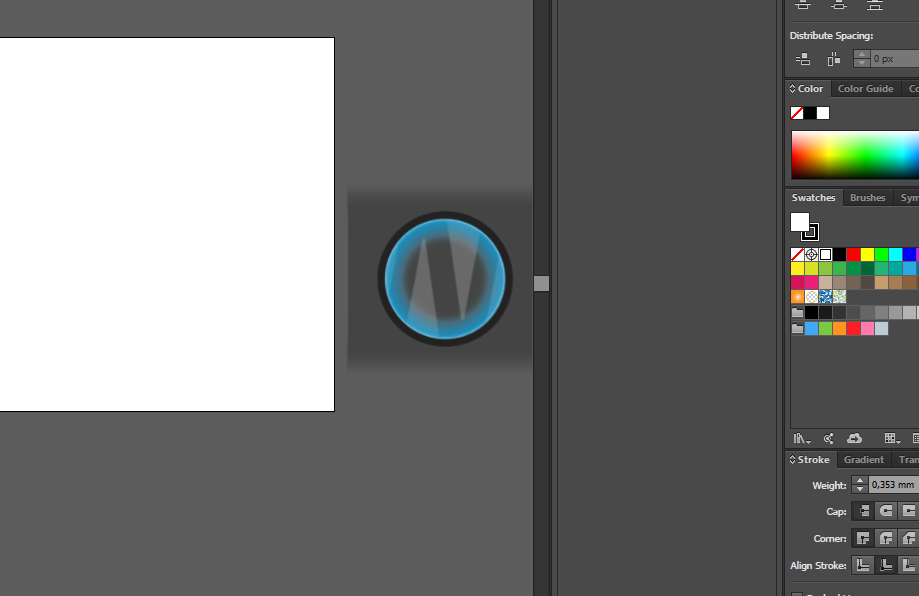


 1 Correct answer

I finally figured out how to turn this blue circle off. Here are the steps I used.
1. Open the MSI Dragon Center Application and click on the blue Nahimic2UILauncher
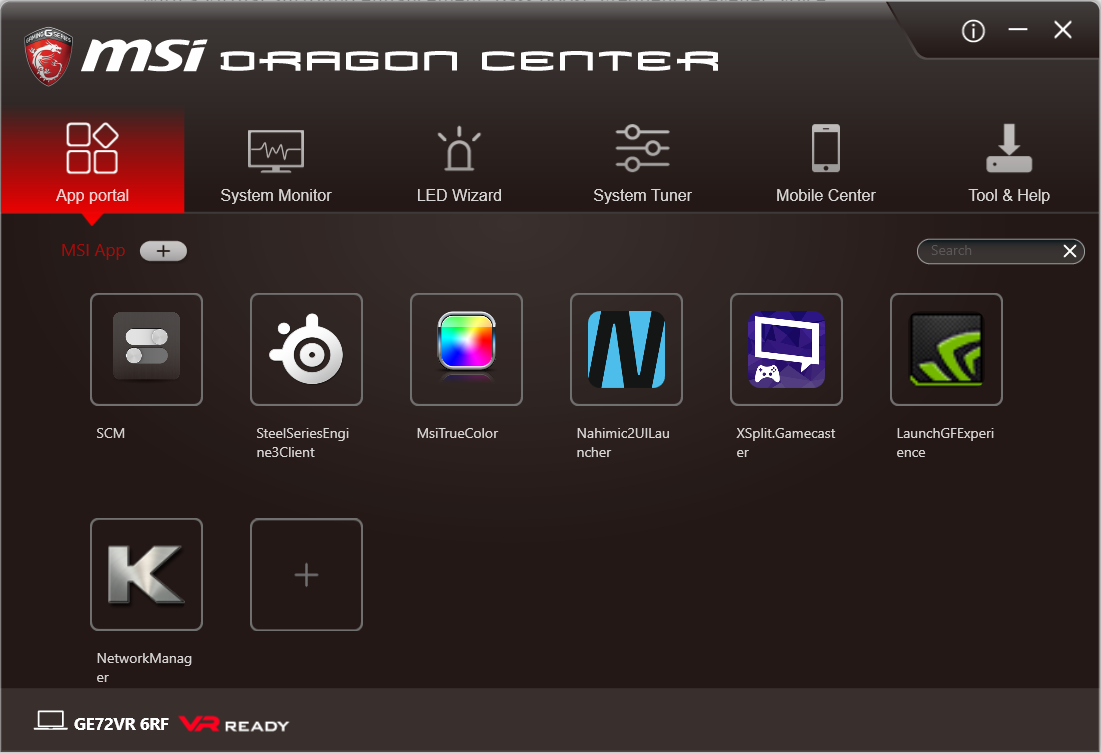
2. Click the button at the top of the screen that says Sound Tracker
3. Click the on/off toggle switch at the bottom left.
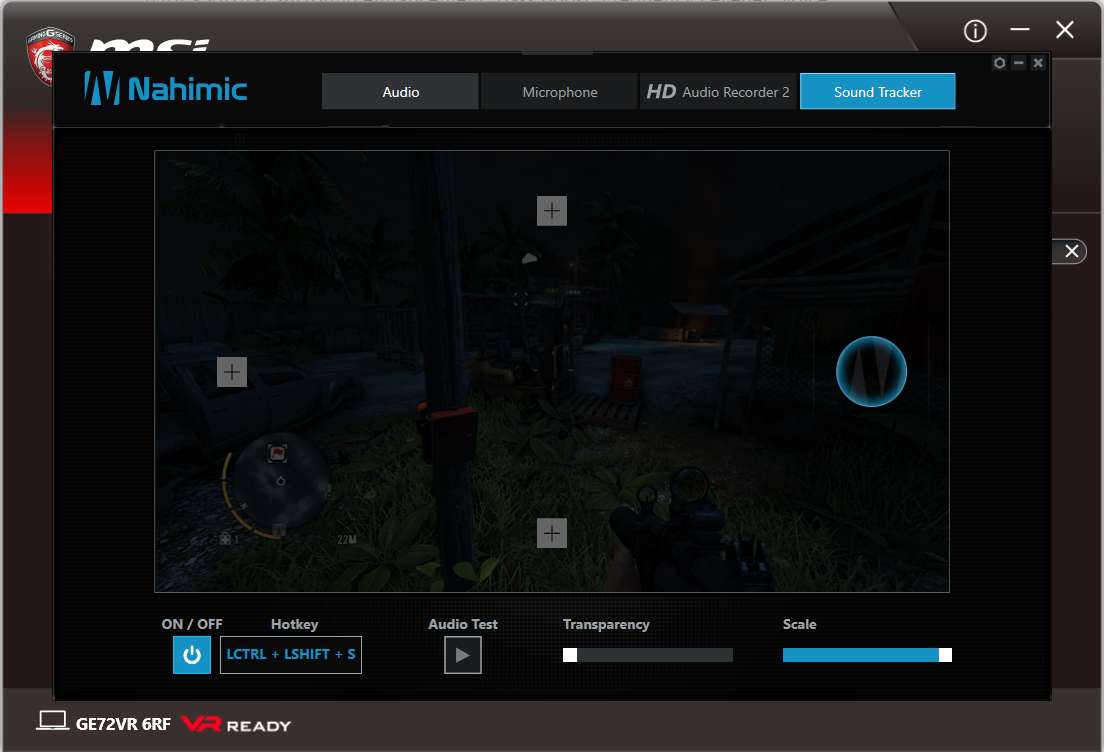
Hope this helps someone!


Explore related tutorials & articles
 16
Replies
16
16
Replies
16


Copy link to clipboard
Copied
Which system?
Which version?
Any special hardware attached? A Wacom perhaps?
Copy link to clipboard
Copied
System is windows 10 64bit, Illustrator 2015.3
Finally, I figured out this coming from Nahimic 2 sound driver on my MSI laptop, this is for positioning speaker and sound,
is some kind of gaming feature  looks like this sound driver believes Illustrator and bridge are the games
Copy link to clipboard
Copied
Thank you! I am having the same issue with my new MSI Laptop. How did you fix it?

Copy link to clipboard
Copied
Wait, what? Illustrator is not a game?!?
Copy link to clipboard
Copied
Ha! It could be argued.

Copy link to clipboard
Copied
Hi CHRafal,
Please share the steps you tried to get that symbol removed. It would help many others.
Regards,
Om
Copy link to clipboard
Copied
I finally figured out how to turn this blue circle off. Here are the steps I used.
1. Open the MSI Dragon Center Application and click on the blue Nahimic2UILauncher

2. Click the button at the top of the screen that says Sound Tracker
3. Click the on/off toggle switch at the bottom left.

Hope this helps someone!
Copy link to clipboard
Copied
Hi Beckie,
Thanks for the steps, especially with screenshots, it makes the troubleshooting a lot easier. Really appreciated.
Regards,
Om

Copy link to clipboard
Copied
If the Program is failing to launch can i just uninstall it?
Copy link to clipboard
Copied
Hi Trap.Slayz,
You certainly can uninstall it. There are multiple ways to do so :
1. Use the CC app to uninstall Illustrator :
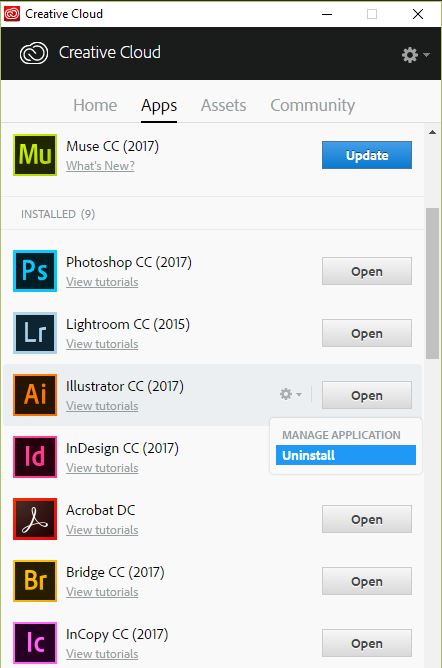
2. Use the CC Cleaner tool to uninstall : Use the Creative Cloud Cleaner Tool to solve installation problems
Regards,
Om

Copy link to clipboard
Copied
I have an msi laptop, but the program is no where on it, but I still get that stupid blue circle. Please help.

Copy link to clipboard
Copied
try downloading the msi dragon center not the gaming center
Copy link to clipboard
Copied
if still not working, try unistall nahimic2 and re-installed it.
Copy link to clipboard
Copied
This Circle come from NAHIMIC just hit Windows button and start typing this name, open program and turn off Sound Tracker.
you dont need gaming center

Copy link to clipboard
Copied
I have an Alienware 15 and I am experiencing the blue circle I tried downloading dragon center and it wouldn’t work on the second step what should I do

Copy link to clipboard
Copied
hi you have it in Alienware comand center .... just open it and last page in "FUSION" go in last option on left side that is nahimic options (it looks like small circles of dots) and there just turn it off. 🙂


Get ready! An upgraded Adobe Community experience is coming in January.
Learn more
 AdChoices