
Participating Frequently
November 16, 2018
Answered

Strange Ghost Objects

  • November 16, 2018
  • 2 replies
  • 2588 views

There are a lot of strange ghost objects in my Illustrator file.  I can't click on them, but they show up when I mouse-over.  They show up in outline mode, but again I can't click on or select them.  They move with selected objects.  Any idea what these are???
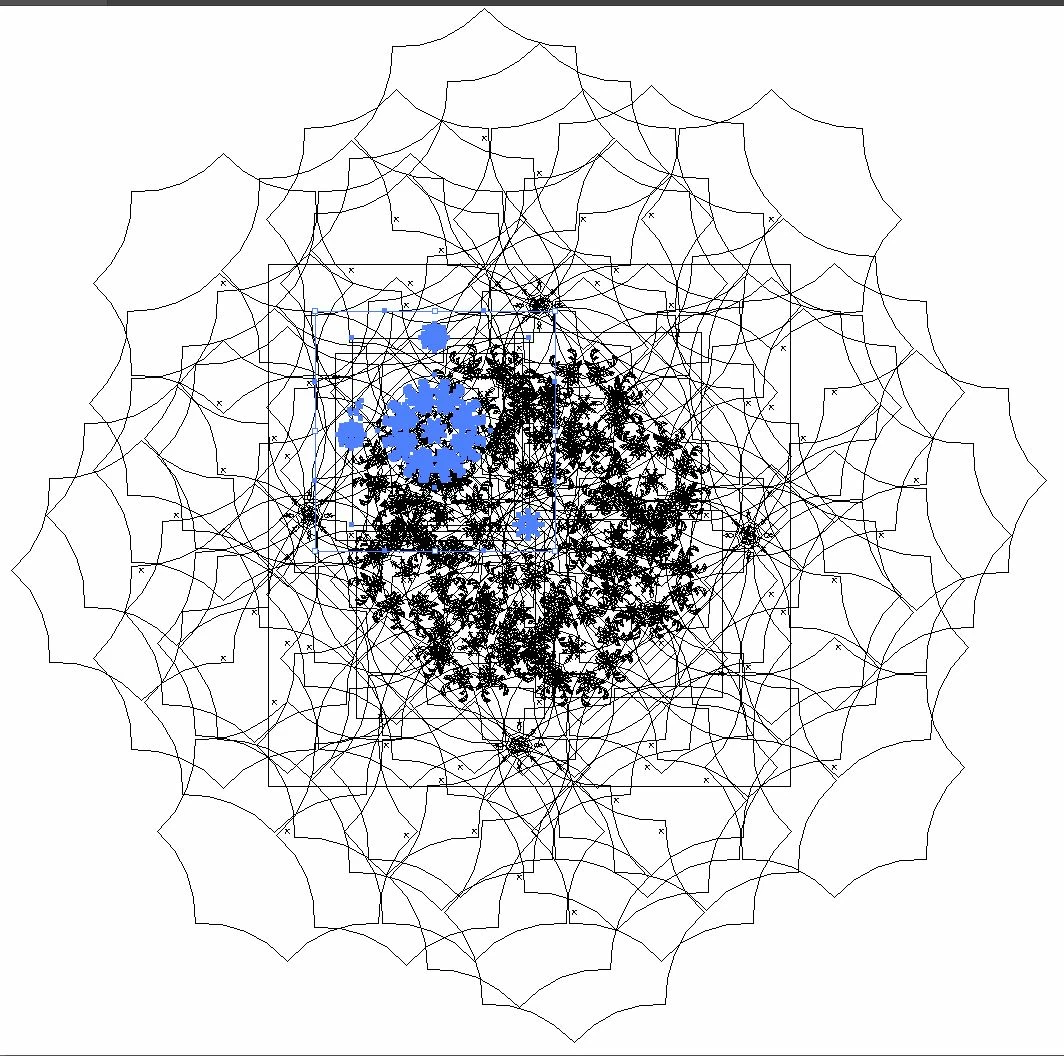
The blue items are what I can see in normal mode and the only thing in the document I can actually select.  The selection was made with ctl+a.
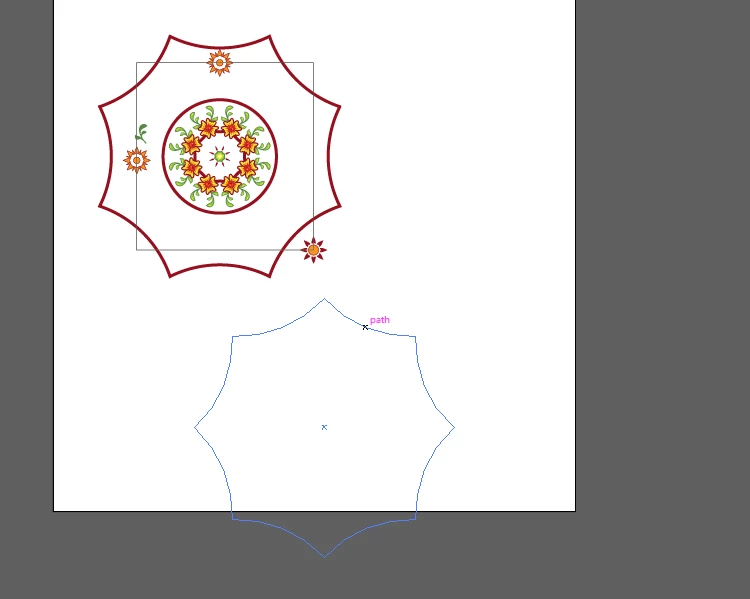
This is what it looks like in normal mode and the blue outline is what I get with mouse-over, it is NOT actually selected. 

Whatever these are, they are making this file HUGE and hard to work with.  Any ideas how to get rid of them????

This topic has been closed for replies.
Correct answer Mohammad.Harb

This could be multiple clipping mask ,

click on the object , right click and select release clipoing mask Or ( ctrl + alt + 7)

2 replies

Mohammad.Harb
Community Expert
Community Expert
November 16, 2018

Did you import the file or was the file saved as pdf?

Participating Frequently
November 16, 2018

No.  I made it all from scratch.  Then made it a pattern.  I kept seeing while I was adjusting the pattern, so I selected just the items I could see and copied/pasted it to a new illustrator file.  They were still there and I couldn't figure it out.  I never made a clipping mask during the whole process, so I'm very confused.

Monika Gause
Community Expert
Community Expert
November 16, 2018

You made a pattern. There you have the reason where they came from.

Then you obviously expanded the pattern and there they are.

It will help you in the future that you read the documentation before working with functions you don't know.

Also: always keep the layers panel open and closely watch what happens after every expand or release or such.

Mohammad.Harb
Community Expert
Mohammad.HarbCommunity ExpertCorrect answer
Community Expert
November 16, 2018

This could be multiple clipping mask ,

click on the object , right click and select release clipoing mask Or ( ctrl + alt + 7)

Participating Frequently
November 16, 2018

That IS what it was...BUT I didn't make them.  Any ideas how that happened?