
IcedDMC
Participant
September 14, 2020
Question

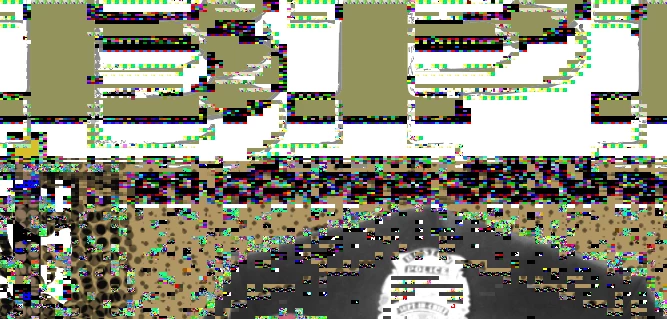
Strange glitch/pixelation randomly appearing, then clears when I scroll past the error.

  • September 14, 2020
  • 2 replies
  • 392 views

Randomly when I'm working in Illustrator, the program glitches out and becomes weirdly glitchy...then, once I scroll past the issue, the pixelation goes away.


Just wondering if this is an issue other people are experiencing, or if there's an Adobe-centric solve here...or if it's something wrong with my computer. It's definitely annoying as there is no particular process that sets it off - and it slows down my work.
 

This topic has been closed for replies.

2 replies

marliton
Community Expert
Community Expert
September 14, 2020

Hi. It looks like a GPU performance problem. Check in Preferences > Performance the details of your GPU. Maybe your GPU drivers need an update. To be sure, disable "GPU performance".

https://helpx.adobe.com/illustrator/kb/gpu-performance-preview-improvements.html


Marlon Ceballos
Larry G. Schneider
Community Expert
Community Expert
September 14, 2020

It appears to be a problem with your video card. Have you checked for an updated version?