
Stroke continues to appear when there is no path between anchor points?
**Problem occurring in Illustrator CC**
I'm completely stumped by this weird behaviour on one of my paths. I was trying to complete an illustrator tutorial but I have gotten stuck on one of the simplest actions.
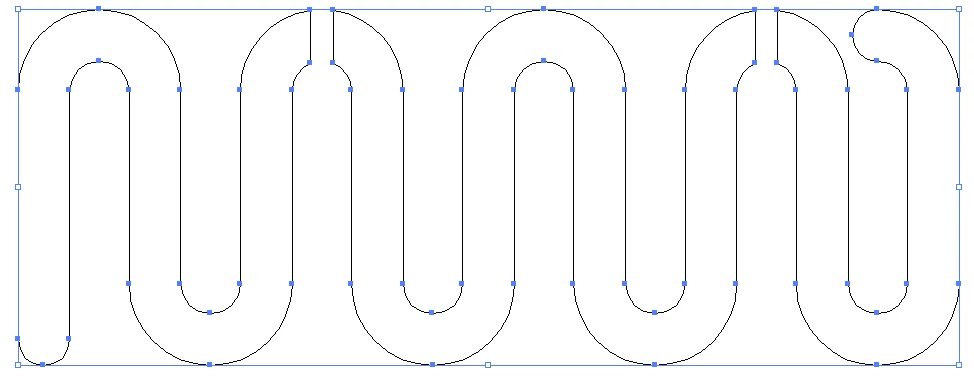
This is what my original shape looks like:
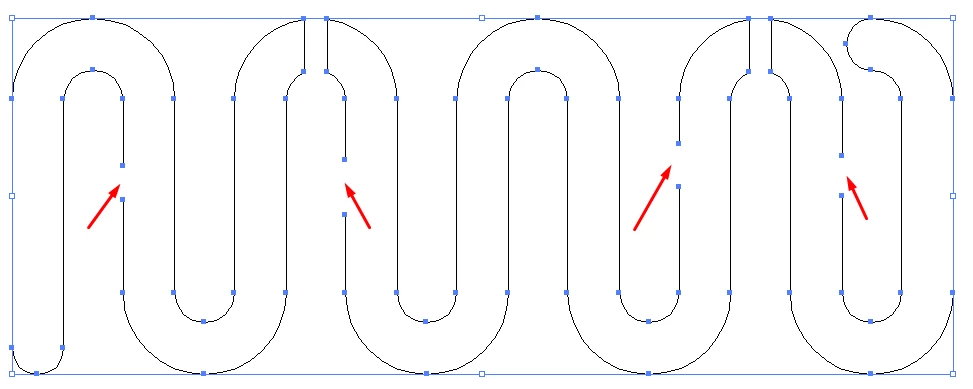
By using the scissor tool to cut gaps out of the path, I get this (which is what I want):
But when I pop back out of Path mode, it looks like this:
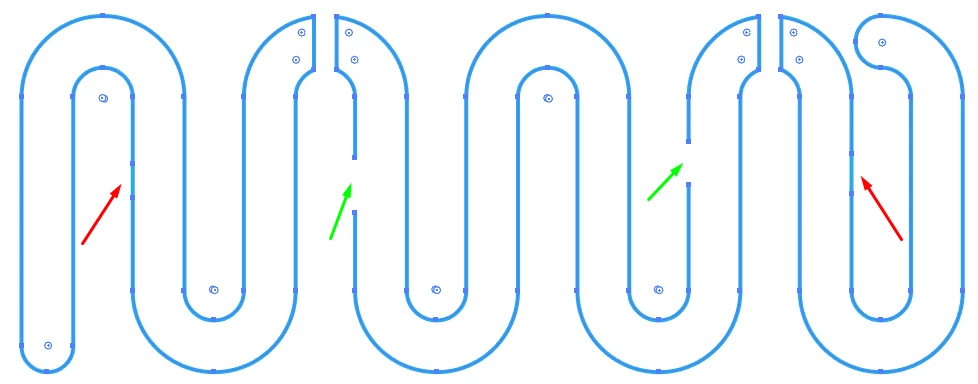
So the middle shape is behaving correctly, with the stroke not continuing through the unconnected anchor points, but on the two outer shapes, the stroke is continuing through without having the anchor points connected. Weirder still, if I try to put another scissor cut elsewhere on the outer shapes, this happens: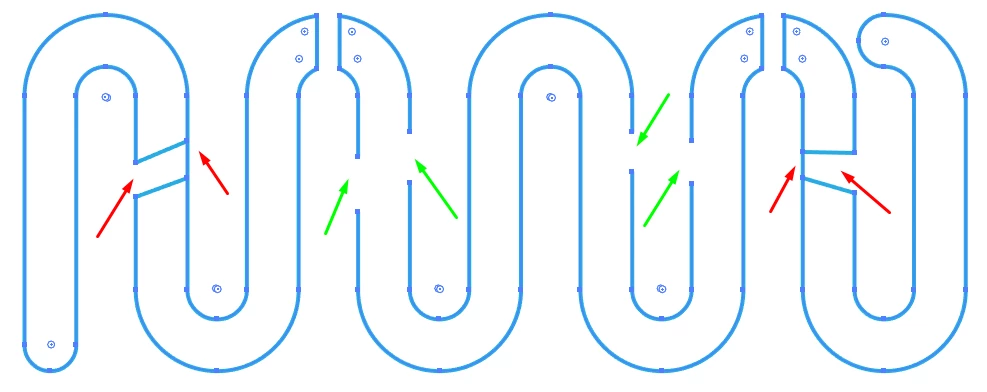
What am I forgetting or what am I doing wrong? I've copied my shapes into different AI documents, opened and closed Illustrator, scrolled up and scrolled down to see if it was my monitor not refreshing properly, changed colours, I'm convinced I'm forgetting something obvious, but have no clue what it could be.
Any help is greatly appreciated!!
Nora
 AdChoices