
Participant
August 2, 2024
Question

stroke gradient to transparent?

  • August 2, 2024
  • 1 reply
  • 435 views

Hello,

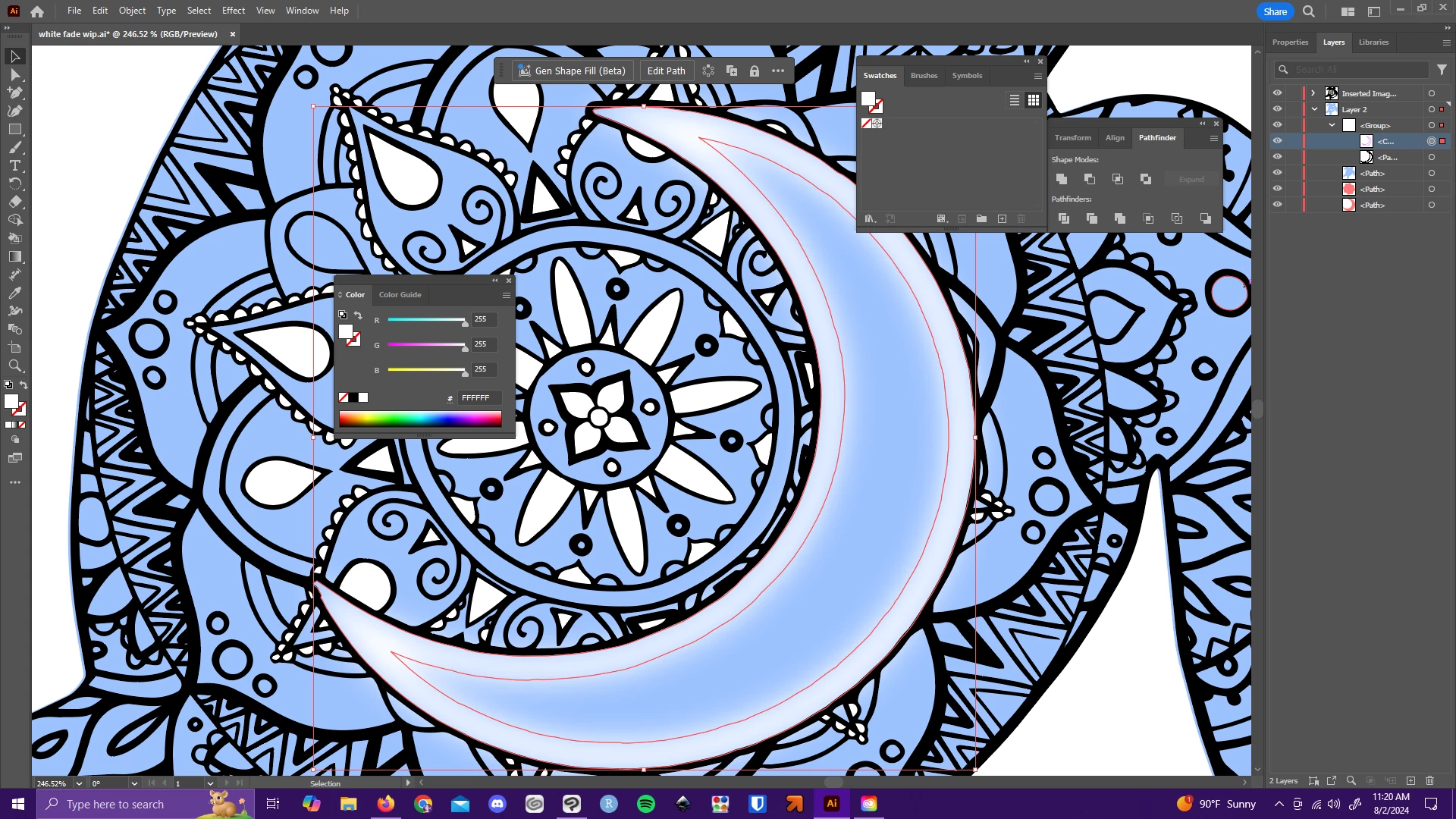
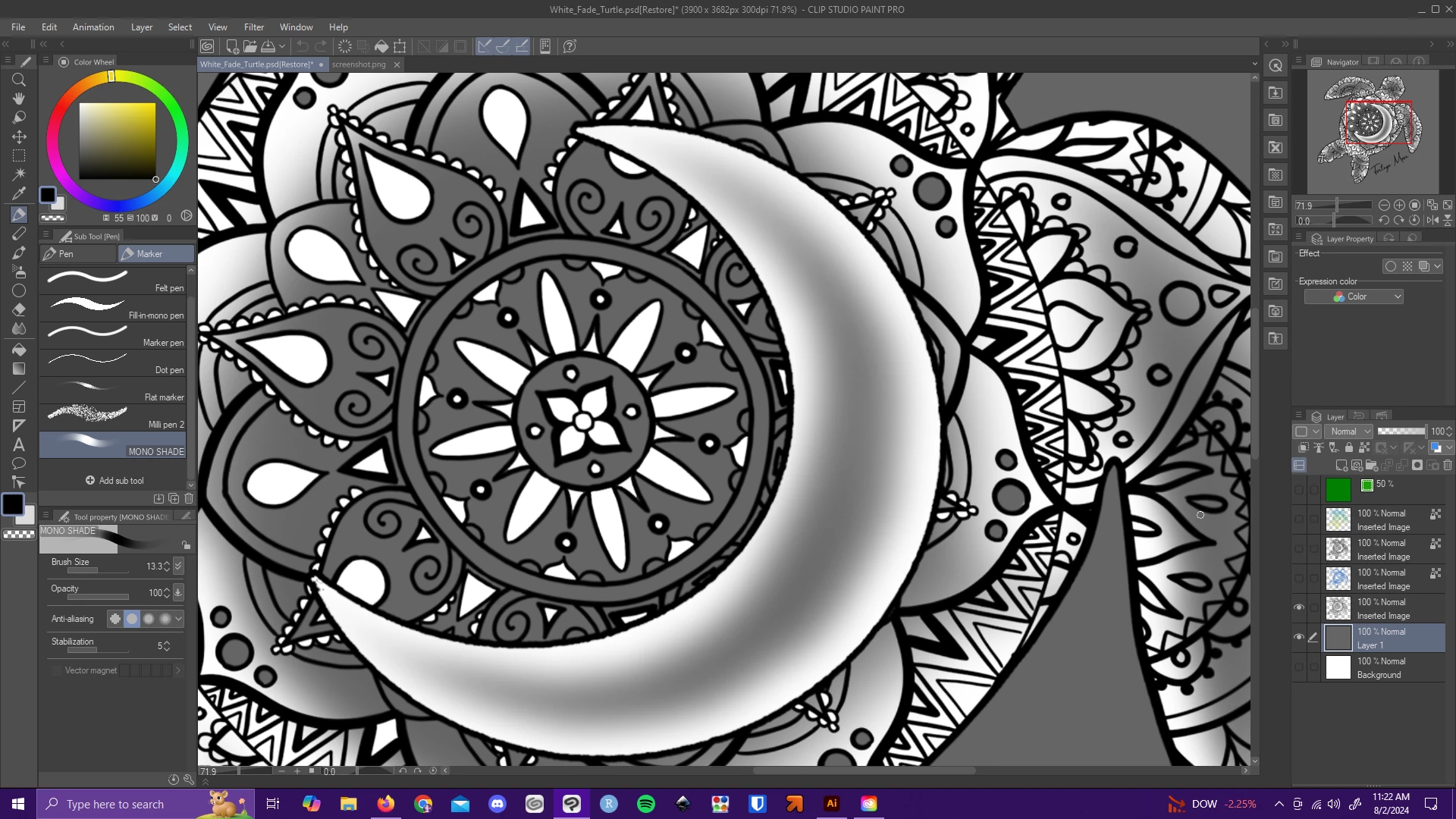
Very new to illustrator so apologies my wording isnt perfect. I am trying to fill a shape in a way that the edge of the shape is hard, but the shape is transparent in the center. i tried blurring the stroke, outlining it and cutting it out from a copy of the shape, but it seems to rasterize the gradient, and its more transparent than i was looking for.(first image) Is there a better way to achieve this effect? (second image is intended effect, just not vector artwork)
 

This topic has been closed for replies.

1 reply

Monika Gause
Community Expert
Community Expert
August 2, 2024

A gradient on the stroke would be technically possible, but will probably not fold correctly on the corners. 


Why does this need to be pure vector? What are you going to do with it?

Participant
August 5, 2024

Its for dye sublimation I believe, the client requested an illustrator file but I'm not sure if it has to be 100% vector art. As of right now I'm just using it for practice to learn the best way to go about vectorizing some existing art.

Monika Gause
Community Expert
Community Expert
August 5, 2024

If you want this in pure vector, then either blend, gradient meshes or freeform gradients would be the way to go.

But actually inner glow would be much easier.