
Exit
  • Global community
    • Language:
      • Deutsch
      • English
      • Español
      • Français
      • Português
  • 日本語コミュニティ
  • 한국 커뮤니티
0

Stroke Illustrator HELP

New Here ,
Feb 14, 2020 Feb 14, 2020

I'm currently losing my mind in regards to adding strokes in Illustrator. I am in no way a wizz at this program, so i may have missed something basic. I saved my work as a PNG, and placed it. If i add a stroke via appearance or any other way, it simply does not work. I am currently in 'image trace'. If i rasterize, it still doens't work. I want a stroke to go around the outline of the whole image. I have had it working, which is confusing me and infuriating me even more. Most suggestions such as 'Object Outline' etc are greyed out. 
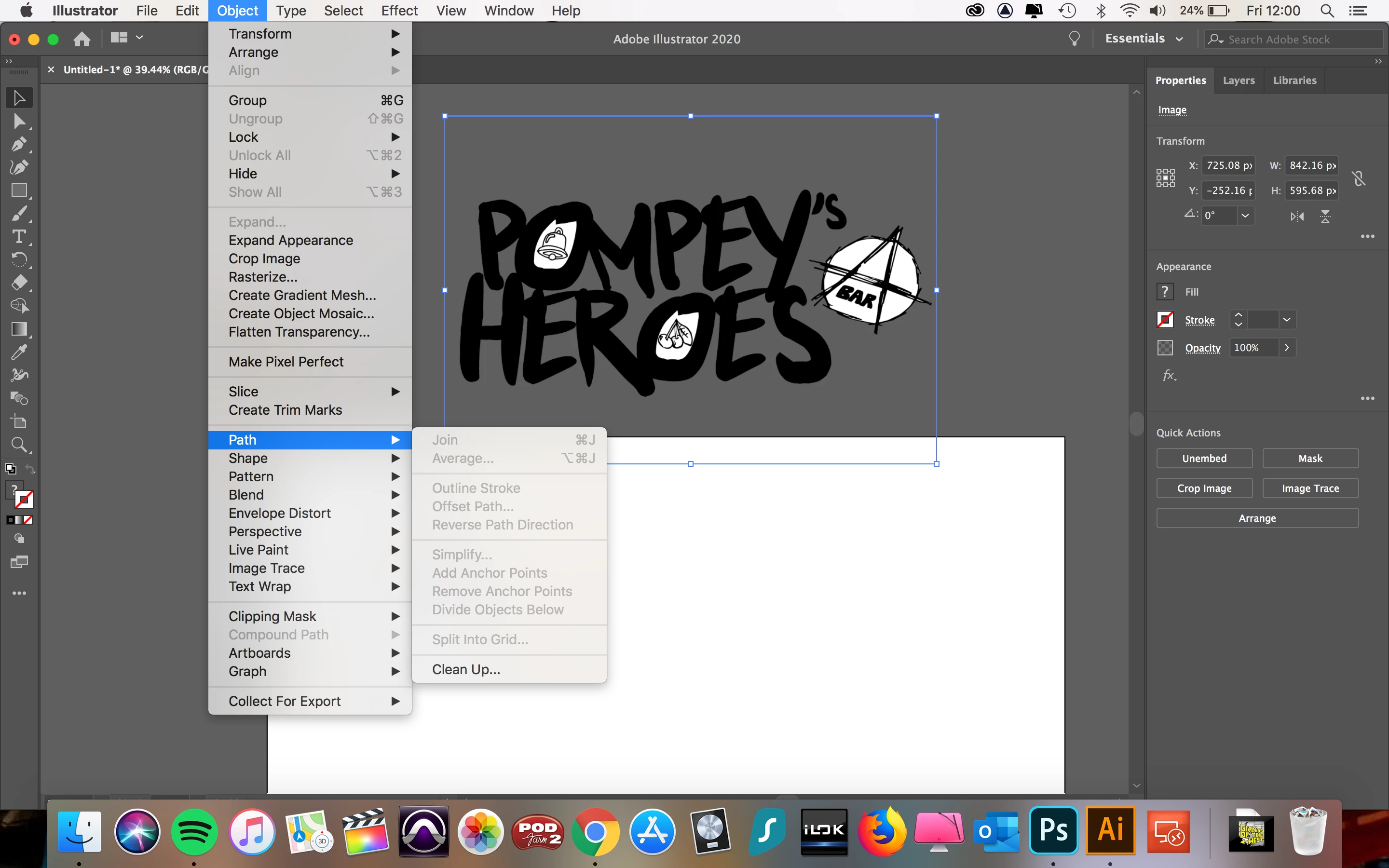
Screen Shot 2020-02-14 at 12.00.43.png

TOPICS
Draw and design , Performance
622
Translate
Report
Community guidelines
Be kind and respectful, give credit to the original source of content, and search for duplicates before posting. Learn more
community guidelines
Adobe
Community Expert ,
Feb 14, 2020 Feb 14, 2020

After using Image Trace, click on the 'Expand' button in the Properties panel. Then you'll have paths to work with.


Initially, the image trace is 'live' rather than 'expanded' in case you need to adjust the trace settings.

Translate
Report
Community guidelines
Be kind and respectful, give credit to the original source of content, and search for duplicates before posting. Learn more
community guidelines
Guide ,
Feb 14, 2020 Feb 14, 2020

How was it created before you saved it as PNG?

Translate
Report
Community guidelines
Be kind and respectful, give credit to the original source of content, and search for duplicates before posting. Learn more
community guidelines
Community Expert ,
Feb 14, 2020 Feb 14, 2020
LATEST

Once you've expanded your trace, group it all together and follow the directions in this video: https://youtu.be/jAhWaR3n1Zo

Translate
Report
Community guidelines
Be kind and respectful, give credit to the original source of content, and search for duplicates before posting. Learn more
community guidelines