Participating Frequently
January 5, 2019
Answered

Stroke visible even when appearance/stroke options cleared

  • January 5, 2019
  • 1 reply
  • 7157 views

I'm trying to remove a stroke from some artwork but it's still showing on the artwork even with appearance cleared and making sure the stroke had been removed. It's only one layer of the the artwork that's been changed after I duplicated it to try some colour schemes. I don't think it's a duplication error as other layers haven't shown the same issues when copied. I've closed illustrator and restarted my computer multiple times and everything is up to date. Anyone have any ideas on what's happened or even how it occurred?

This is what I've followed to try and fix it already:

Stroke applied but AI shows no stroke applied?

Correct answer jane-e

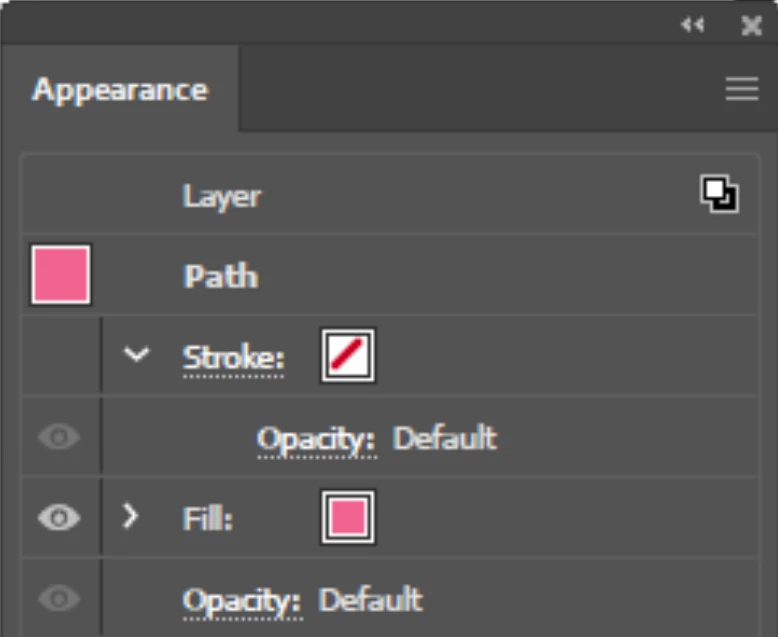
Here's just one path selected in the layer:

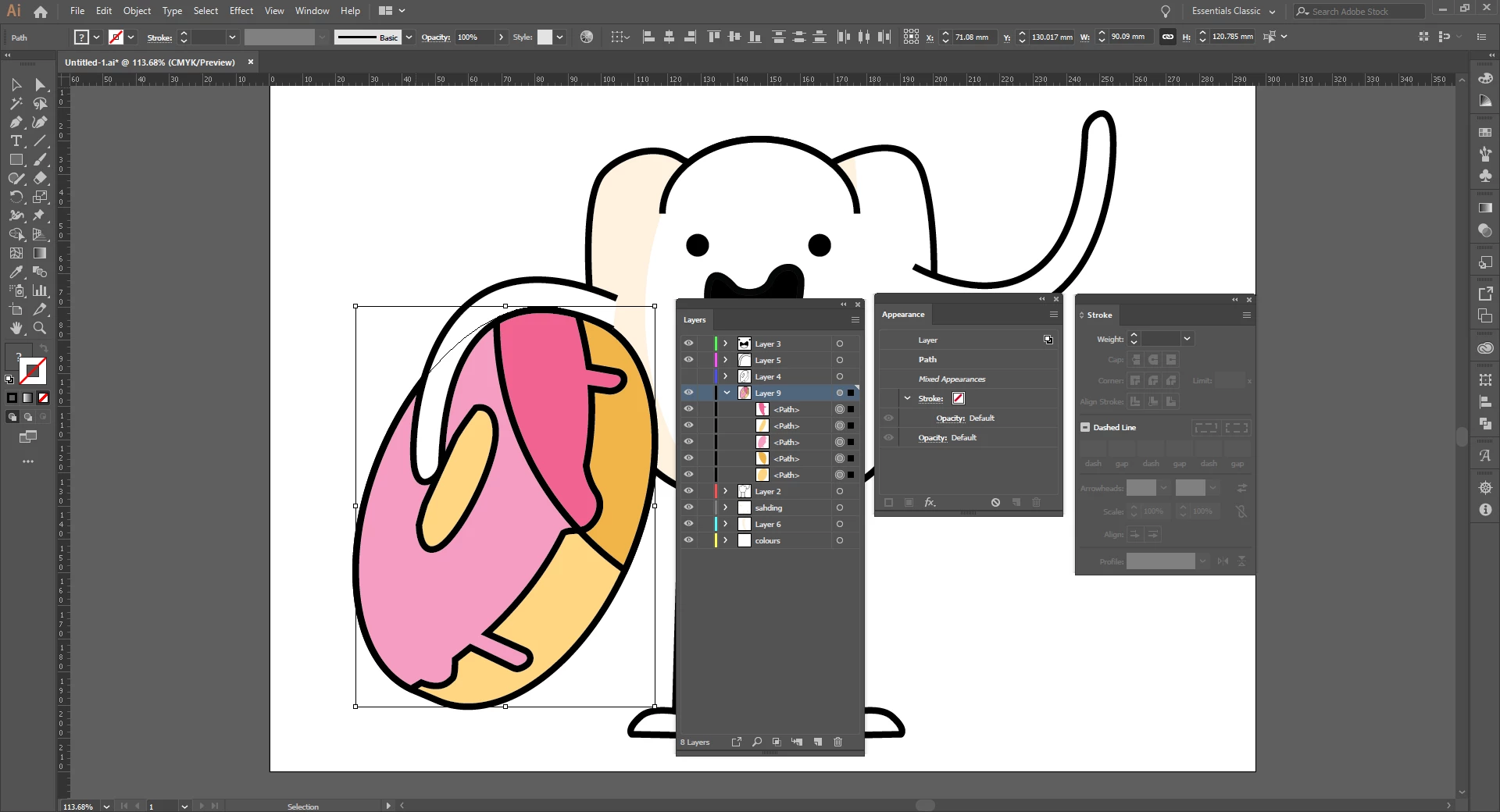
And here's the whole layer selected:


Hi Amber,

According to your screen shot, the black stroke has been applied to the layer. Appearances can be applied to a path, group, or layer.

To test this, move a path to a new layer. Does the stroke disappear?

Jane

1 reply

Monika Gause
Community Expert
Community Expert
January 5, 2019

And what exactly in that thread *did* you try? Did you check out the appearance panel? It might have told you that your stroke is applied to a layer.

amberandAuthor
Participating Frequently
January 5, 2019

Yes I checked the appearance panel for the paths in the layer, but not the entire layer. I've just double checked in case that was the issue but it also says that there is no stroke applied.

sishamIAGD
Community Expert
Community Expert
January 5, 2019

Are you able to show a screenshot for us to see the artwork in question and the appearance panel..? or even give us access to the file to check it?