
Exit
  • Global community
    • Language:
      • Deutsch
      • English
      • Español
      • Français
      • Português
  • 日本語コミュニティ
  • 한국 커뮤니티
0

Stroke widths appear thicker on Illustrator CC than CS

Community Beginner ,
Aug 05, 2019 Aug 05, 2019

Hello. I am having this difficulty in switching on working from CS into Illustrator CC 2019 interface when it comes to the what I see on my screen. Zooming in/out is different experience in the two versions. I am particularly working a lot of times on vectors and strokes and this annoys me when using CC 2019. Please check the screenshots I prepared
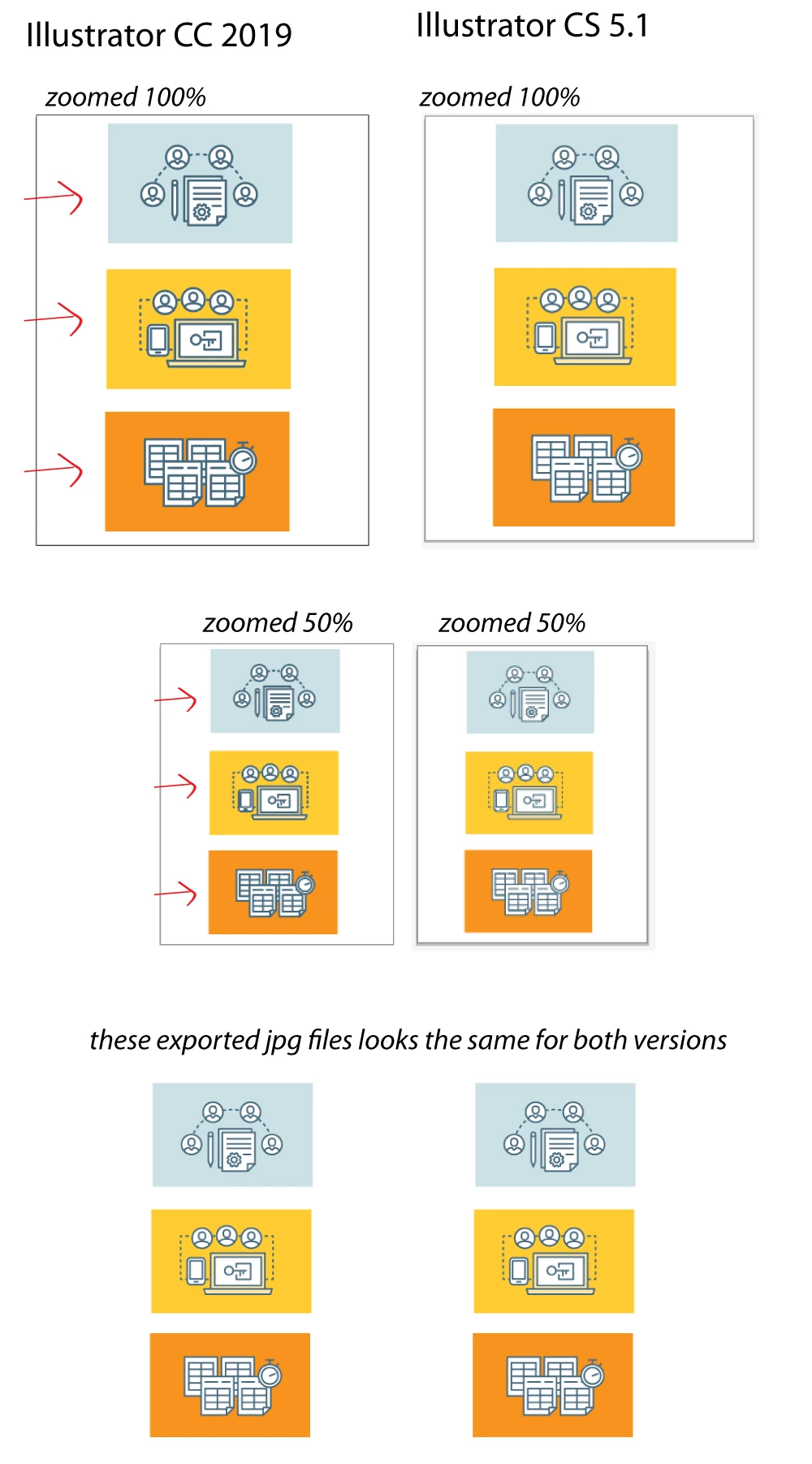
illustrator-cc-vs-cs.jpg

The CS version previews the very similar result of the exported jpeg unlike the CC 2019.

I tried using the "Overprint Preview" on CC 2019 and it almost achieves the thin lines I expect, but it lags my computer at some point.

Thank you for your help.

860
Translate
Report
Community guidelines
Be kind and respectful, give credit to the original source of content, and search for duplicates before posting. Learn more
community guidelines

correct answers 1 Correct answer

Community Expert , Aug 05, 2019 Aug 05, 2019

Certainly the improvements in the program over the almost ten years since CS5.1 came out would explain why what seems bolder to you—to me it seems more distinct—than what you are used to, is happening. One possible thing you could try is looking in your Illustrator preferences under GPU Performance and if it is on, turn it off and see if that makes a difference.

One other thing. Are you previewing both versions on the same computer? If so, what operating system are you using? If not then are the

...
Translate
Adobe
Community Expert ,
Aug 05, 2019 Aug 05, 2019

Certainly the improvements in the program over the almost ten years since CS5.1 came out would explain why what seems bolder to you—to me it seems more distinct—than what you are used to, is happening. One possible thing you could try is looking in your Illustrator preferences under GPU Performance and if it is on, turn it off and see if that makes a difference.

One other thing. Are you previewing both versions on the same computer? If so, what operating system are you using? If not then are the two computers comparable in age, operating system and video card?

Translate
Report
Community guidelines
Be kind and respectful, give credit to the original source of content, and search for duplicates before posting. Learn more
community guidelines
Community Beginner ,
Aug 05, 2019 Aug 05, 2019

It worked!!! I feel so delighted right now \:)/

ccc.JPG

Btw, I am using the same computer for both versions. I'm using a Windows 10 but I think it didn't matter now because I found the right solution. Many many thanks to you guys!

Translate
Report
Community guidelines
Be kind and respectful, give credit to the original source of content, and search for duplicates before posting. Learn more
community guidelines
Community Expert ,
Aug 05, 2019 Aug 05, 2019
LATEST

Happy to help.

Translate
Report
Community guidelines
Be kind and respectful, give credit to the original source of content, and search for duplicates before posting. Learn more
community guidelines
Community Expert ,
Aug 05, 2019 Aug 05, 2019

In addition to that you could check out the Pixel preview.

Translate
Report
Community guidelines
Be kind and respectful, give credit to the original source of content, and search for duplicates before posting. Learn more
community guidelines