


Participant
December 7, 2023
解決済み

Stuck on hand tool in all Adobe programs

  • December 7, 2023
  • 返信数 6.
  • 8708 ビュー

Suddenly the hand-tool (hand) is turned on and stuck. I pressed the space bar many times, but issue do not let go. Switching to other instruments does not work, but menus and hotkeys do. This behavior in Al, ID, I even installed the AI beta, everything is the same. All the latest versions.


Demo:


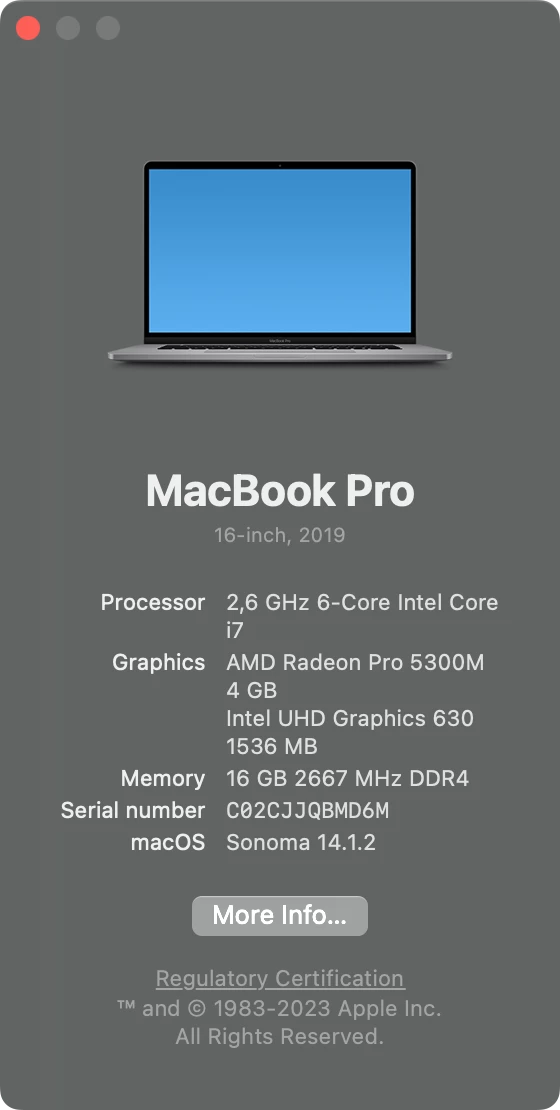
Hardware:

MacBook Pro 2019

Intel + AMD

macOS Sonoma 14.1.2
 

Did not help:
- Reset settings
- Uninstalling/installing Al via cloud
- Reboot in Safe Mode, start AI and reboot again.

- I found tips to disable mac OS dictation. But I don't have it enabled.


Rebooting the computer temporarily helps, but then the problem returns.


Contacted in the end to tech support. The support connected via a special program for remote access.
In Activity monitor completed all processes where Adobe and Creative is mentioned. Started Cloud, then Al.
And sort of clicked the space bar a lot and everything went ¯\_(ツ)_/¯

It appeared again though. I opened the virtual keyboard, clicked the space bar and so far it began to work.


But another issue arose when all the instruments were turned on one at a time.

解決に役立った回答 Monika Gause

@Monika Gause I have 2 clips here to show what's going on.
PS: Tested on Random files I have on my downloads.

- Clip #1: https://streamable.com/zpjp95
- Clip #2: https://streamable.com/0gm74x (this has put my brain in the gutter - I'm just selecting anchors here and everything is going nuts)

I'm not sure if it's the MacOS update that happened few days ago but still guessing what's the cause. 

MacOS: 15.1.1

Tried:
- Restarting/Shutting Down Device
- Resetting Settings
- Uninstalling and Reinstalling
- Installing previous versions (2024 to 2022)

- Used 2 external keyboards (also while disabling Macbook Keyboard)
- Tried the latest version of Adobe Illustrator on my wife's laptop (MacOS 15.0) and everything works fine

Hope this gets fixed. I'm doing tons of rush projects at the moment and this actually is slowing me down so bad. 


Do you have Magnet installed? Or Rectangle?

返信数 6

Participant
July 6, 2025

Thank you so much. In the first i thing is it problem with Adobe licence. 😄

iconify
Inspiring
November 23, 2024

I am having the same issue on Illustrator 29 on MacBook Pro 16-inch 2023. I have figured out that, in my case at least, it only occurs when you hold the space bar to drag the window. When I release the space bar, the hand does  not go away but if I click click in the window, then click the space bar again, it does away.  Also, it ONLY happens when viewing in GPU mode. CPU view mode works as it should.

Monika Gause
Community Expert
Community Expert
November 23, 2024

@iconify  schrieb:

I am having the same issue on Illustrator 29 on MacBook Pro 16-inch 2023. I have figured out that, in my case at least, it only occurs when you hold the space bar to drag the window. When I release the space bar, the hand does  not go away but if I click click in the window, then click the space bar again, it does away.  Also, it ONLY happens when viewing in GPU mode. CPU view mode works as it should.


That rather sounds like you have activated some setting in the operating system for moving windows around. 

Participant
November 17, 2024

I have Windows 10 and this still happens. As fas as I know I dont have LangSwitcher and don't know what is Start with Logina in the program or how to disable it. 

Honestly I just want to know which version doesn't have the problem, to rollback to that one. 

Just in case... Tried uninstalling adobe, windows, deleting my profiles, preferences, starting windows in safe mode, and everything. 

Please help

Participant
February 29, 2024

I found the details of the bug: if you use double Shift key switching, the program copies objects as svg and presses all characters as hotkeys. Demo with Keycastr:


The solution that worked for me: change the manual switching from Shift key to Control key (or another key that you don't press so often).

Participating Frequently
December 8, 2023

Hi there!


Same thing happened to me yesterday. All as described in your case. 
I'm on Mac Pro M1 Max 2021. Problem started on Ventura, I updated to Sonoma and also updated every Adobe app. 
Restarting. Rebooting. Safe modes. All kind of tricks didn't work. 


At the moment I've tried pressing spacebar on a virtual keyboard - as you advised - it seems to help, but let's see how long will it last. 

thanks for your help! 

Monika Gause
Community Expert
Community Expert
December 7, 2023

You are using a virtual keyboard?

Any kind of special devices attached?


Some third party apps interfere with Illustrators modifier keys. Is any of these running?


  • WebRoot
  • Apple Terminal
  • Word, Excel, Powerpoint
  • »Enable Full Keyboard« in Settings > Accessibility > Keyboard on Mac OS
  • Apple Mail, Outlook
  • Spacebar is used as a shortcut by the system
  • Chrome, Internet Explorer, Safari
  • Wacom Desktop Center, Wacom settings
  • Windows Touch Pad problem
  • LastPass, Bitwarden (password managers)
  • The VPN
Participant
December 8, 2023

Everything works correctly in all other programs. I don't use any of the programs with a virtual keyboard.

Monika Gause
Community Expert
Community Expert
December 8, 2023

That was not my question.