July 12, 2021
Question

Stuck on new features screen window in Illustrator on Windows 10

  • July 12, 2021
  • 2 replies
  • 708 views

Hi! I have problem with using illustrator. Every time when I open program It doesn`t work. What can I do?
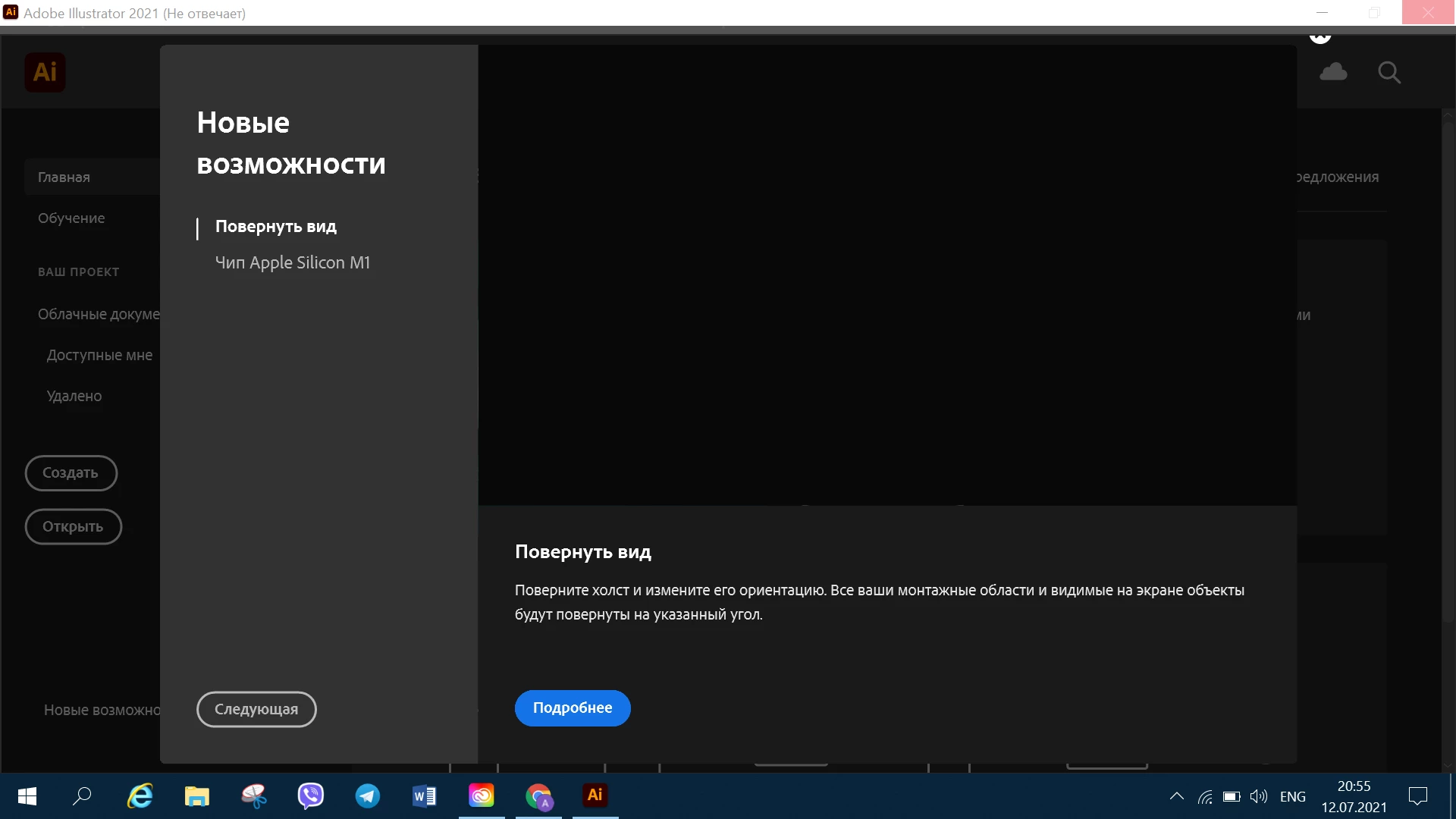


{Renamed by MOD}

This topic has been closed for replies.

2 replies

Anshul_Saini
Community Manager
Community Manager
July 12, 2021

Hi there,


Sorry about the trouble. Could you please share some more details like:

  • Version of Illustrator
  • Are you stuck on this screen, as shown above in the screenshot? If yes, it seems the interface of Illustrator is scaling more than usual. It can be due to your PC "Scale and Layout" setting under Display Settings. To bypass this dialog box and enter the welcome screen of Illustrator, you need to click on the close icon pointed below in the image with a red arrow.


Feel free to let us know if you still need assistance. We'd be happy to help.


Thanks & Regards,
Anshul Saini

July 14, 2021

I can`t bypass this dialog box. Straight after I open in programm happens this (screen).
Version 25.3.1

Anshul_Saini
Community Manager
Community Manager
July 20, 2021

Hi there,


Sorry for the delayed response. I hope the issue is resolved by now. If not, I suggest you try the troubleshooting steps mentioned in this article (https://community.adobe.com/t5/illustrator/resolve-slow-performance-and-unexpected-behaviors-in-illustrator/td-p/11561981) and let us know how it goes.


Thanks & Regards,

Anshul Saini

LinSims
Community Expert
Community Expert
July 12, 2021

Let me move this to the Illustrator forum for you, which is the appropriate forum for your question.

The Using the Community forum is for help in using the Adobe Support Community forums, not for help with specific programs. Product questions should be posted in the associated product community.

July 14, 2021

Sorry
I didn`t know, thanks for advice