
Inspiring
June 10, 2024
Answered

Subtracting from multiple shapes

  • June 10, 2024
  • 2 replies
  • 347 views

OK, I've tried about 20 different ways to do this, and nothing is working.


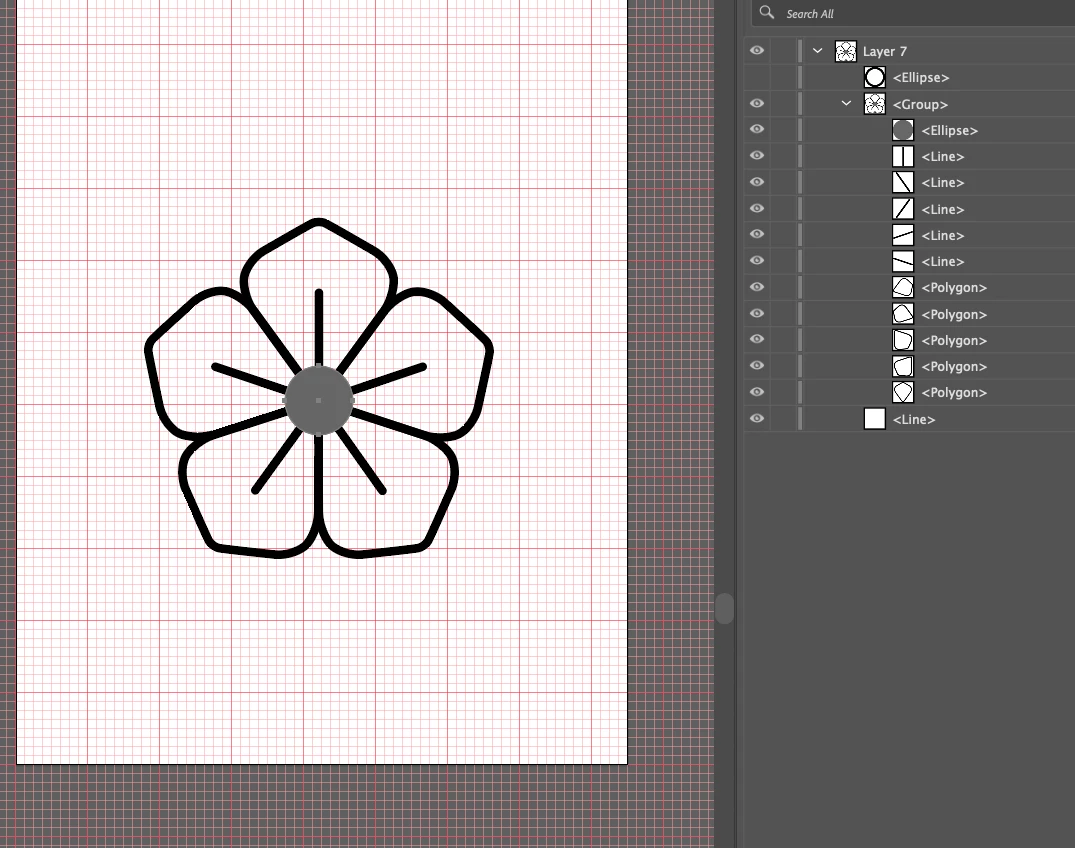
I have a bunch of shapes (lines and polygons), and I want to "cookie cutter" out the center of the whole thing. So in the screenshot shown, I want the gray part to disappear, along with everything directly behind it. How do I do that?
 

This topic has been closed for replies.
Correct answer Kurt Gold

It's applaudable that you tried about 20 different ways without success. Of course, it would have been useful to mention at least 4 of them that did not work.


Apart from that, with Live Paint or with the Shaper tool you can do it without having to outline stroked paths (in case this is required at all).

2 replies

Kurt Gold
Kurt GoldCorrect answer
Community Expert
June 10, 2024

It's applaudable that you tried about 20 different ways without success. Of course, it would have been useful to mention at least 4 of them that did not work.


Apart from that, with Live Paint or with the Shaper tool you can do it without having to outline stroked paths (in case this is required at all).

Monika Gause
Community Expert
June 10, 2024

Is it sufficient to just hide it or do you need to send this to a plotter?

If hiding works, use an opacity mask.

If it doesn't you need to outline the strokes.

tacticsAuthor
Inspiring
June 10, 2024

Thanks for the quick response Monica. I want to be able to use the finished product in multiple formats and be able to change the color of the stroke at will. I want the finished product to look like this, but with the center white area being transparent, rather than white.