


- Home
- Illustrator
- Discussions
- Surface Pro 4 Extended Display and Bounding Boxes
- Surface Pro 4 Extended Display and Bounding Boxes
Surface Pro 4 Extended Display and Bounding Boxes

Copy link to clipboard
Copied
I recently upgraded to a SP4 (16GB RAM) with an additional display. The bounding boxes are offset and it's annoying when resizing an object. How do I get the bounding boxes back to where they belong? Super new at all this and need as much help as possible.



Explore related tutorials & articles
 12
Replies
12
12
Replies
12


Copy link to clipboard
Copied
Hi Nicolas,
Would you mind sharing a screenshot of your issue so that we can assist you further? Here's how you can attach a screenshot: How to add a screenshot to a forum message from iPad/iPhone
Regards,
Om
Copy link to clipboard
Copied
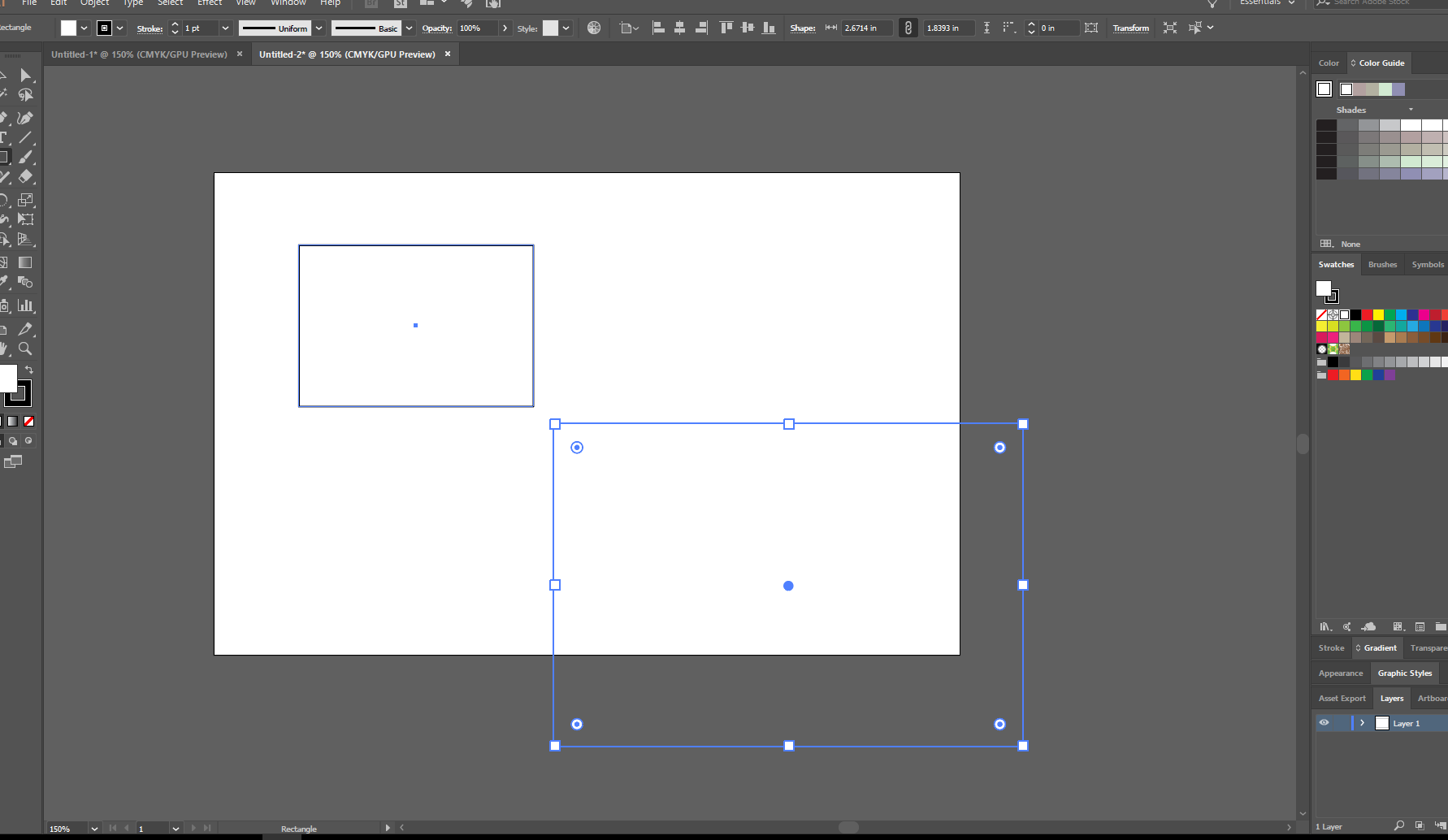
Copy link to clipboard
Copied
Hi Nicolas,
It seems to be related to the additional display. Please drag/ use Illustrator on the main display and check if that fix this issue. Do share the result.
Regards,
Om
Copy link to clipboard
Copied
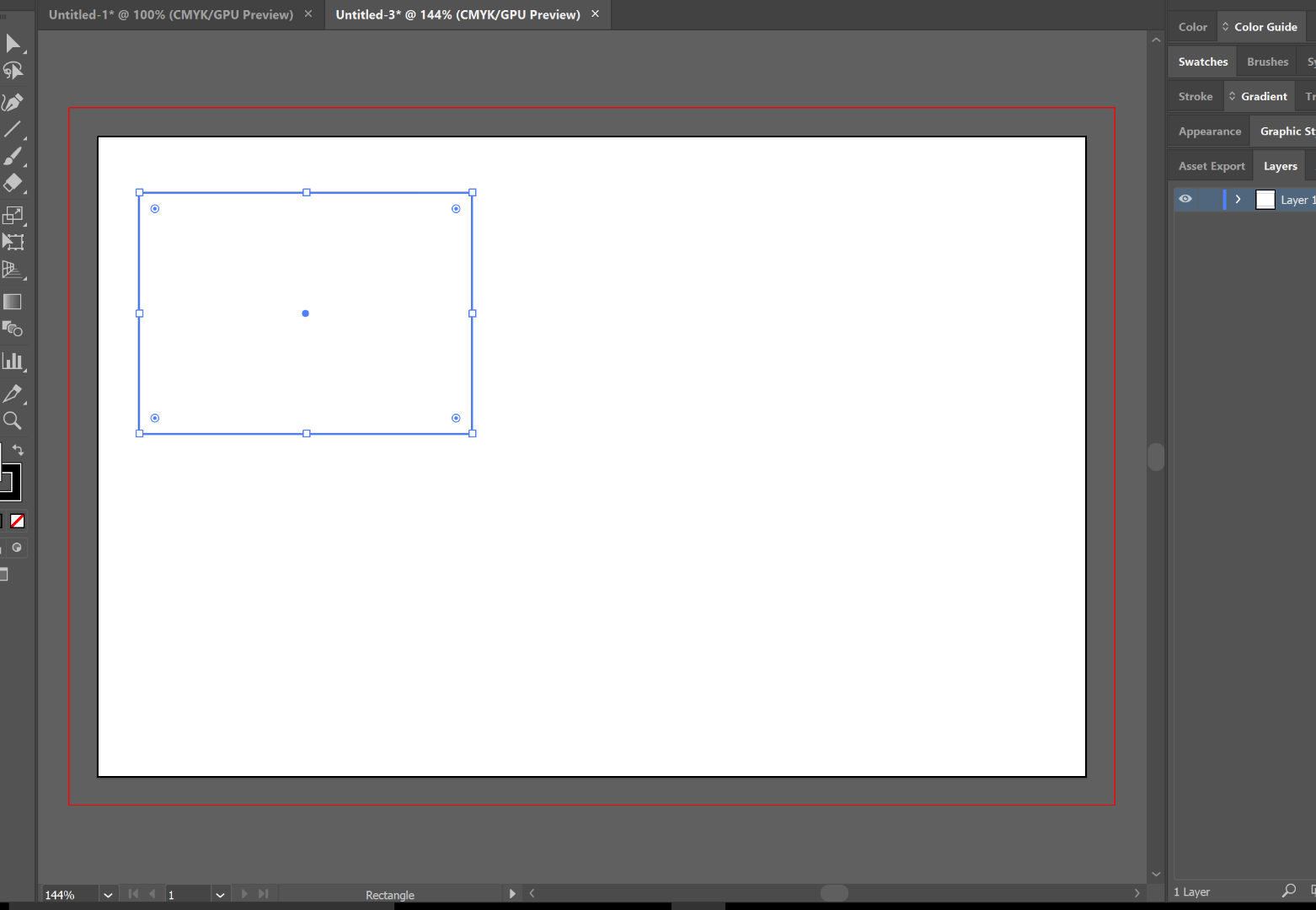
It seems to have fixed it. However, working on the small Surface screen defeats the purpose of the extended display. That was the primary reason for the additional display.
Copy link to clipboard
Copied
Hi Nicolas,
Thanks for confirming that. I completely understand your situation. How did you connect your extended display? I mean USB, HDMI, VGA? I Would also suggest to try an alternate way to connect the extra display and check. For example if you are using a converter kind of device, try an HDMI or something like that. In the meanwhile, once you inform me the type of connection you are using at the moment, I'll check it with the engineering team, if there's a reported issue like this one.
Regards,
Om
Copy link to clipboard
Copied
Currently, I am going from the mini display port to HDMI.
Copy link to clipboard
Copied
Thanks for the information. Let me check for any possible reported issue about this.
Regards,
Om

Copy link to clipboard
Copied
Hi, I have the same problem:
Laptop: Razer Blade Stealth
Laptop Display: 3840x2160 250% Recommended
In this Work fine
Second Display: 3840x2160 150% Recommended
I get the same issues
The only way is change 150% to 175% but the Ui are too big
Thanks for any help you can provide ohmnath!
Copy link to clipboard
Copied
Hi Filippo_Marchiafava,
I assume your secondary monitor is connected via HDMI. If yes, please try a VGA cable and check if you still get this issue. This is already reported to the concerned team and a workaround is to use VGA.
Regards,
Om
Copy link to clipboard
Copied
Hi ohmnat,
Thanks for the answer, my monitor don't have the VGA port (Samsung UHD)
Copy link to clipboard
Copied
Thanks for the details. I can understand your situation in that case. Are you using a connector or a straight HDMI cable from the monitor? If you are using a connector in between, you can try to bypass it and check. The workaround is to use Illustrator on the main screen at the moment.
Regards,
Om
Copy link to clipboard
Copied
Thanks! Looking forward for some other solution, use Illustrator in the main screen means becoming blind in a few weeks due to the 12.5" display 
All the best,
FM


Get ready! An upgraded Adobe Community experience is coming in January.
Learn more
 AdChoices