
Community Expert
March 21, 2019
Question

Symbols | Mapping stroke to 3D-Model will distort stroke

  • March 21, 2019
  • 1 reply
  • 1682 views

Hi together,

recently I came accross a mapping bug with a stroke ( width 0.2 Pt ) applied to a waving flag shape used in a symbol that was mapped to a 3D model.

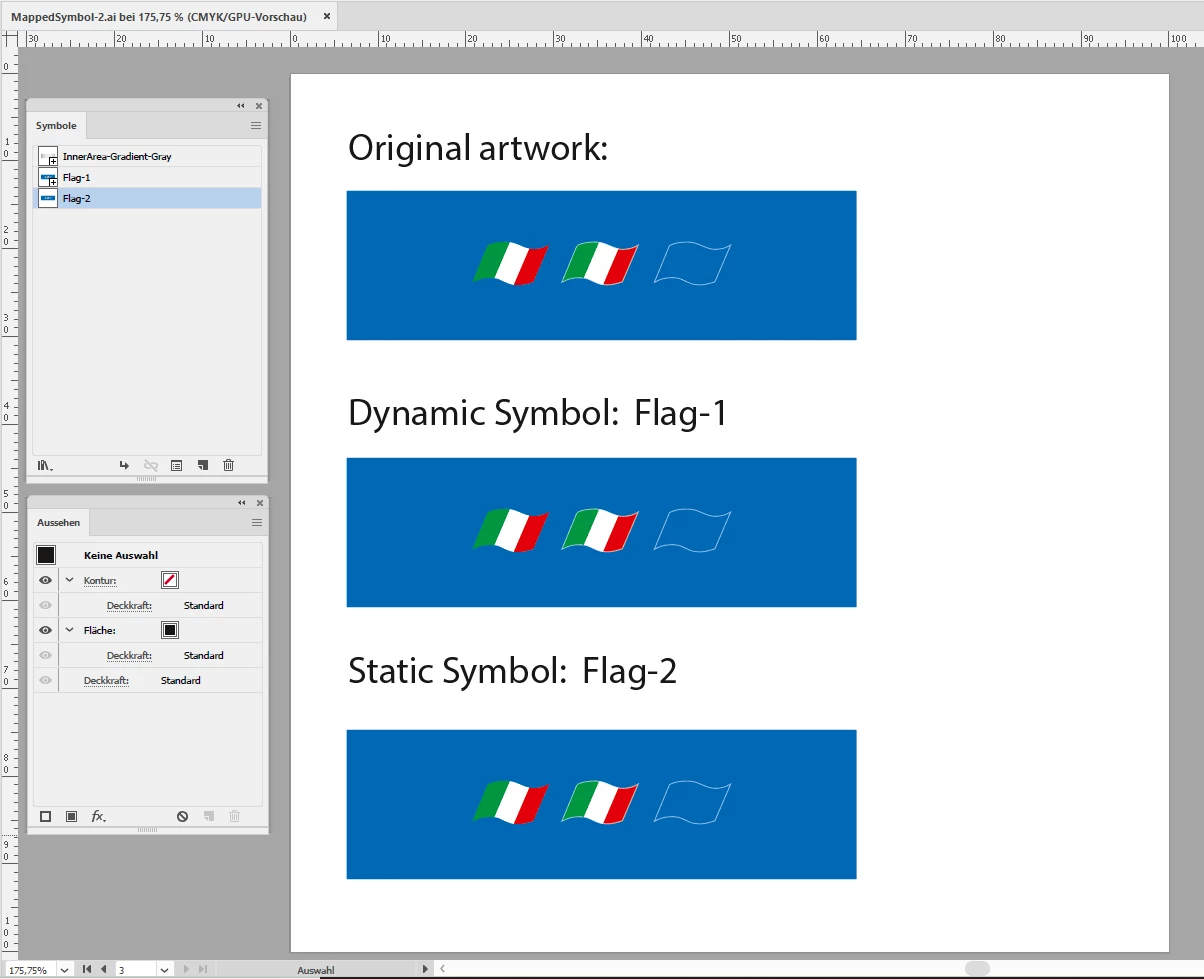
Original shape. Orderly stroke applied to a shape:
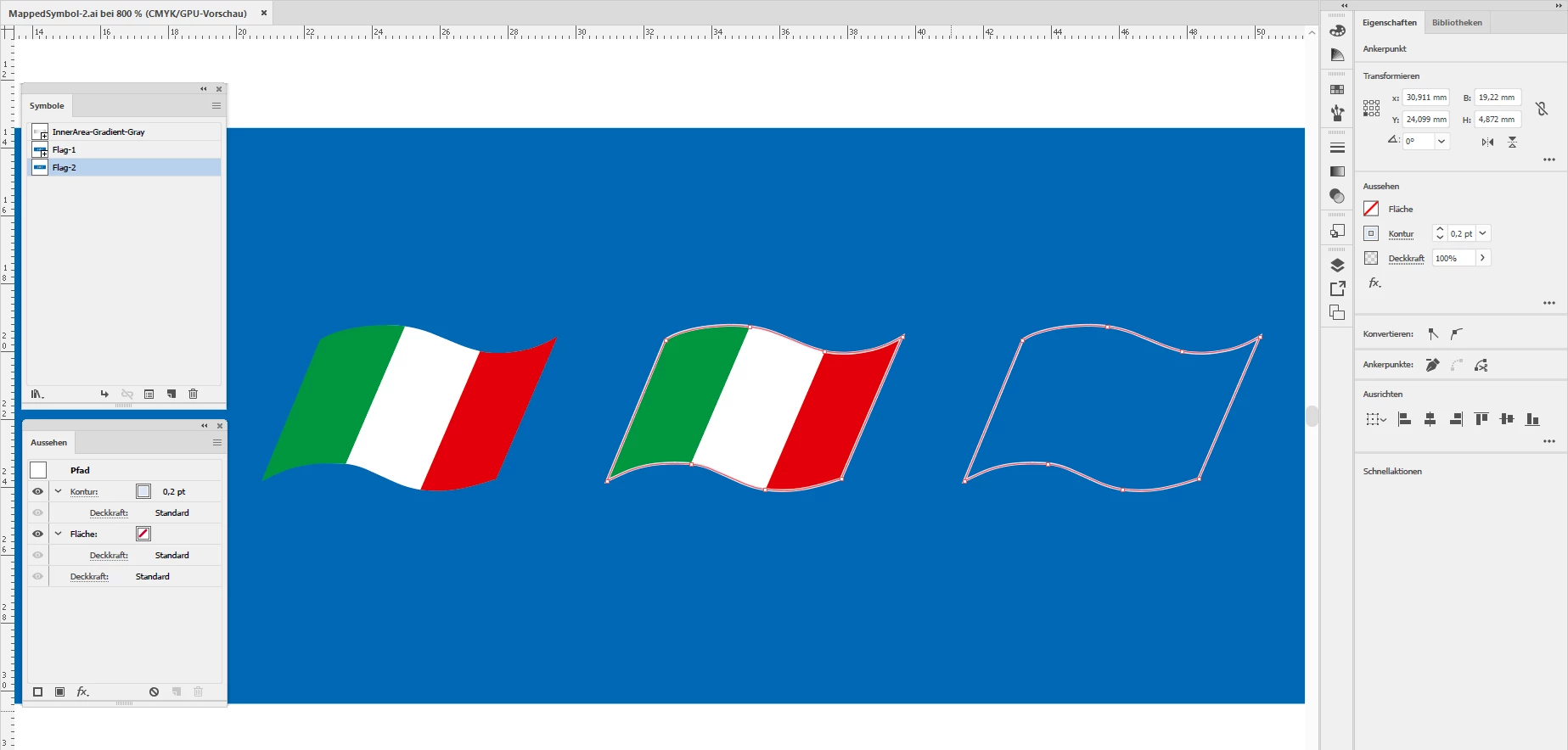
Some details, shapes with stroke selected:
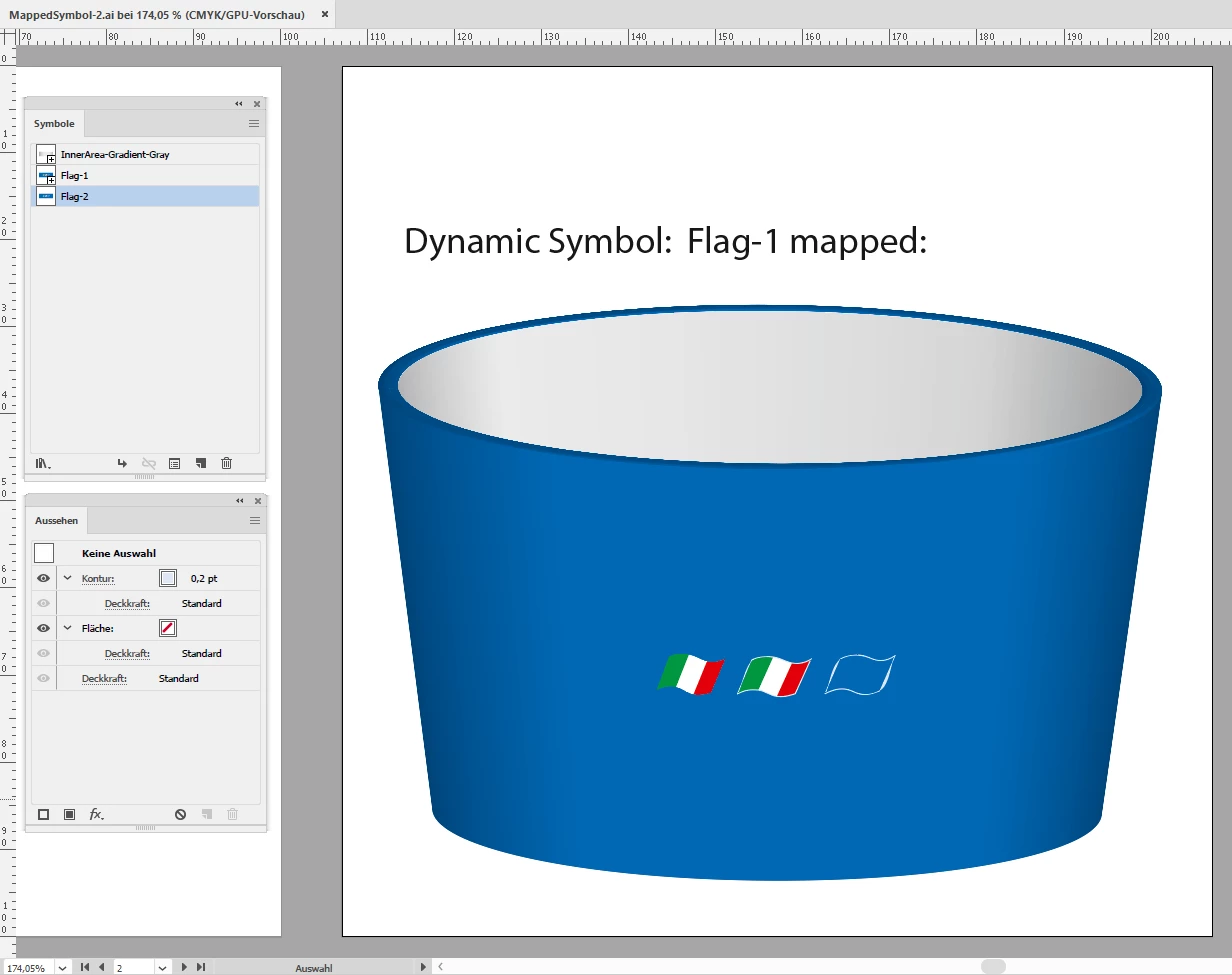
Mapped result of the symbol using the flag symbol. The stroke is distorted:
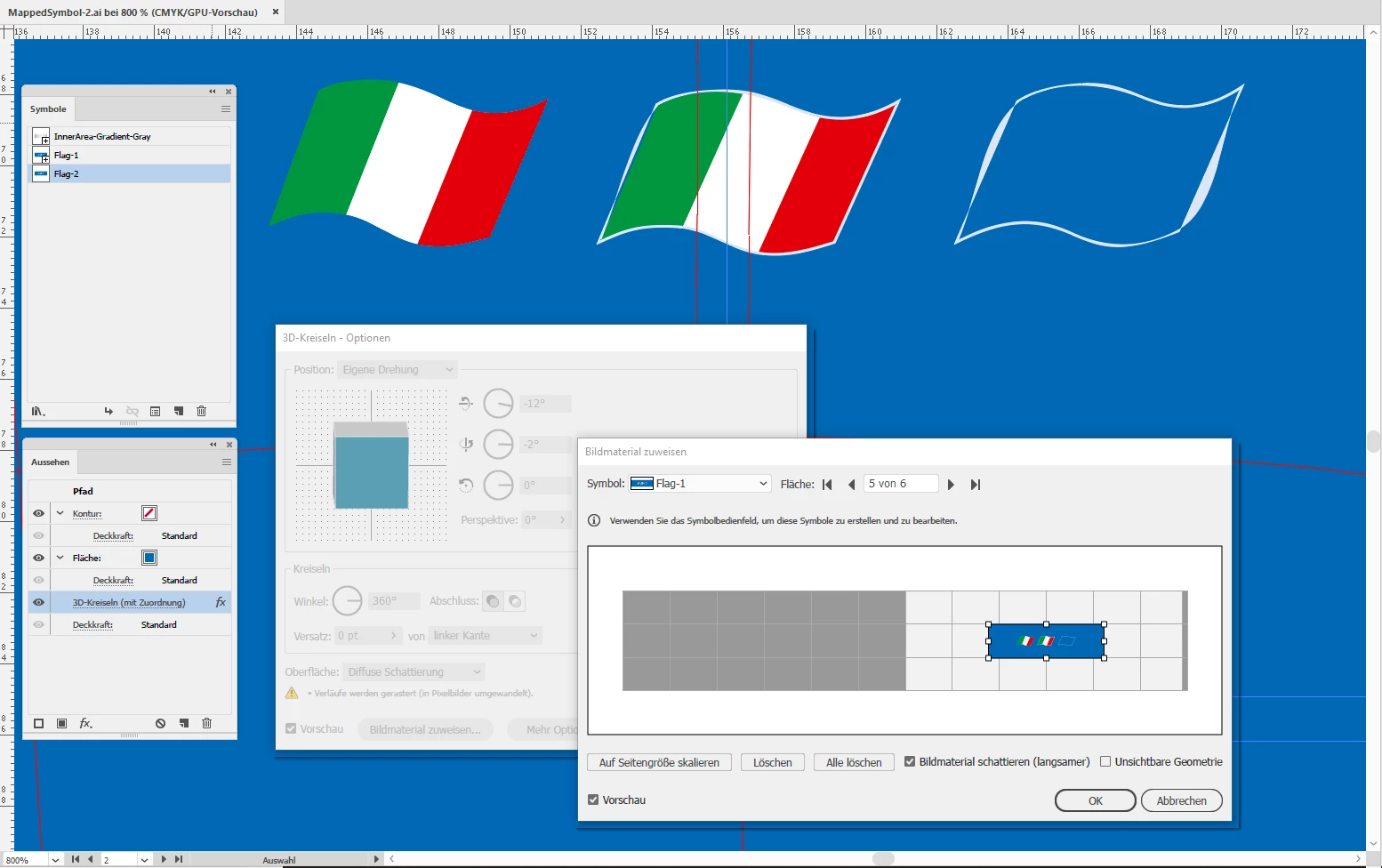
Here more details:
What I tried:

1. Using dynamic symbol: Stroke was distorted.

2. Using static symbol: Stroke was distorted.

Not visible in the screenshots:

3. Rendered the flag to pixels > No issue

Is there anything else I can try to map the stroke not distorted?

I do not want to use an image with this if not necessary. It's bloating my file size and I want to keep all artwork in vector.

Even if I save the artboard with the 3D object as PDF/X-4 in CMYK.

All tests done with Illustrator CC 2019 version 23.0.2 on Windows 10.

Regards,
Uwe

This topic has been closed for replies.

1 reply

LaubenderCommunity ExpertAuthor
Community Expert
March 21, 2019

Another thing I tried:

4. Recreated the artwork in Illustrator CS6 using symbol for mapping:

Stroke was distorted as well.

Seems to be an older bug.

Regards,
Uwe

Monika Gause
Community Expert
Community Expert
March 21, 2019

Can you try the following:

1. Expand the stroke

2. Delete the inner path

3. Move the remaining path to the background

4. Make symbol and apply to the object

LaubenderCommunity ExpertAuthor
Community Expert
March 22, 2019

I am not sure what is causing the distortion, when starting from scratch I see no distortion, but using your files I get the distortion.

Have to try some more.


Hi Ton,

The solution for this specifc issue could be to go along with the centered flag, but using a rectangle with a fill inside of the path stacked below the element holding the flag stripes. Instead of the fill to the path I currently did.

Next workaround:

At least I thought so. The wavy path stacked below the flag is now a clipping mask containing a rectangle with a fill.

The clipping mask has no color fill or stroke:

The result of the mapping is close to what I like to see, but still not perfect:

A very strange case indeed.

Regards,
Uwe