
Inspiring
May 7, 2024
Answered

tab leader alignment bug

  • May 7, 2024
  • 2 replies
  • 892 views

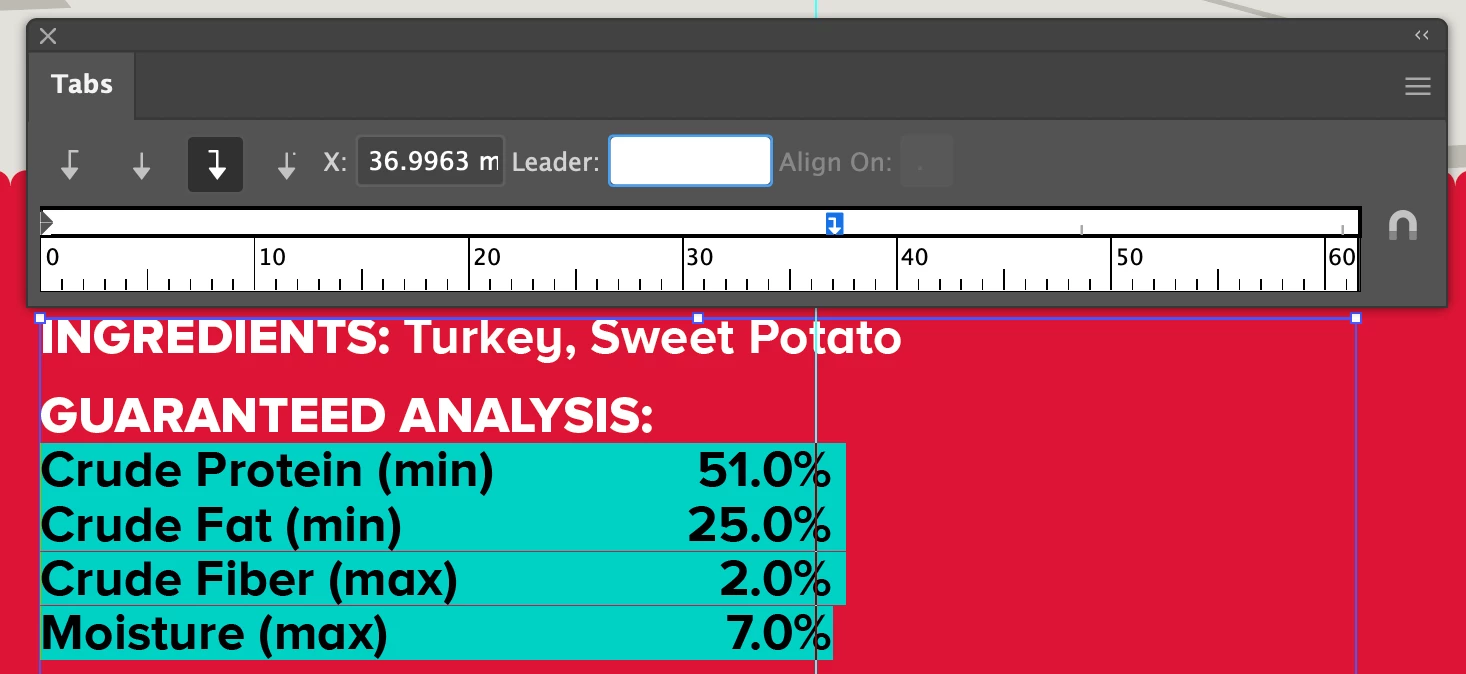
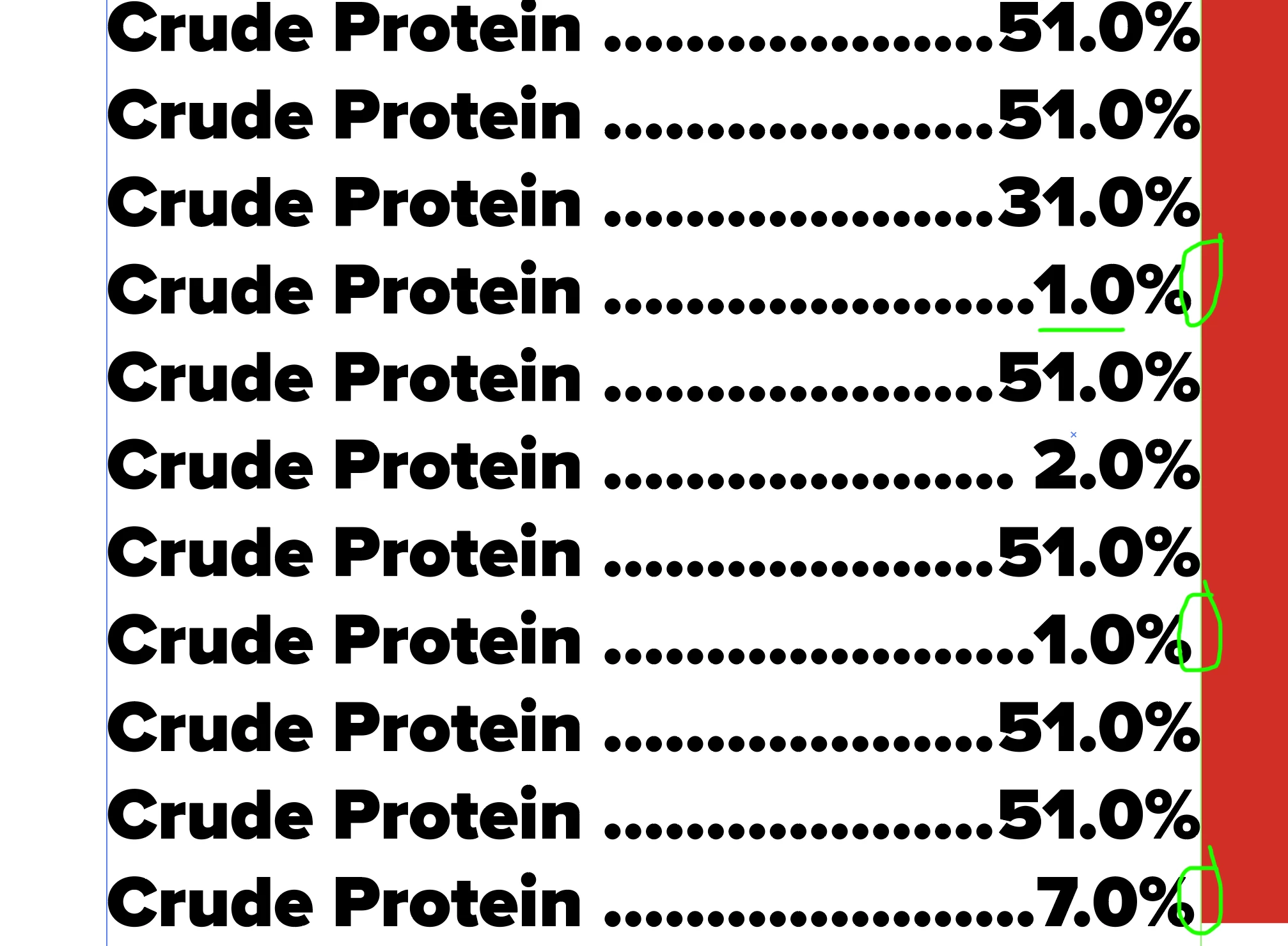
Here's a bug. Notice that without a leader character, the right side % symbols all line up properly.
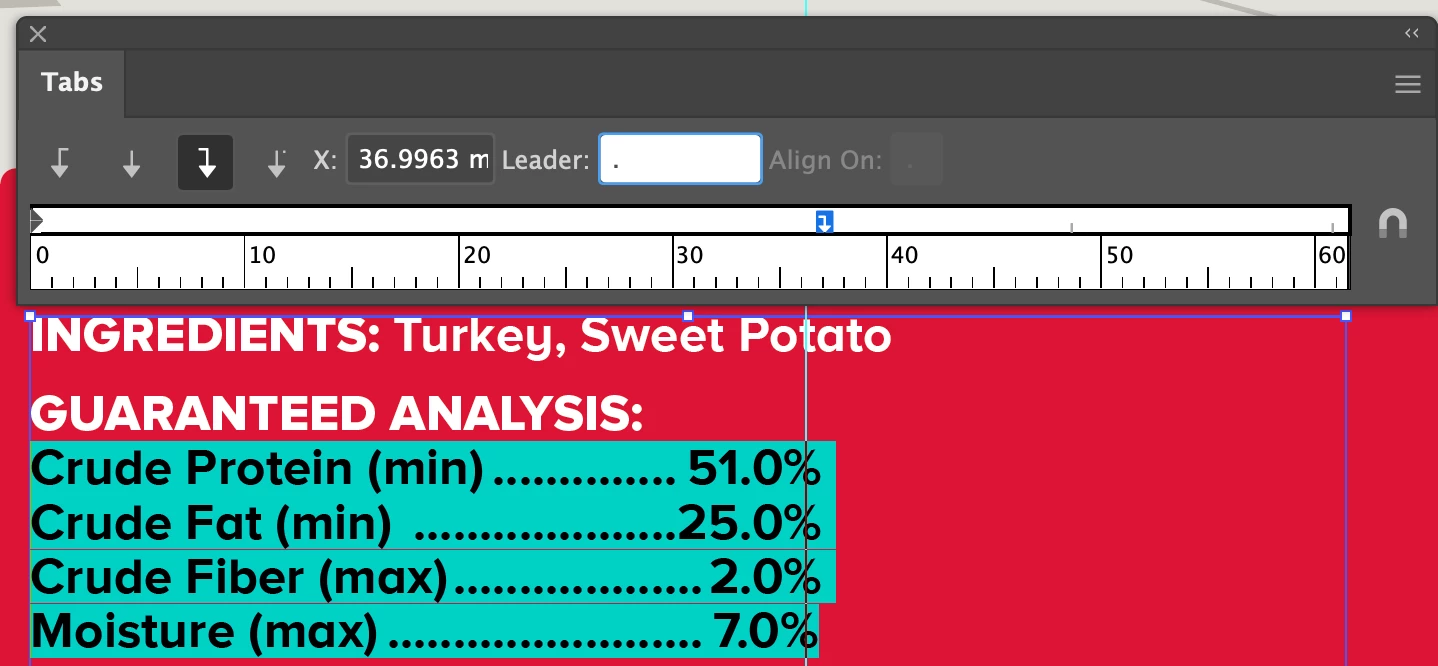
Now, with a '.' added as a leader character, the last % is knocked out of alignment.
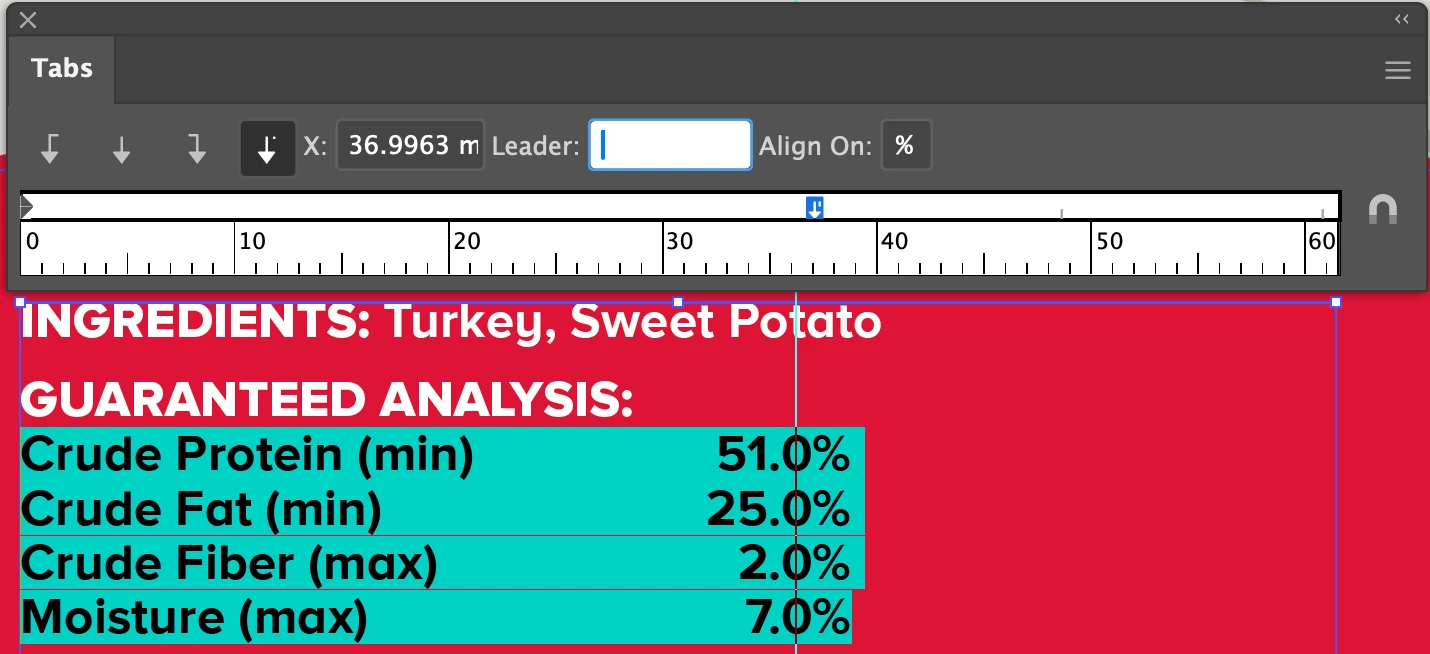
I've tried to use a decimal-justified tab...
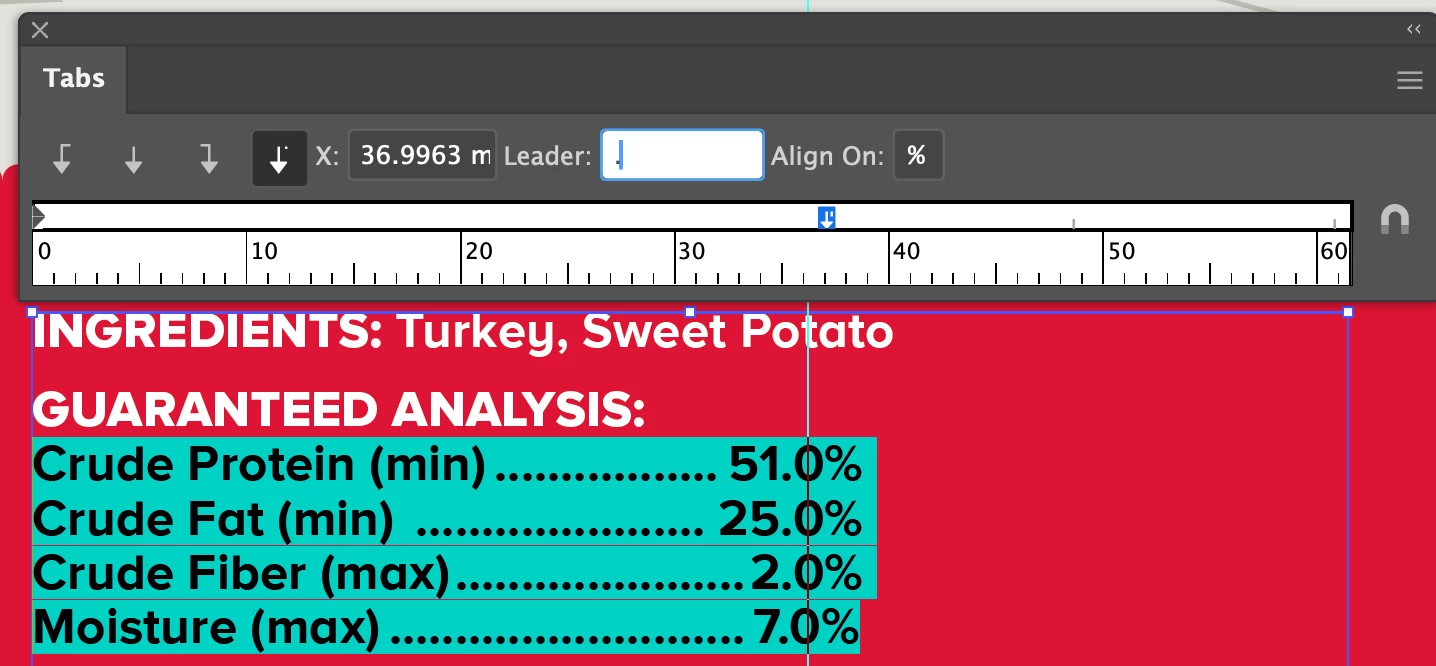
...but the same exact misalignment occurs when I add a '.' as a leader character.
Thanks, Adobe Illustrator, for making my life difficult for the last 34 years.
This topic has been closed for replies.
Correct answer Brad @ Roaring Mouse

I was able to reproduce this.

Since you didn't mention version, I tested both CC2024 and an older one (CC2020). It did it in both, so this is not a new issue.

In my case, it was not limited to the last item, but any item depending on the number of digits and it also changes depending on font, and also what charcater you used for the leader. e.g. if you used period-space, it doesn't happen.


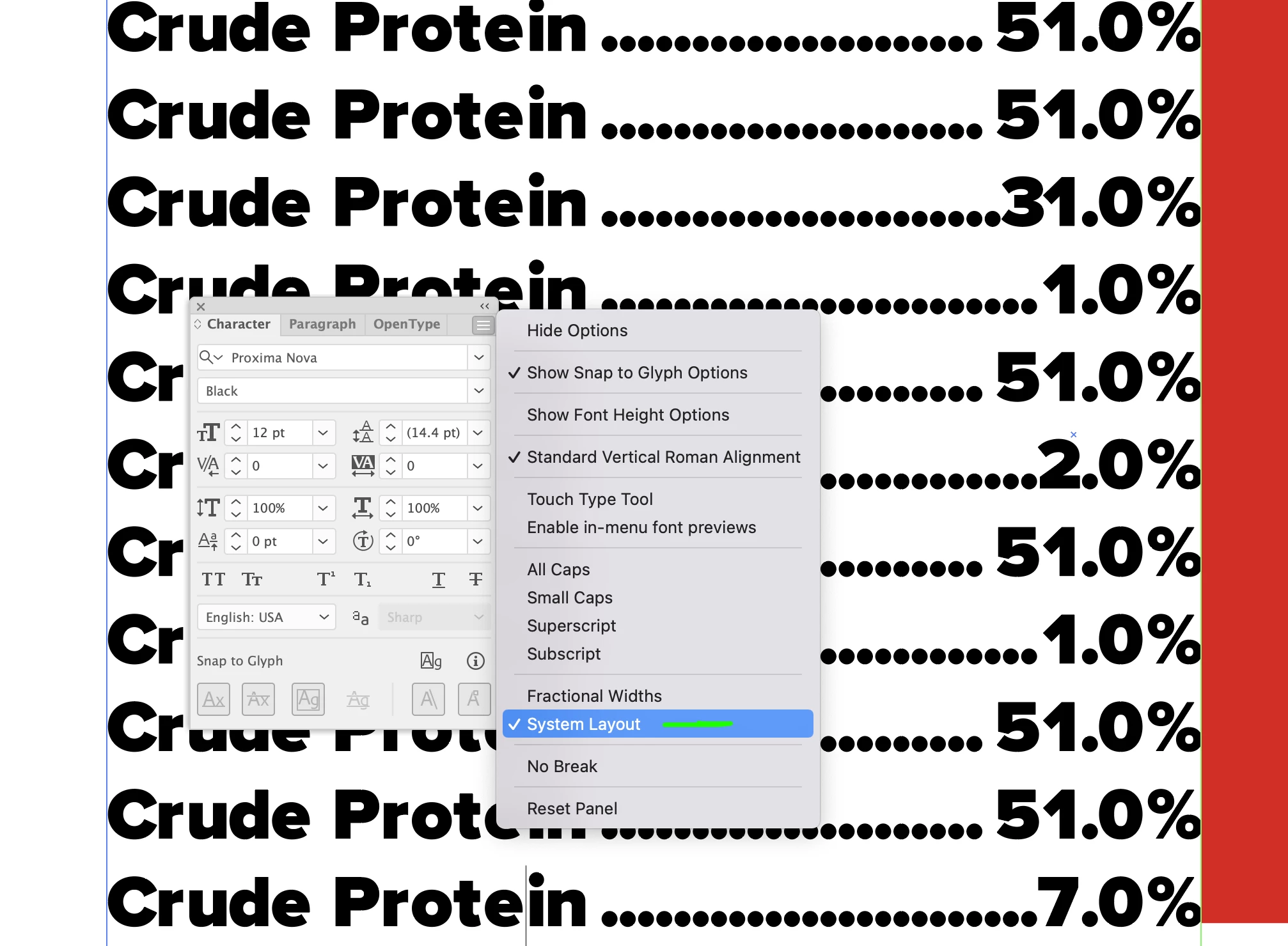
I did notice that if you changed the Type specs to toggle from Fractional Widths to System Layout, the effect disappears, so that might be your option for now.

It also dispapears if you change the OpenType to another type of Lining, e.g. Tabular lining.

Regardless, this shouldn't be happening AT ALL, so I consider this to be a bug.

2 replies

Brad @ Roaring Mouse
Community Expert
Brad @ Roaring MouseCommunity ExpertCorrect answer
Community Expert
May 7, 2024

I was able to reproduce this.

Since you didn't mention version, I tested both CC2024 and an older one (CC2020). It did it in both, so this is not a new issue.

In my case, it was not limited to the last item, but any item depending on the number of digits and it also changes depending on font, and also what charcater you used for the leader. e.g. if you used period-space, it doesn't happen.


I did notice that if you changed the Type specs to toggle from Fractional Widths to System Layout, the effect disappears, so that might be your option for now.

It also dispapears if you change the OpenType to another type of Lining, e.g. Tabular lining.

Regardless, this shouldn't be happening AT ALL, so I consider this to be a bug.

Kurt Gold
Community Expert
Community Expert
May 7, 2024

I've also seen similar inconsistencies, Brad.


Moreover, toggling from Fractional Widths to System Layout and then back to Fractional Widths seems to surprisingly cure the issue as well. Can you confirm that?

Brad @ Roaring Mouse
Community Expert
Community Expert
May 7, 2024

Yes, but not consistently

Monika Gause
Community Expert
Community Expert
May 7, 2024

Can't reproduce that. Can you share a demo file?

Inspiring
May 7, 2024

I wish I could, but this site will not allow a simple Illustrator file to be uploaded. I guess we found another bug.

I've been able to correct the alignment with kerning, but for whatever reason, adding a leading period character throws off the alignment of the last line every single time on my machine.