

DEEP_V
Participant
October 7, 2021
Question

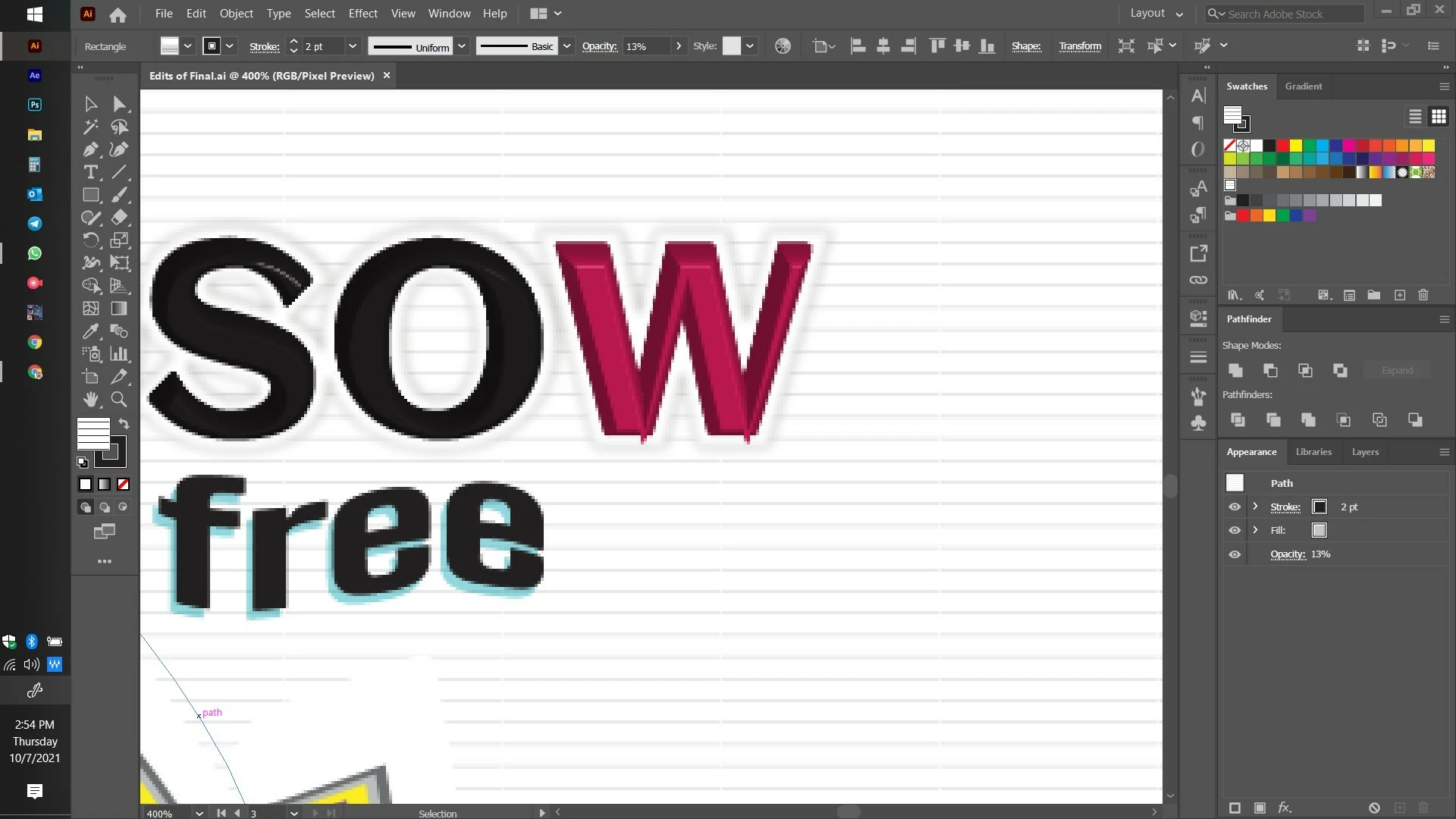
Text 3D extrude and bevel leaves protruding nails on the edges of the text?

  • October 7, 2021
  • 1 reply
  • 225 views

I am having two annoying issues:


First, the 3D extrude and bevel on text leaves the edges of text with sticking out nails. I dont know how to fix it. It looks so weird.


Secondly, the 800 x 800 pixels display huge graphic Pixelization. It is also equally annoying and I dont have a fix for that either.

Could anyone please help me how to sort these out. I am newbie so please dont be mad at my silly questions.


Many thanks in advance.

PFA a reference photo for these issues.
 

This topic has been closed for replies.

1 reply

Monika Gause
Community Expert
Community Expert
October 7, 2021

The pointy corners happen because of your extreme extrusion settings.


The pixelisation is because you are in pixel preview.

DEEP_V
DEEP_VAuthor
Participant
October 7, 2021

ok. yea thanks for replying. However, is there any work around this problem, the first one which is the pointy edges? I mean I like the 3D and dont want to disturb the look but at the same time, is there any way to get rid of the nails popping out. Thanks!


Monika Gause
Community Expert
Community Expert
October 7, 2021

If you want it exactly that way, then expand appearance and edit the paths.