
apfelstroodel
Participant
June 3, 2018
Answered

Text Blending Not Working - Illustrator

  • June 3, 2018
  • 6 replies
  • 17505 views

I am trying to blend my text like this:
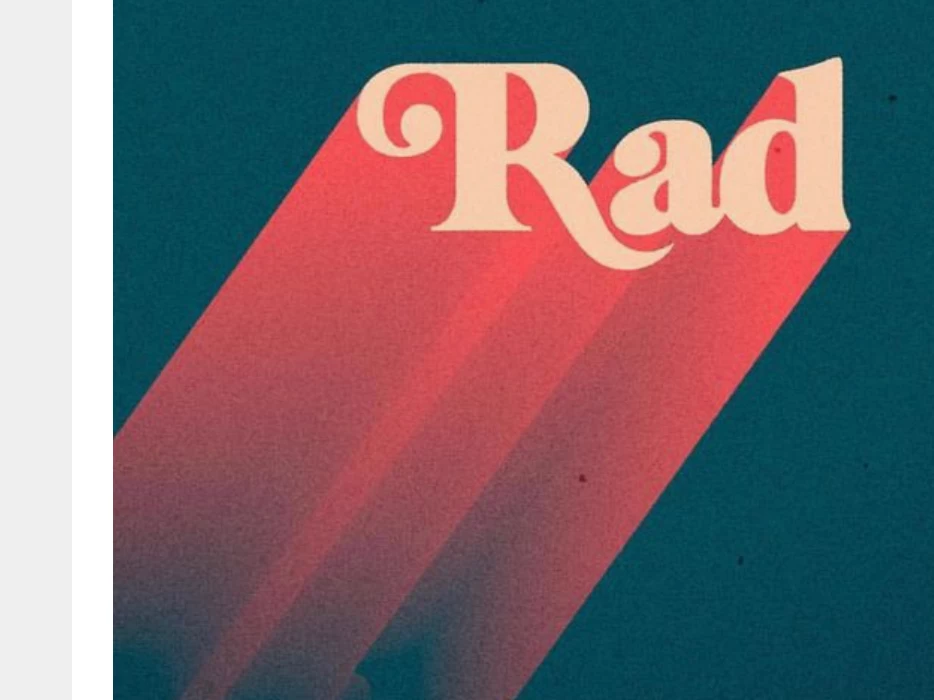
But it ends up looking like this:

I've been using the blend tool. Have played with specified distance as well as steps, and nothing I've tried has given me a smooth blend. If the second text I am combining doesn't have any opacity then I don't get this jagged blend. What am I doing wrong??
This topic has been closed for replies.
Correct answer Ray Yorkshire

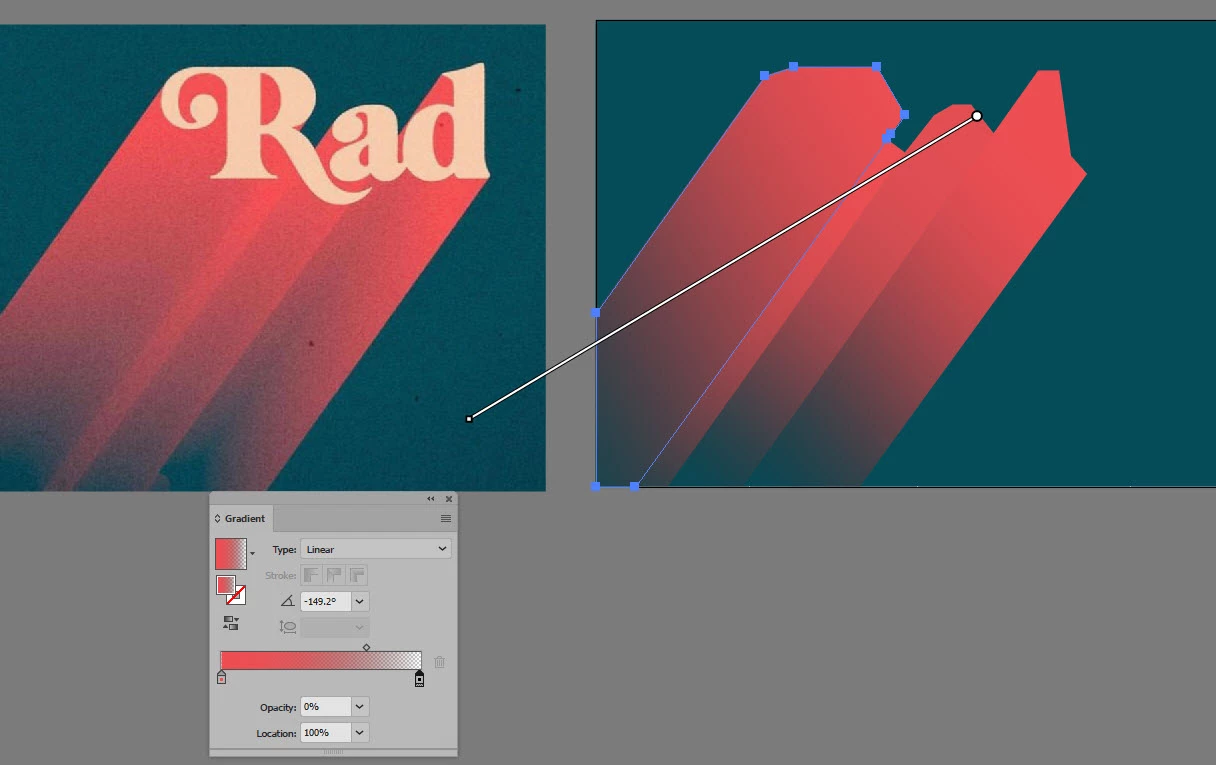
if its the same retro look you are after

you could draw several extrude shapes with the pen tool from the letters

add a filled rectangle for background

fill the extrude shapes with a gradient  red for first stop, last stop transparency set to zero -or near

Then use slight variations of the gradient angle, sliders  and settings for each shape

6 replies

Participant
October 2, 2022

I think I may have solved it. So you select the text, go to Type, and Create Outlines. Now you should be able to make blend for the text. Then just adjust the specified text to your liking. 

Participant
April 5, 2021

Just add a stroke to the text and then it shpuld blend properly...


Jeff Witchel, ACI
Community Expert
Community Expert
June 3, 2018

Make your Blend as you are currently doing it.

Then copy and paste the top type object in front (Cmd/Control + F) of itself and change it's Tint in the Color panel to separate it from the Blend.

See attached.

Ray Yorkshire
Ray YorkshireCorrect answer
Participating Frequently
June 3, 2018

if its the same retro look you are after

you could draw several extrude shapes with the pen tool from the letters

add a filled rectangle for background

fill the extrude shapes with a gradient  red for first stop, last stop transparency set to zero -or near

Then use slight variations of the gradient angle, sliders  and settings for each shape

Ares Hovhannesyan
Community Expert
Community Expert
June 3, 2018

May be the reason is in the position of bottom text try to move it to the left as I done for covering separate letters blends. It also depend on font

Monika Gause
Community Expert
Community Expert
June 3, 2018

Part of this might be caused by GPU preview. Try View > Preview on CPU.

Also: distance between to objects might be too large.

And stacking order also looks wrong.

You might also try this approach, which after expanding the effect will provide you with clean shapes that you can then color with gradients to achieve the result you want.

Vektorgarten - Long Shadows with Illustrator