Participant
September 3, 2022
Resuelto

Text corruption ?

  • September 3, 2022
  • 2 respuestas
  • 369 visualizaciones

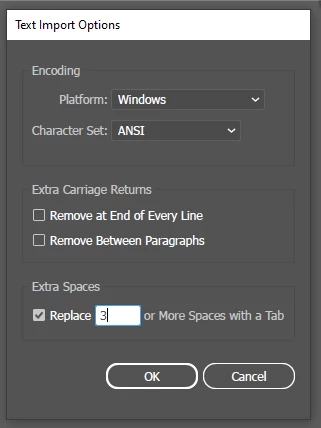
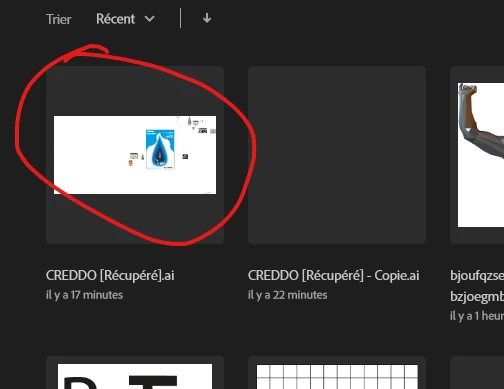
Hello, this box is popping when i try to open my last file, after that, my work is copletely white, however i can still see my work on the previsualisation, do you have any idea please ?


Este tema ha sido cerrado para respuestas.
Mejor respuesta de Anshul_Saini

Hi @Qtndm,


Sorry for the delayed response. As Monika suggested, did you try downloading or copying the file from the network drive/ folder to the Desktop? This generally happens when the file has gotten corrupted or opened directly from a network drive/ folder. If the file size on the disk is  < 1 MB, then it is corrupted and can't be recovered. If not, please share the file with us here or via DM, and we will try to recover it.


Kindly update the discussion if you still need assistance with it. We'd be happy to help.


Thanks & Regards,
Anshul Saini

2 respuestas

Anshul_Saini
Community Manager
Anshul_SainiCommunity ManagerRespuesta
Community Manager
September 26, 2022

Hi @Qtndm,


Sorry for the delayed response. As Monika suggested, did you try downloading or copying the file from the network drive/ folder to the Desktop? This generally happens when the file has gotten corrupted or opened directly from a network drive/ folder. If the file size on the disk is  < 1 MB, then it is corrupted and can't be recovered. If not, please share the file with us here or via DM, and we will try to recover it.


Kindly update the discussion if you still need assistance with it. We'd be happy to help.


Thanks & Regards,
Anshul Saini

Monika Gause
Community Expert
Community Expert
September 3, 2022

Where is that file saved?

If on a network, try and copy it from the network drive to your local harddrive and then open.


Also: does it open in Acrobat? If so, you can create a new file in Illustrator and then place (embed) this file. This won't give you fully editable objects, but at least you don't need to recreate everything.


For the future: turn off "Save in background " in the preferences.

Make backups of your files. Lots of backups.

QtndmAutor
Participant
September 3, 2022

Thank you for your answer... thie file doesn't want to open with acrobat... I don't know if there is an other option...

Monika Gause
Community Expert
Community Expert
September 3, 2022
