
Participating Frequently
November 7, 2025
Question

text links in Attributes are not working for Window user

  • November 7, 2025
  • 1 reply
  • 55 views

i have links in my content in different pages, i will export to PDF as eDM.
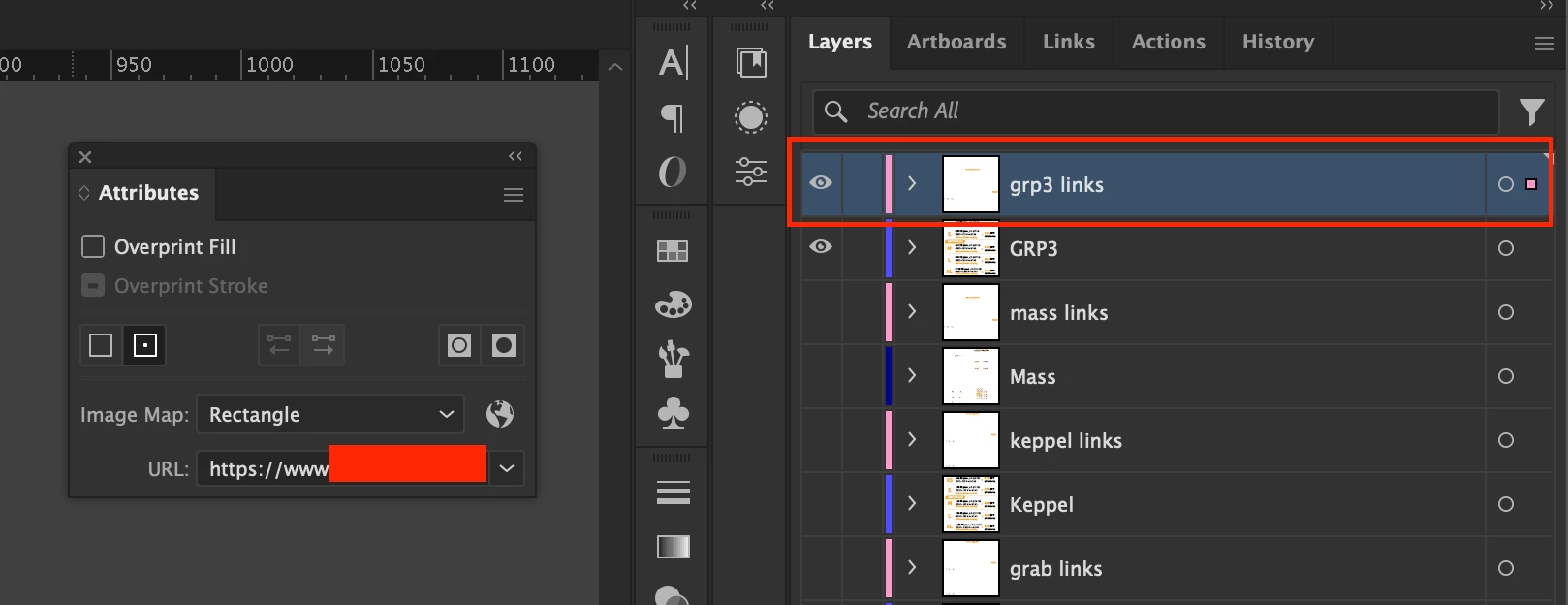


i realised that i need to put these text links in the same layer and has to shift to the highest layer then export to PDF only it is clickable. If i don't shift the layer to the highest position it is also not working for myself < Question 01  


but many times, it is not working for my colleague who is a window user, i am wondering if there is any best practise for this so it is working everywhere? < Question 02


thanks in advance!

1 reply

creative explorer
Community Expert
Community Expert
November 10, 2025

@avery.ng I would think merging the layers would certainly solve the layer order problem (need to put these text links in the same layer). But since the hyperlinks works well on a MAC but notsomuch for the PC user, I would maybe try adding the hyperlinks to the PDF instead (hopefully, you have access to Acrobat Pro, and use the Edit PDF tool and select Link > Add or Edit Document Link.  In the dialog box, set the action to "Open a Web Link" and paste your URL to the text or image you want to be clickable.

m