
Participant
July 31, 2018
Answered

Text on Path, Clipping Masks, Zig-Zags and Compound Paths

  • July 31, 2018
  • 2 replies
  • 1908 views

Hi there, on Illustrator I am trying to do the following.

1: Put text-on-path on a 'zig-zag' line. The traditional method of putting text on a path does not work for this.

2: Include text-on path in a clipping mask.

3: Turn text-on-path into a single object, so not text, but a shape.

I will add images of what I'm trying to do.

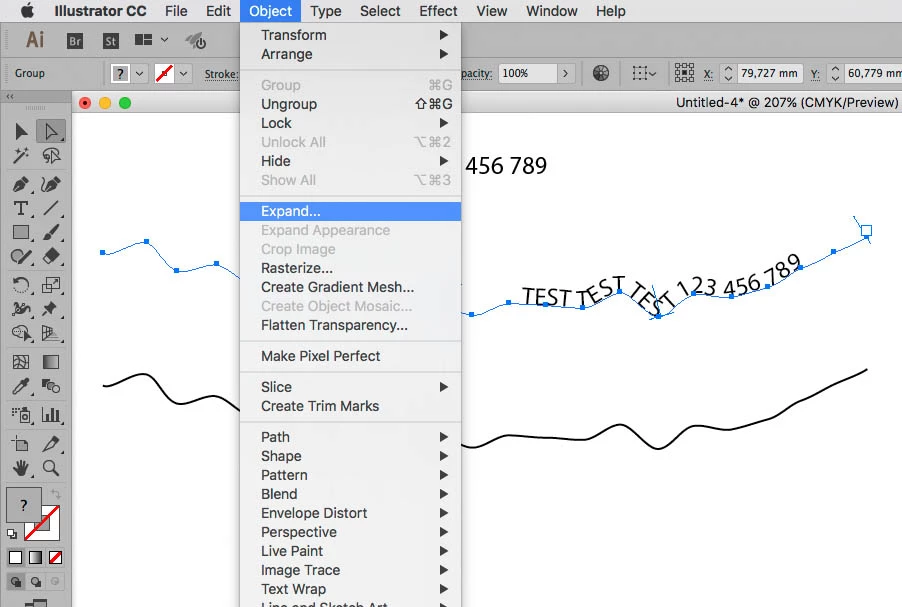
Putting text on a zigzag:

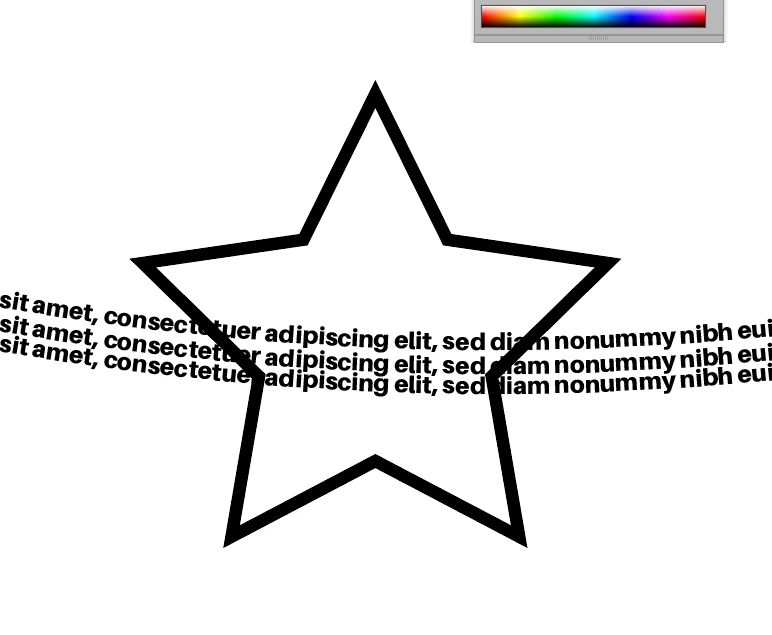
Attempting to put path-text into a shape, I.e. clip the excess out of the shape off.
All help would be greatly appreciated.

Thanks, Travis
    This topic has been closed for replies.
    Correct answer c.pfaffenbichler

    a3: Turn text-on-path into a single object, so not text, but a shape.

    Have you tried

    Object > Expand

    and then deleting the original path?

    2 replies

    c.pfaffenbichler
    Community Expert
    c.pfaffenbichlerCommunity ExpertCorrect answer
    Community Expert
    July 31, 2018

    a3: Turn text-on-path into a single object, so not text, but a shape.

    Have you tried

    Object > Expand

    and then deleting the original path?

    Participant
    July 31, 2018

    Ah yes! Object>Expand worked perfectly! Thank you so much. A little confusion on my side. Fixed every issue I had

    c.pfaffenbichler
    Community Expert
    Community Expert
    July 31, 2018

    1: Put text-on-path on a 'zig-zag' line. The traditional method of putting text on a path does not work for this.

    What is the problem?

    The screenshot you posted concerning this seems meaningless as it is unclear how you achieved the zig-zag effect.

    2: Include text-on path in a clipping mask.

    Again: What is the problem?

    With the Shape the topmost object what does Object > Clipping Mask > Make achieve?