

Answered
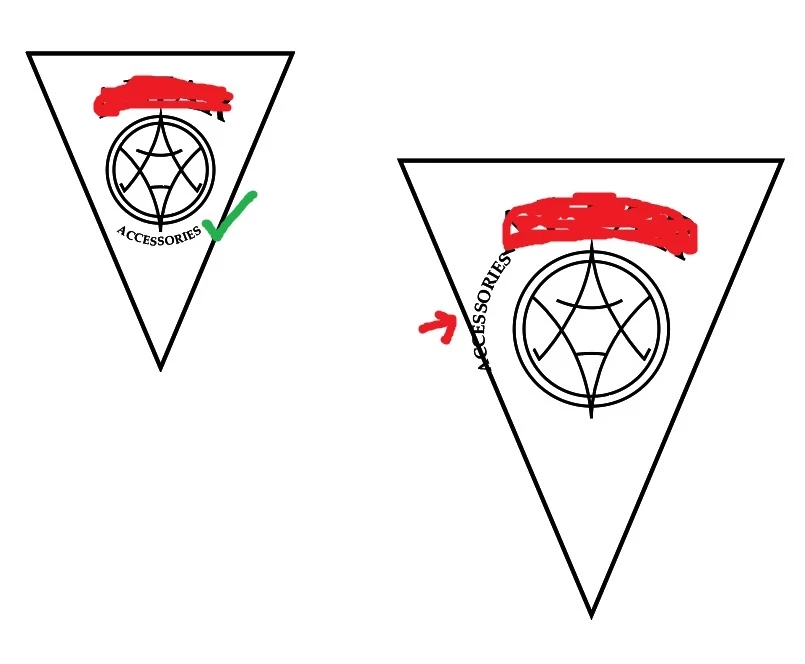
Text on Path Moves Around When Image is Enlarged
I've recreated a logo for someone. I'm not great with Illustrator but was able to get it looking pretty close. The left image is the result (I rubbed out the name above in red). But when it was time to Select All and enlarge the entire design, the ACCESSORIES word, which is on a text to path, starts moving around [seen at right].
Can someone tell me what I need to do to keep that from happening? I don't know if this matters but I use layers when I do this kind of thing. I put various drawings on various layers. The ACCESSORIES word is on a path on its own layer. Just wanted to mention it.
 AdChoices