
Inspiring
December 13, 2016
Question

Text on path warping/deformed

  • December 13, 2016
  • 1 reply
  • 487 views

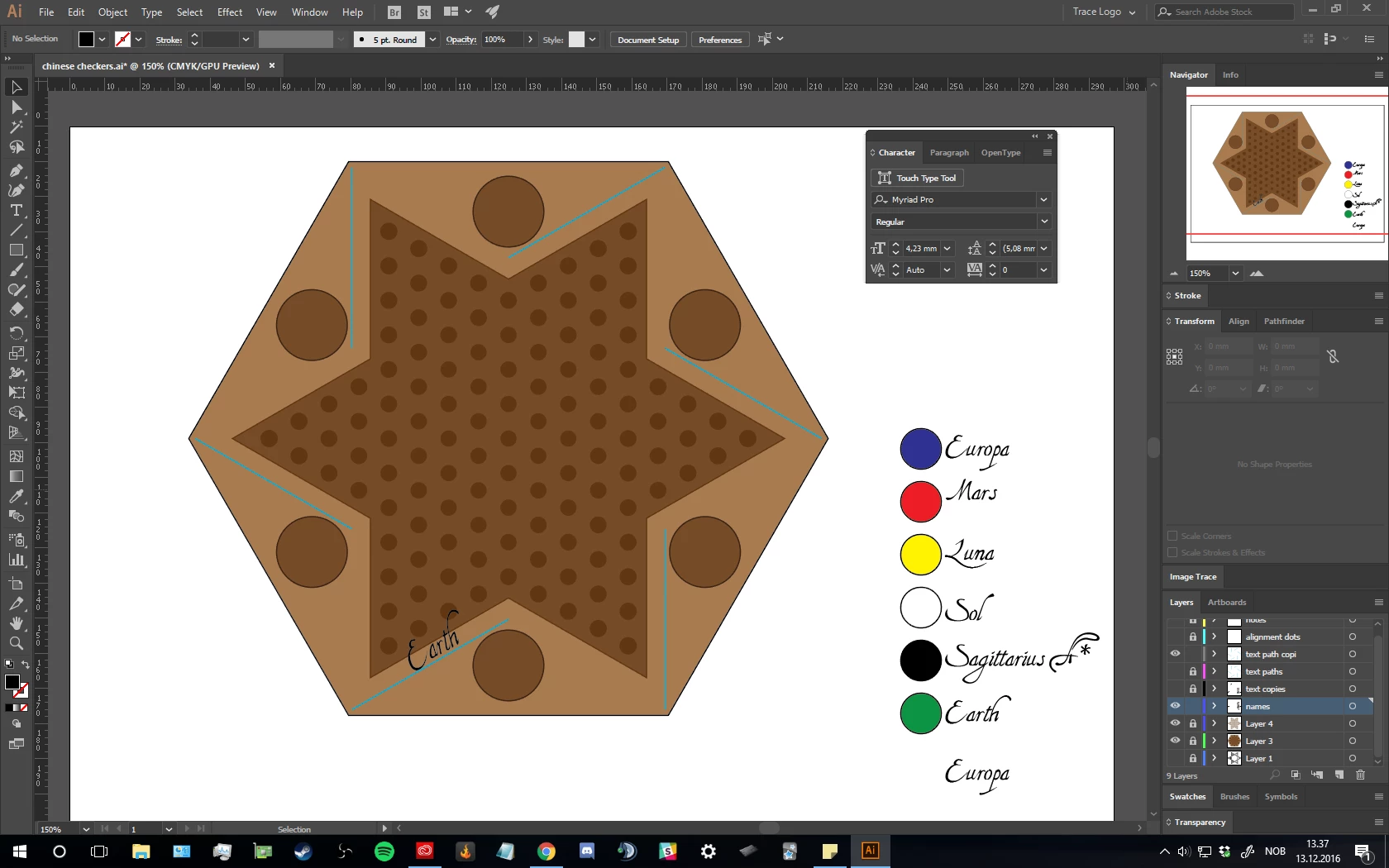
Hello. I am trying to make some simple text on straight paths. But the text appears to get slightly deformed, slanted. ("earth" on the blue lines around the star) the list on the right appears properly as they should. (they are not text on paths)

I assumed that the text on path must be inheriting transform properties from the line segments that I created by copy rotating and then transformed them as a whole. But ungrouping and expanding them did not help, so where is the warping/sqewing coming from?
This topic has been closed for replies.

1 reply

Monika Gause
Community Expert
Community Expert
December 13, 2016

Maybe you caled them unproportionally. That then should be reflected in the Character panel. You need to "Show Options" (from the panel menu).

SkyfishAuthor
Inspiring
December 13, 2016

I don't understand your answer entirely. I did look in the "show options" inside the Character panel, but I don't understand what I was looking for. I don't know what "called them unproportionally" means. Regardless, I re-made "the text on a path" and this time it did not skew, so I don't know what I did differently this time. Maybe Expanding the objects really was the solution?

Monika Gause
Community Expert
Community Expert
December 13, 2016

I'm referring to that:

Please read the documentation

Illustrator workspace basics

How to format type in Illustrator