



Text to Vector Graphic: Generate vectors effortlessly with simple Text Prompts

Explore New Creative Possibilities with Text to Vector Graphic in Illustrator, supporting your creative process by turning your ideas into customizable vector graphics with just a prompt!
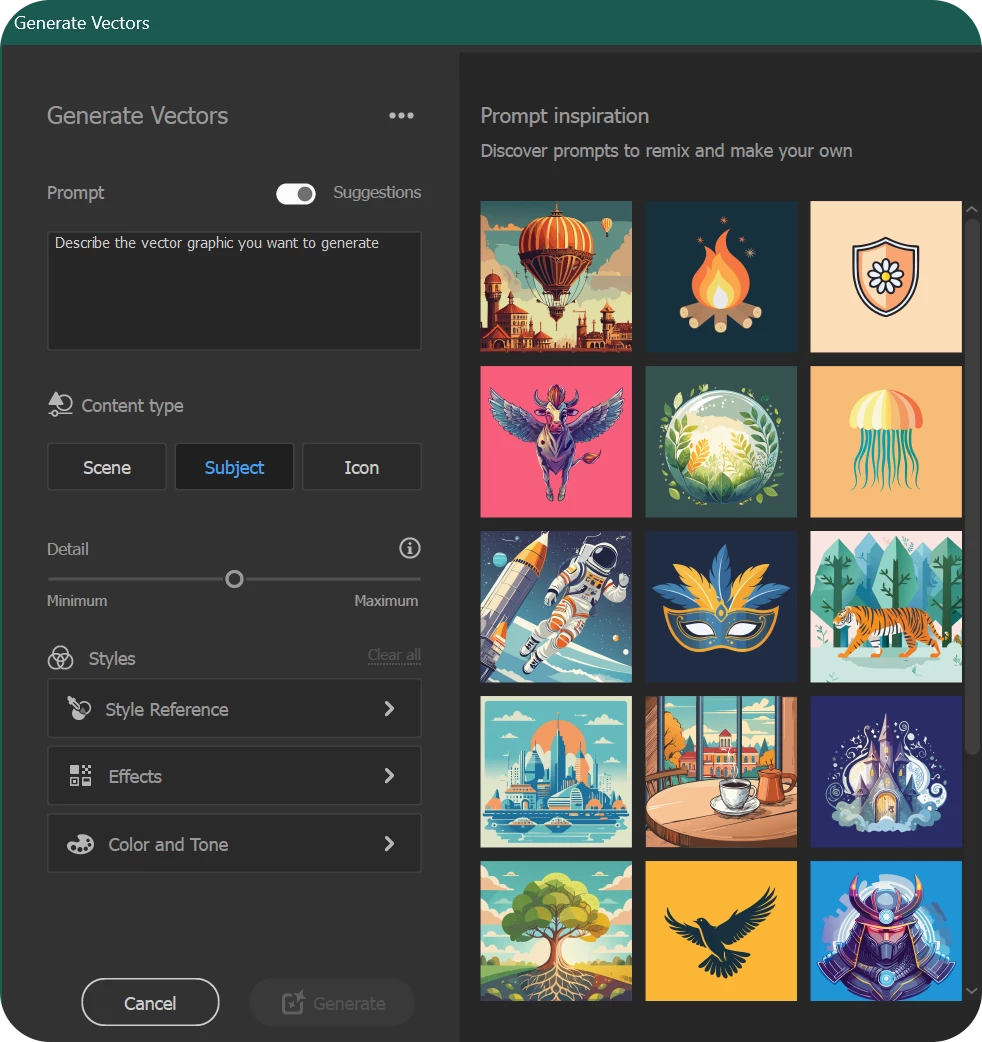
With the enhanced Text to Vector Graphic feature, you can now:
- Toggle prompt suggestions on or off for greater control over your designs.
- Create subjects and icons without a background layer, ensuring clean bounding boxes.
- Reset Style Reference, Effects, and Color & Tone settings independently or together, keeping them separate from other features.

|
|
Note: |
Patterns are now a standalone feature called Generate Patterns and are no longer part of Text to Vector Graphic. |

Check out our tutorial for a firsthand look at Text to Vector Graphic in action.
A special thanks to Paul Trani (Principal Worldwide Evangelist- Adobe), for sharing this video!
Discover the incredible potential of Text to Vector Graphic in Adobe Illustrator. This groundbreaking feature, powered by the latest Adobe Firefly Vector Model, empowers you to quickly craft and edit stunning vector graphics in your own style.
Various Options to Generate Artwork with Generate Vectors
|
 |
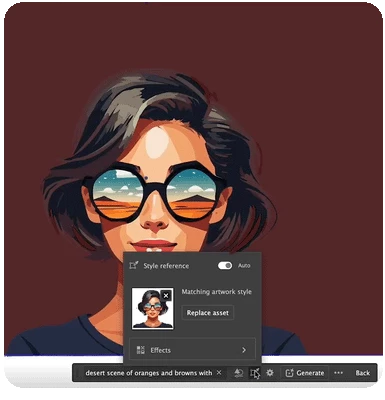
Ensuring Brand Consistency with Style References
|
With the Style Reference feature, you can generate vector graphics that match the style and color of your existing artwork. This ensures a consistent look across all your designs, maintaining the integrity of your brand's visual identity. By using this, you can seamlessly integrate new graphics into your projects, aligning them perfectly with your established style guidelines. This feature is essential for producing cohesive and professional-quality content that resonates with your audience and reinforces your brand's presence. |
 |
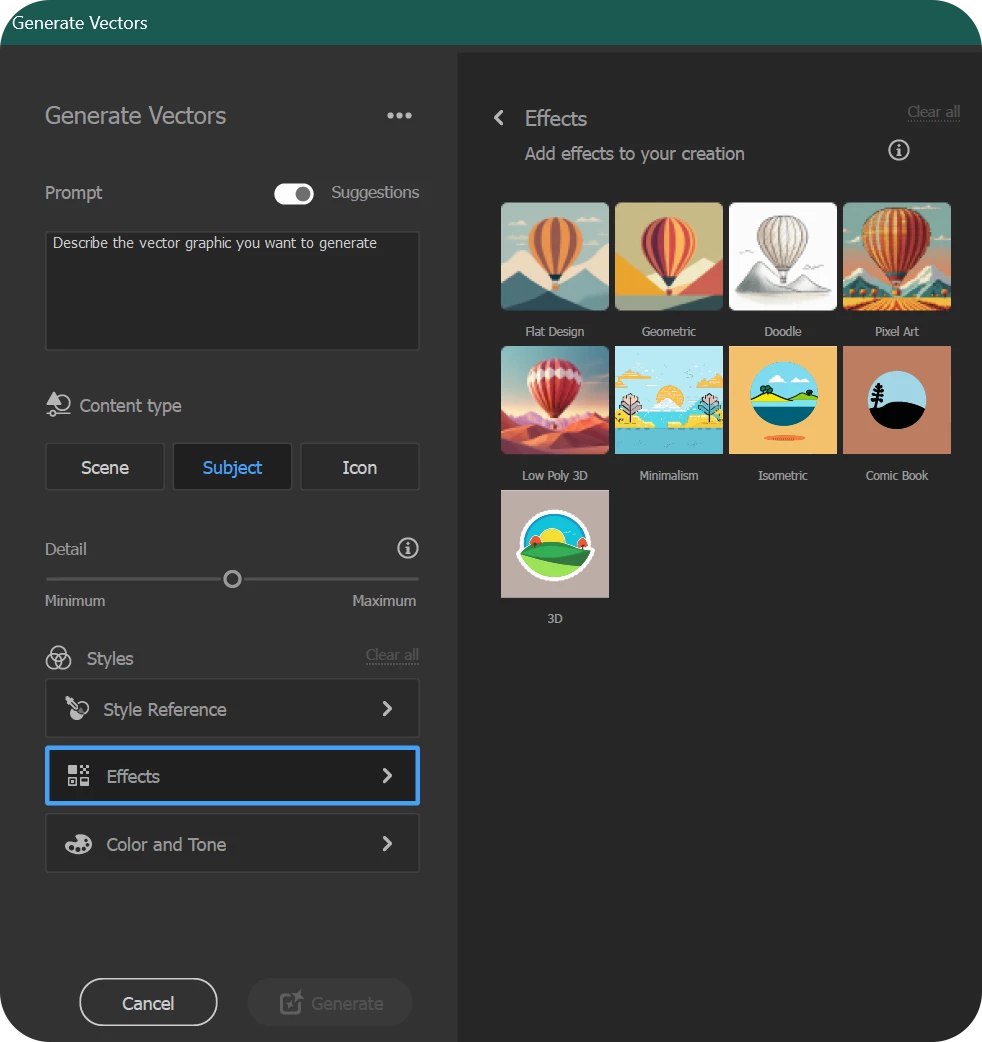
Enhance Your Creations with Effects
|
Under the Effects section, you can select style presets and add dynamic effects to your creations. Choose an effect that resonates with your vision from a variety of options, including:
These presets allow you to elevate your designs, giving them a unique and polished look that aligns with your creative goals. |
 |
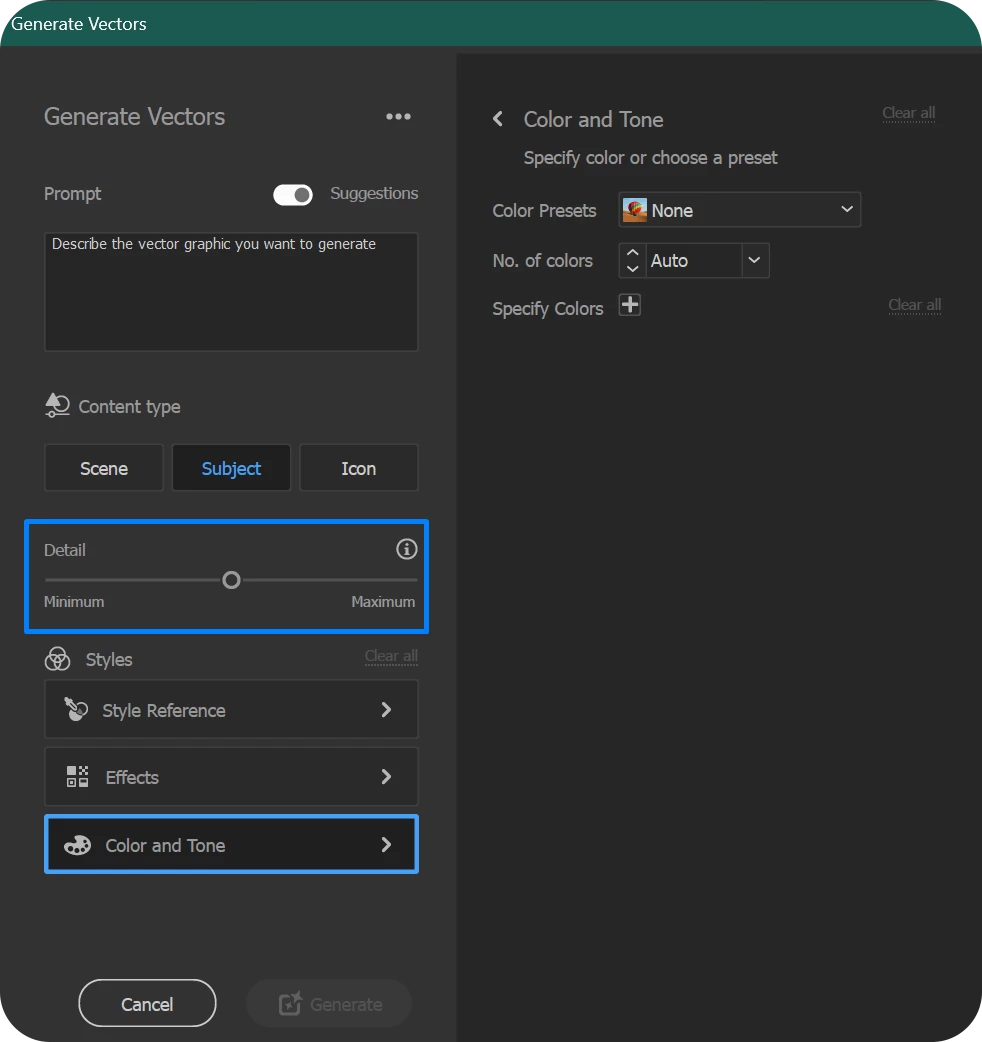
Enhanced Customization with New Detail and Color Controls
|
The new detail and color controls provide users with greater flexibility to achieve their desired results.
These advanced controls empower you to fine-tune your creations, ensuring they match your vision. |
 |
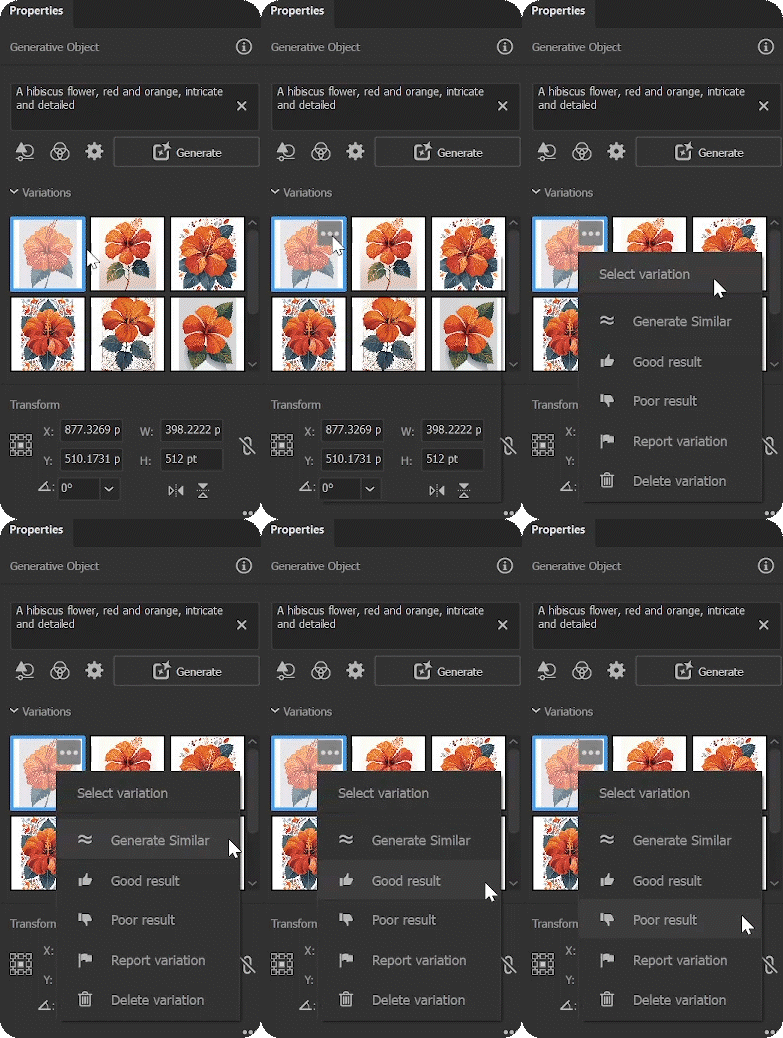
Manage and Refine with the New Generated Variations Panel
|
The new Generated Variation Panel offers an intuitive way to manage and refine your designs.
|
 |
For more details about this new feature, please click here.
We’d love to hear from you!
Try out the new "Text to Vector Graphic" feature and let us know your thoughts. Feel free to reach out if you have any questions or need more tips!
Have questions? Click 'Reply' below to ask.
Click 'Follow' below to bookmark this post for easy reference.
This post has been updated to reflect the latest changes with Illustrator 29.5.
 AdChoices