Participant
April 21, 2017
Answered

The appearance of fill color changes to stroke color when 3D Extrude & Bevel is enabled

  • April 21, 2017
  • 4 replies
  • 2815 views

In Illustrator 2015.3 -- I'm making a floor plan; each room is its own path with a fill color and a stroke of 1 px. When I apply 3D Extrude & Bevel, some of the rooms appear to take on the color of the stroke. A temporary workaround is to play with the layer order of each room until the colors look right. Sometimes, when I fix one room, another pops up with the wrong color. So, I've been calling this process whack-a-mole.

I suspect the problem may be related to overlapping paths, and I've tried Expanding Appearance but no luck.

Has anyone else run into this?
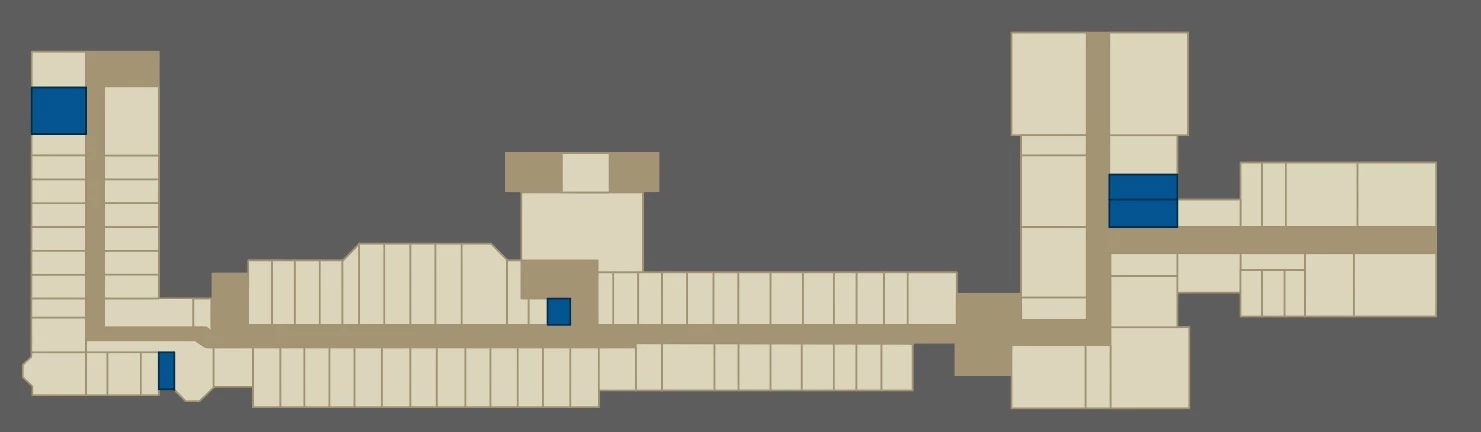
In 2D, everything looks fine.
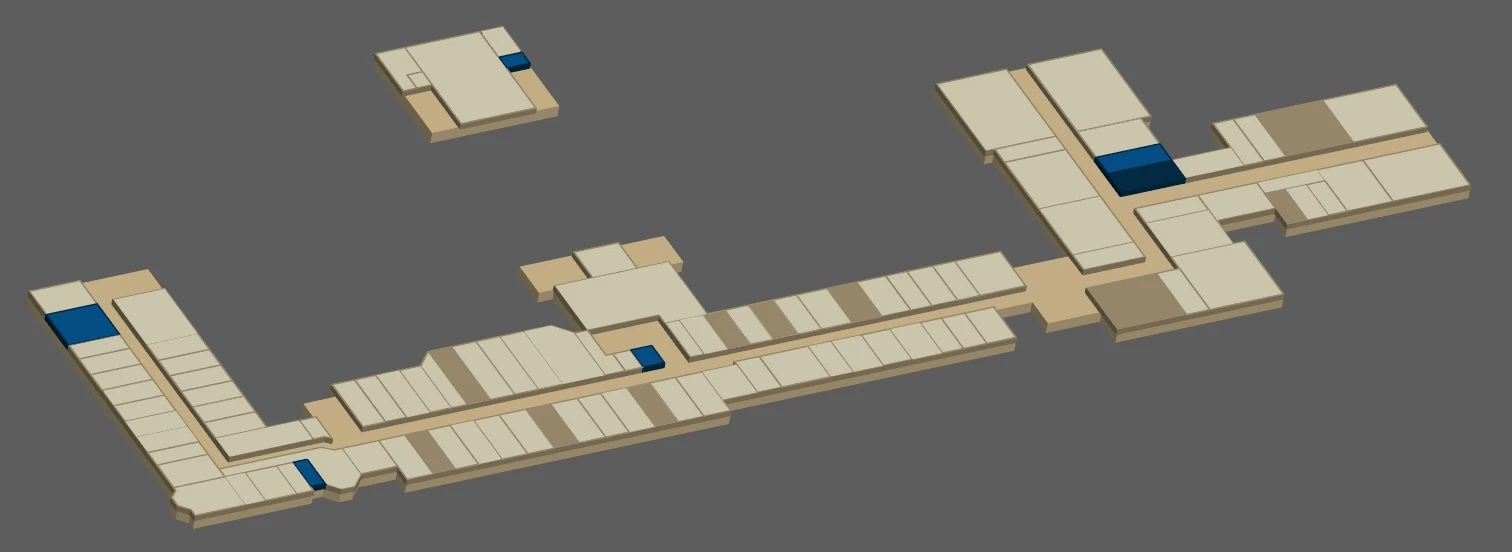
With 3D Extrude & Bevel, colors go cray cray.
This topic has been closed for replies.
Correct answer carlosgarro

I think I have a solution to your problem...

For reasons I do not know the 3D function does not work when the strokes of the objects overlap.

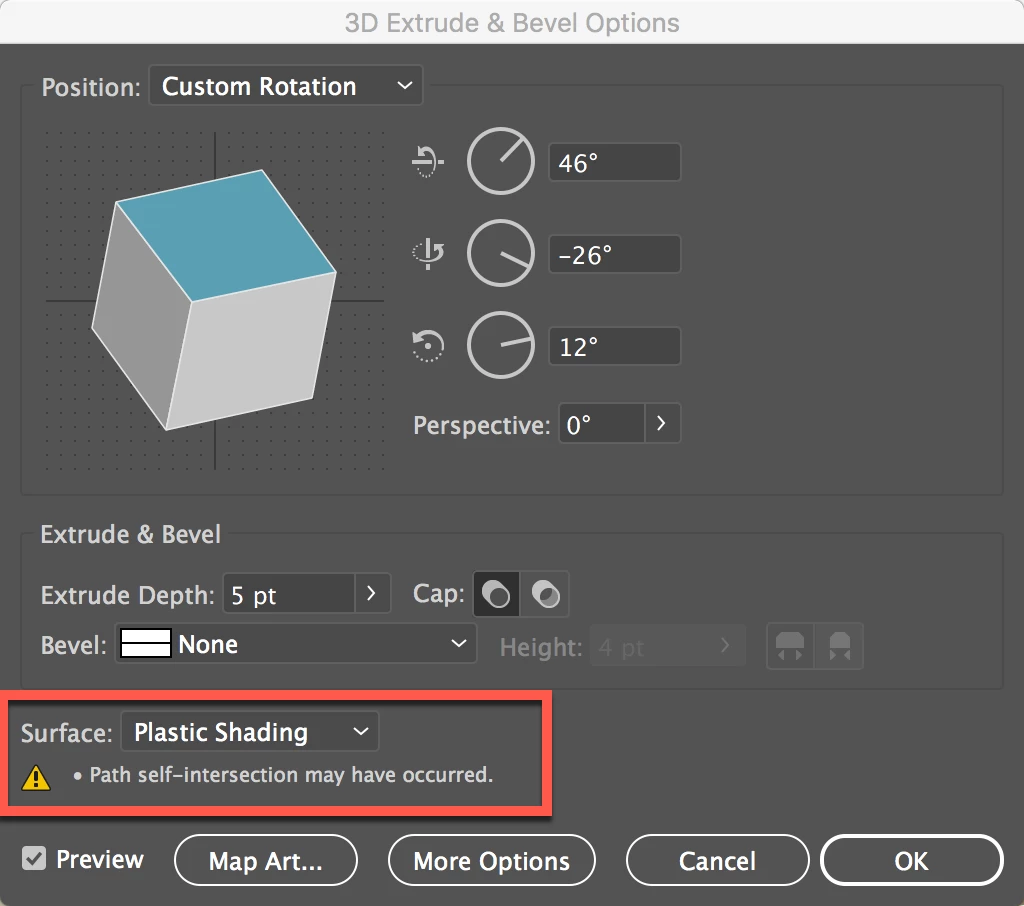
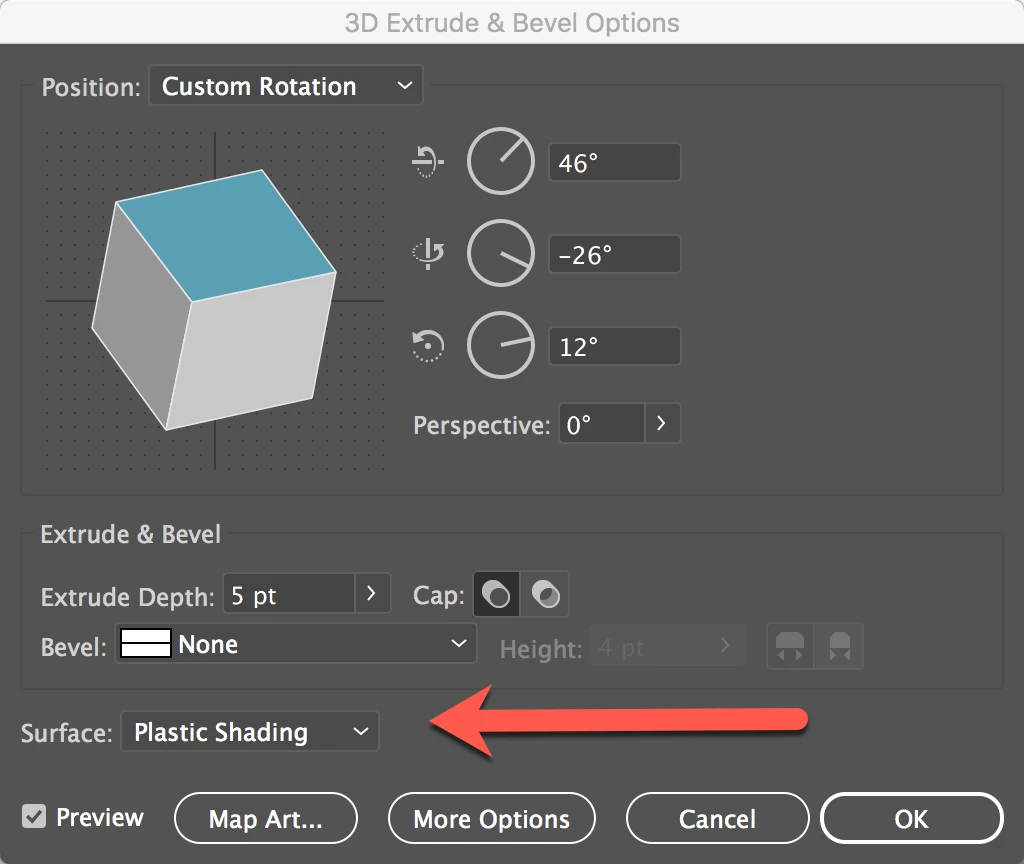
Even if the objects are aligned you get this warning (hidden in the 3D window).

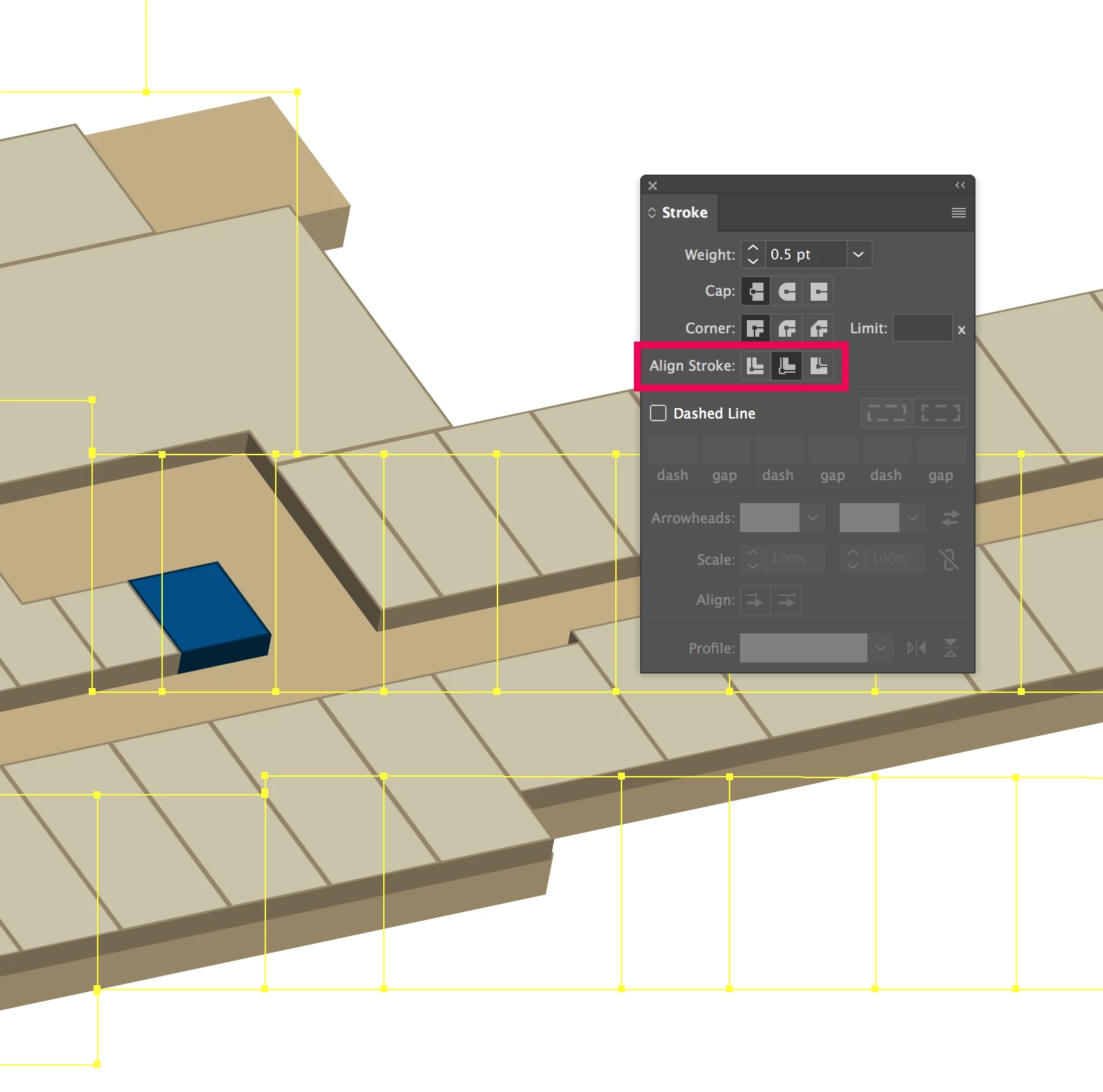
But if you select your group and change the Align Stroke to Inside, the error disappears. >>

And the artwork will look as expected...

This is the file, in case you want to have a look Dropbox - Room Sample_By Carlos.ai

Best Regards

4 replies

carlosgarro
Community Expert
carlosgarroCommunity ExpertCorrect answer
Community Expert
April 24, 2017

I think I have a solution to your problem...

For reasons I do not know the 3D function does not work when the strokes of the objects overlap.

Even if the objects are aligned you get this warning (hidden in the 3D window).

But if you select your group and change the Align Stroke to Inside, the error disappears. >>

And the artwork will look as expected...

This is the file, in case you want to have a look Dropbox - Room Sample_By Carlos.ai

Best Regards

jcleekAuthor
Participant
April 24, 2017

Amazing. Yes, setting the stroke to inside works! Thank you, @carlosgarro!

Ares Hovhannesyan
Community Expert
Community Expert
April 21, 2017

May be the problem is in light position or ambient light?

Monika Gause
Community Expert
Community Expert
April 21, 2017

Don't apply a stroke.

carlosgarro
Community Expert
Community Expert
April 21, 2017

I make this sample with strokes but have no problem...

carlosgarro
Community Expert
Community Expert
April 21, 2017

I try to reproduce the problem but my samples work fine.

Can you share a portion of the file to check it?

Best Regards

jcleekAuthor
Participant
April 21, 2017

Here's a sample file that shows the problem. Dropbox - Room Sample.ai

Monika Gause
Community Expert
Community Expert
April 23, 2017

Strokes might cause trouble.

You might need to build this without strokes (expand them instead).