Answered
the brush draws in black and always
Hello! I have a problem, my calligraphic brush and art brush draws in black only ! Brush options not help - if method "none" - the brush draws in black only

Hello! I have a problem, my calligraphic brush and art brush draws in black only ! Brush options not help - if method "none" - the brush draws in black only
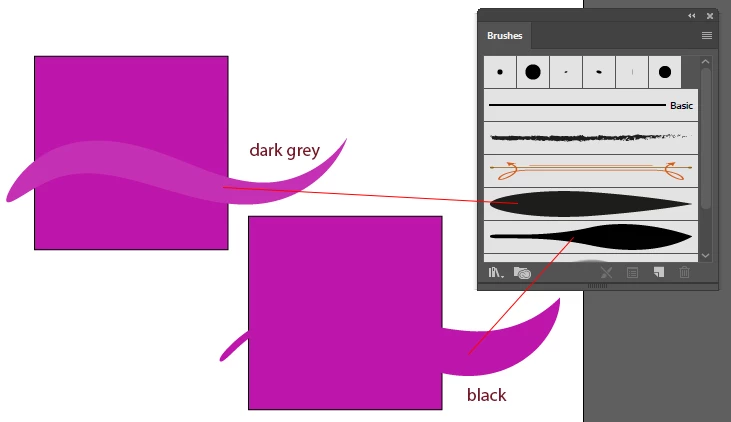
I know it - Tints are more suitable, but it is not ideal solution, because tints are more light. Look at the picture!
Check if the original brush shape is really black, no dark grey. When original is totally black (0,0,0) the stroke color in Tint mode replaces it exactly.
Already have an account? Login
Enter your E-mail address. We'll send you an e-mail with instructions to reset your password.
 AdChoices