
analigiaaraujo
Inspiring
March 31, 2021
Answered

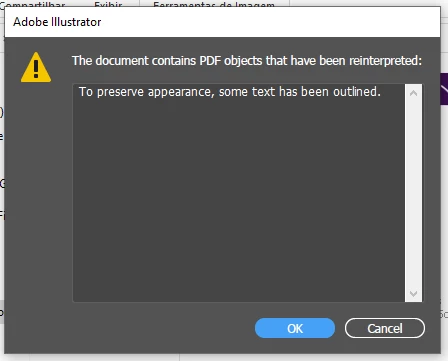
the document contains PDF objetcs that have been reiterpreted

  • March 31, 2021
  • 3 replies
  • 1229 views

Guys, how are you?


This error keeps showing every time I open Illustrator (2021).

What can I do to fix it?


Thank you.

This topic has been closed for replies.
Correct answer analigiaaraujo

I figure it out. I reinstalled, cleaned the preferences and the error gone.

3 replies

Ton Frederiks
Community Expert
Community Expert
March 31, 2021

Did you already try to reset your preferences?

Or if that fails de-install and re-install Illustrator?

analigiaaraujo
Inspiring
March 31, 2021

yes. i've re-installed... but I keeped the preferences... maybe I should try reset it as well

analigiaaraujo
analigiaaraujoAuthorCorrect answer
Inspiring
April 8, 2021

I figure it out. I reinstalled, cleaned the preferences and the error gone.

Met1
Legend
March 31, 2021

Are these documents that you created and saved, and did NOT do any editing in another app (Acrobat perhaps), or, are they from another person?

analigiaaraujo
Inspiring
March 31, 2021

these documents are mine. in illustrator.

some times I saved in pdf

but now, any .ai or .eps shows this error.

Monika Gause
Community Expert
Community Expert
March 31, 2021

When you open them, what does the layers panel show? Clipping masks over clipping masks?


Where do you save files?

Ton Frederiks
Community Expert
Community Expert
March 31, 2021

What documents do you open?

analigiaaraujo
Inspiring
March 31, 2021

illustrator. all in .ai and .eps

that is awkward, isn't it?