
Participating Frequently
May 27, 2022
Answered

The filter cannot complete because of an unknown error

  • May 27, 2022
  • 10 replies
  • 10228 views

In the latest version of Illustrator 26.3.1. I am trying to save a variable library and keep getting this error message "The filter cannot complete because of an unknown error" 
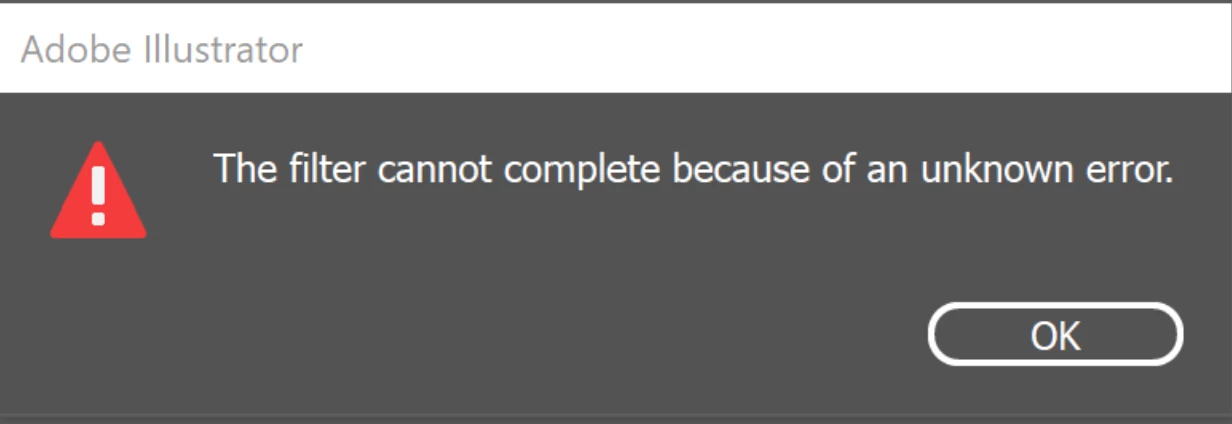
I am wondering if anyone else has experienced this issue.

When I revert to the older Illustrator version 26.2.1 variable library saves fine no issues.

Correct answer felipe_g

I dealt with this error for days, and I discovered that it did happen only in the images, not in the text. And after a lot of trial and error, I found that I was using special characters in a folder of the images path (in my case a ñ)


Conclusion, I hope it helps you: do not use special characters in the path of the files

10 replies

Participating Frequently
February 18, 2025

I am still battling this issue.

I have a document that contains socials and poster artboards, with each one linked to the CSV.

It works perfectly for the first CSV, but when I go to upload a new CSV file, I'm greeted with the message above. Even if I try to load the exact same unedited file, the same message appears.


The only way I can get it to work is if I delete all of the Variables and datasets, and relink the objects. It's time consuming as I have 24 objects that need relinking each time.


A fix for this would be great! 

felipe_gCorrect answer
Participant
July 23, 2024

I dealt with this error for days, and I discovered that it did happen only in the images, not in the text. And after a lot of trial and error, I found that I was using special characters in a folder of the images path (in my case a ñ)


Conclusion, I hope it helps you: do not use special characters in the path of the files

Participant
November 3, 2023

I had the same problem.
For me, the issue seems to be related to the fact that I'am working with a multiple artbords document.
If I delete the artboards and I move all my information to one artboard, works perfectly.

CorporalJellyfish
Participant
April 30, 2024

Yes, I am creating batches of bus flags from a spreadsheet. When I set it up to import one side of the flag onto one artboard it worked fine. I could make tweaks to the CSV file and re-load the variable which updated the artwork. I then added a second artboard for the reverse side of the flag with the same data. It works when I delete all the variables and re-add them but if I re-load the CSV to update artwork I get this error. Pretty annoying to my workflow so it would be good if a fix could be developed.

Srishti Bali
Community Manager
Community Manager
May 1, 2024

Hello @CorporalJellyfish,


We're sorry to hear about the error you're encountering. We're here to help! Could you please provide a few more details:

  • What operating system and version of Illustrator are you using?
  • Is the issue specific to a particular document/ CSV file? If so, could you share the document with us? You can upload it to Creative Cloud and share the download link.
  • Where is the CSV file saved? (Network Drive/System HDD/Shared Folder on System/External HDD)
  • Have you tried resetting Illustrator Preferences to see if it resolves the issue?

Please note that resetting preferences will restore Illustrator to its default settings, removing any customizations. You can back up the folders if needed, as mentioned in the article.


Looking forward to resolving this issue for you!


Best,

Srishti

Known Participant
December 2, 2022

Hello everyone.

Few weeks ago i started using variables and I encountered the same issue OP had but specifically for linked images, text variables worked fine. I tried everything, resetting preferences, reverting Ai version, uninstalling-re-installing, made simple text with simple images and names. Nothing worked, untill it did. Dont' ask me how but hat error popup disappered and i was able to use variables again on the last Ai version. ...until today, as few minutes ago the same error accoured. I did again all the tests (except reverting) but it's still not working.

This is a huge problem form me cause i was setting my workflow, scripts and whatsoever based on the possibility to use the variables.

Does anyone have a definitive solution? Is the product team working on it?

Thanks in advance.

Monika Gause
Community Expert
Community Expert
December 2, 2022

How do you import your variables? Can you try and use the variable importer script?

https://github.com/Silly-V/Adobe-Illustrator/tree/master/Variable%20Importer

Known Participant
December 2, 2022

Hi Monika and thank you for your reply.

I upload a CSV file on the variables windows. I knew there is a script to do that but since it was functioning well till today i thought it wasn't necessary. Are you saying using the script will solve the issue?
I'm going to try it right away.

Known Participant
November 13, 2022

Did you solved this issue? I'm encountering the same problem but only with linked images (EPS). Texts work.

I tried to revert to version 26.0 but it still doesn't work.

Anshul_Saini
Community Manager
Community Manager
November 18, 2022

Hi @Delresto,


Thanks for reaching out and trying to resolve the issue by reverting to an older version. As Ton suggested above, have you tried resetting Illustrator preferences?


If that didn't help, would you mind sending us the packaged Ai & eps file via DM and sharing a small recording demonstrating the issue along with a screenshot of system specifications? I will forward it to the product team for further investigation.


Also, would you mind upvoting this UserVoice (https://illustrator.uservoice.com/forums/601447-illustrator-desktop-bugs/suggestions/45199726-broken-save-variable-library) and adding your comment there?


I will be looking forward to your response.


Thanks,

Anshul Saini

Kate Arpin
Participant
September 26, 2022

Did you figure out what was going on? I'm encountering the same issue in Illustrator 2022.

Participating Frequently
November 21, 2022

Hi Kate,

We reverted to last version of illustrator and that worked.

Participant
August 25, 2023

how far back in versions did you have to go?

Ton Frederiks
Community Expert
Community Expert
May 27, 2022

But I agree with Anna, resetting Preferences and restarting your machine is the first thing to try.

https://helpx.adobe.com/illustrator/using/setting-preferences.html

Mike_Gondek10189183
Community Expert
Community Expert
May 27, 2022

I imported a .csv file and  was able to Save Variable LIbrary to .xml on 

Mqc OS 10.15/7 and the latest Ilustrator 26.3.1


Can you try with a simple data file, might be an nonfriendly character in the data like a slash or colon. Just open a.csv in TextEdit and strip out all but a few fields. We will then know if this works on a simple file, or not at all.

Ton Frederiks
Community Expert
Community Expert
May 27, 2022

If something still works in a previous version I would contact Adobe support:

Welcome to Adobe Customer Care! Need help?

Anna Lander
Inspiring
May 27, 2022

I'm not sure about this particular issue but the first thing to try is resetting Preferences. Use the Preferences button, or Edit > Preferences > General, or Ctrl/Cmd+K to open the General option in Preferences, click Reset and Restart Illustrator. If this does not help, well then we'll have to search for something else.