
Participant
March 3, 2025
Answered

The "Properties panel" has lost the information of "Quick Actions"

  • March 3, 2025
  • 2 replies
  • 1045 views

In the latest version 29.3.1 of Illustrator, all the options for quick operations in my Properties panel are missing, as shown in the following picture. I'm not sure if I accidentally pressed a certain key or if there is a problem with the program.

Correct answer Srishti Bali

Sorry, I didn't find the logs file you need in the folder location you provided. Here is a screenshot of my folder.
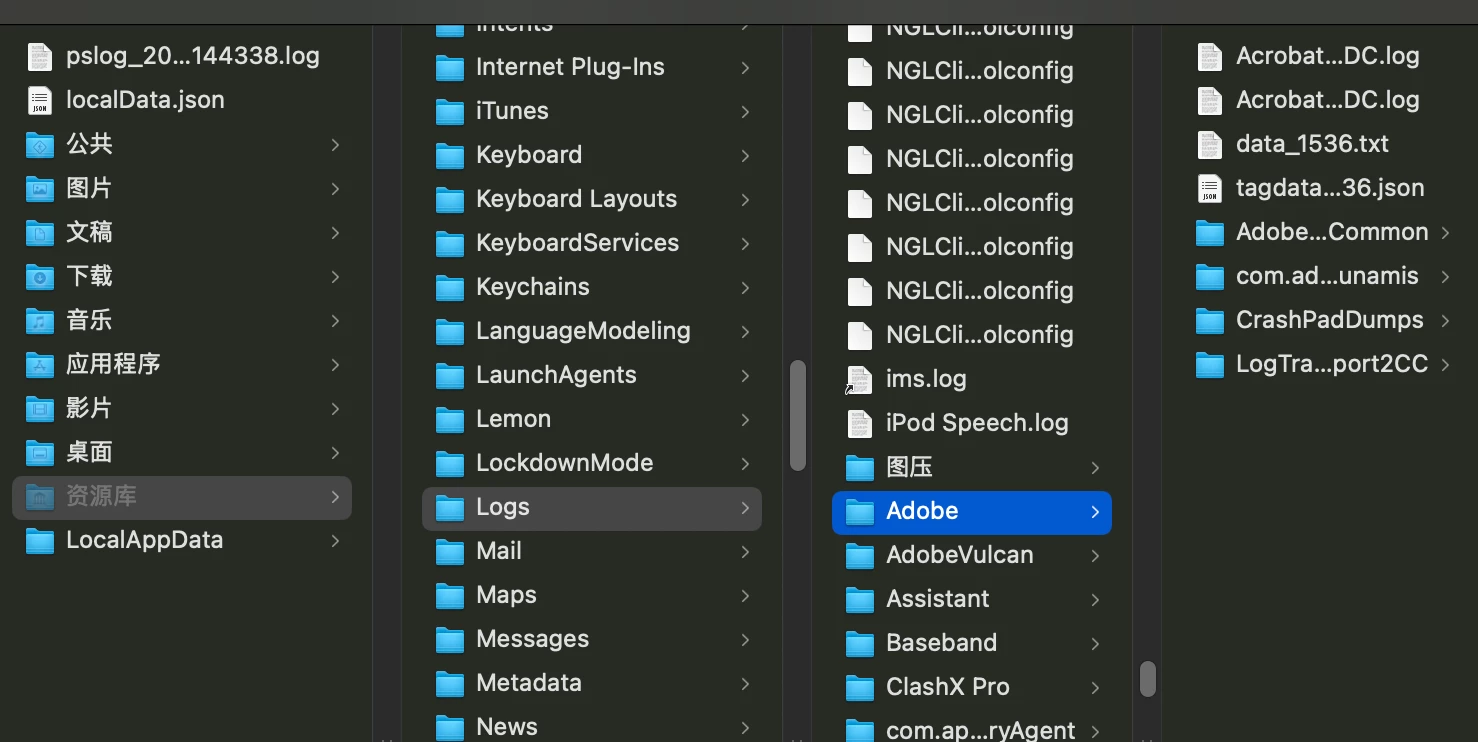

Hi @jiemian_beijing5158


I'm sorry to hear you're experiencing this issue. Several users from the China and Russia regions have reported the same problem. Our team is actively investigating, and you can track the progress on this UserVoice page. Please upvote to receive notifications on updates. In the meantime, you can install the older version, 29.2.1, to continue working. Thank you for your patience and understanding.


Regards,

Srishti

2 replies

Inspiring
October 3, 2025

Same problem with Illustrator 2025. No Quick tools in Properties--I can't crop image.


Anubhav M
Community Manager
Community Manager
March 3, 2025

Hello @jiemian_beijing5158,

Could you try running Illustrator under a different administrator account (Windows / macOS) and check if it helps? If the problem persists, kindly confirm the version of the OS installed and share a small screen recording of the problem so I can investigate further.

Looking forward to hearing from you.


Anubhav

Participant
March 10, 2025

Anubhav M
Community Manager
Community Manager
March 12, 2025

Hello @jiemian_beijing5158, @nice_contributors49815,

The product team has requested additional information. Would you mind sharing a link to the logs after uploading them to file-sharing service from the following folder location:


For macOS: /Users/YOUR USERNAME/Library/Logs/Adobe/Adobe Illustrator
For Windows: C:\Users\YOUR USERNAME\AppData\Roaming\Adobe\Logs\Adobe Illustrator


Looking forward to hearing from you.


Anubhav