
Exit
  • Global community
    • Language:
      • Deutsch
      • English
      • Español
      • Français
      • Português
  • 日本語コミュニティ
  • 한국 커뮤니티
0

There is a border around drop shadow

New Here ,
Mar 30, 2021 Mar 30, 2021

Hello, please help me solve this problem, I tried searching online but can't find the answer anywhere.

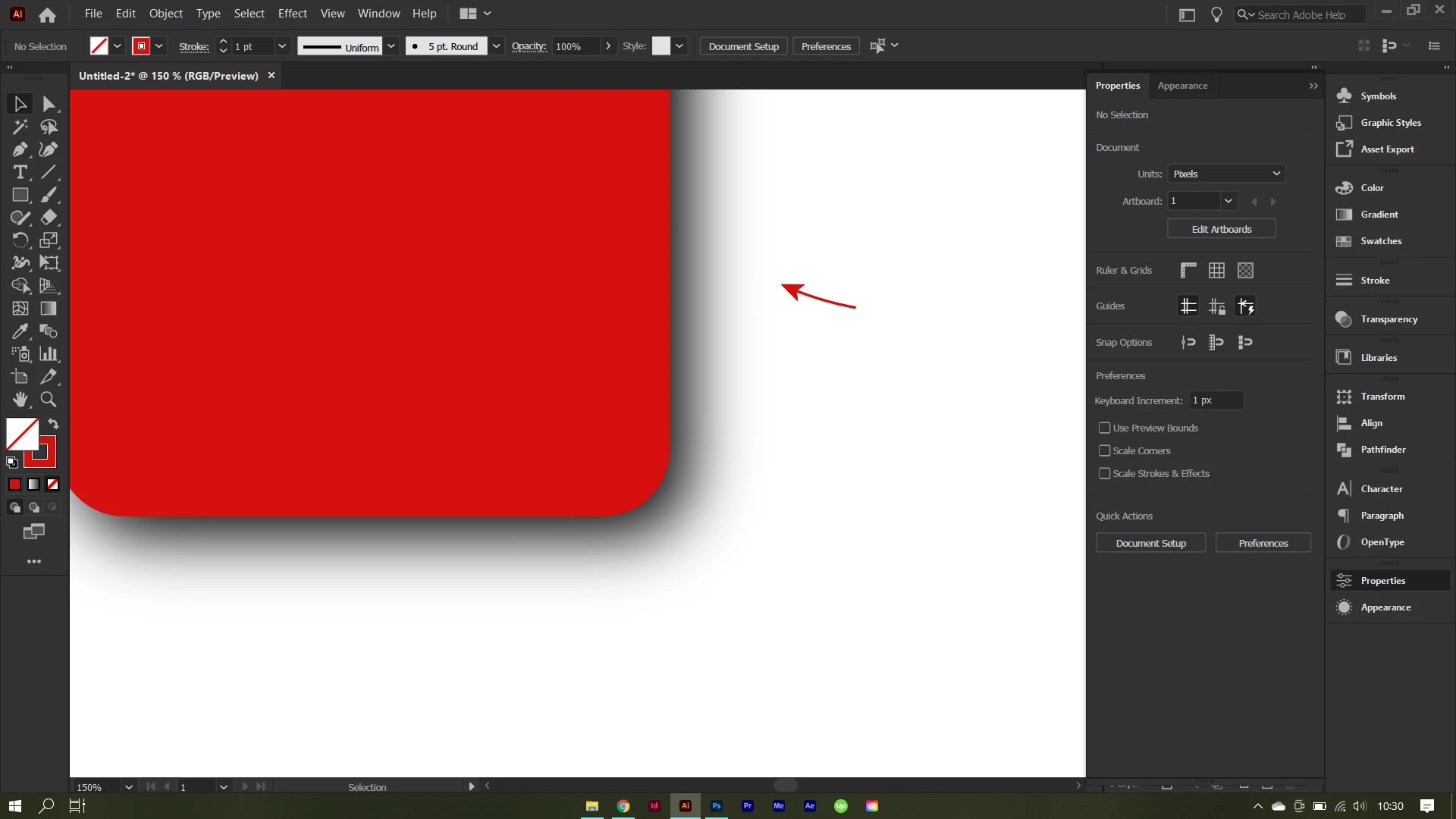
So there is a border-like-shape around my drop shadow, I don't know if its software or hardware problem.
 

Screenshot (8).png

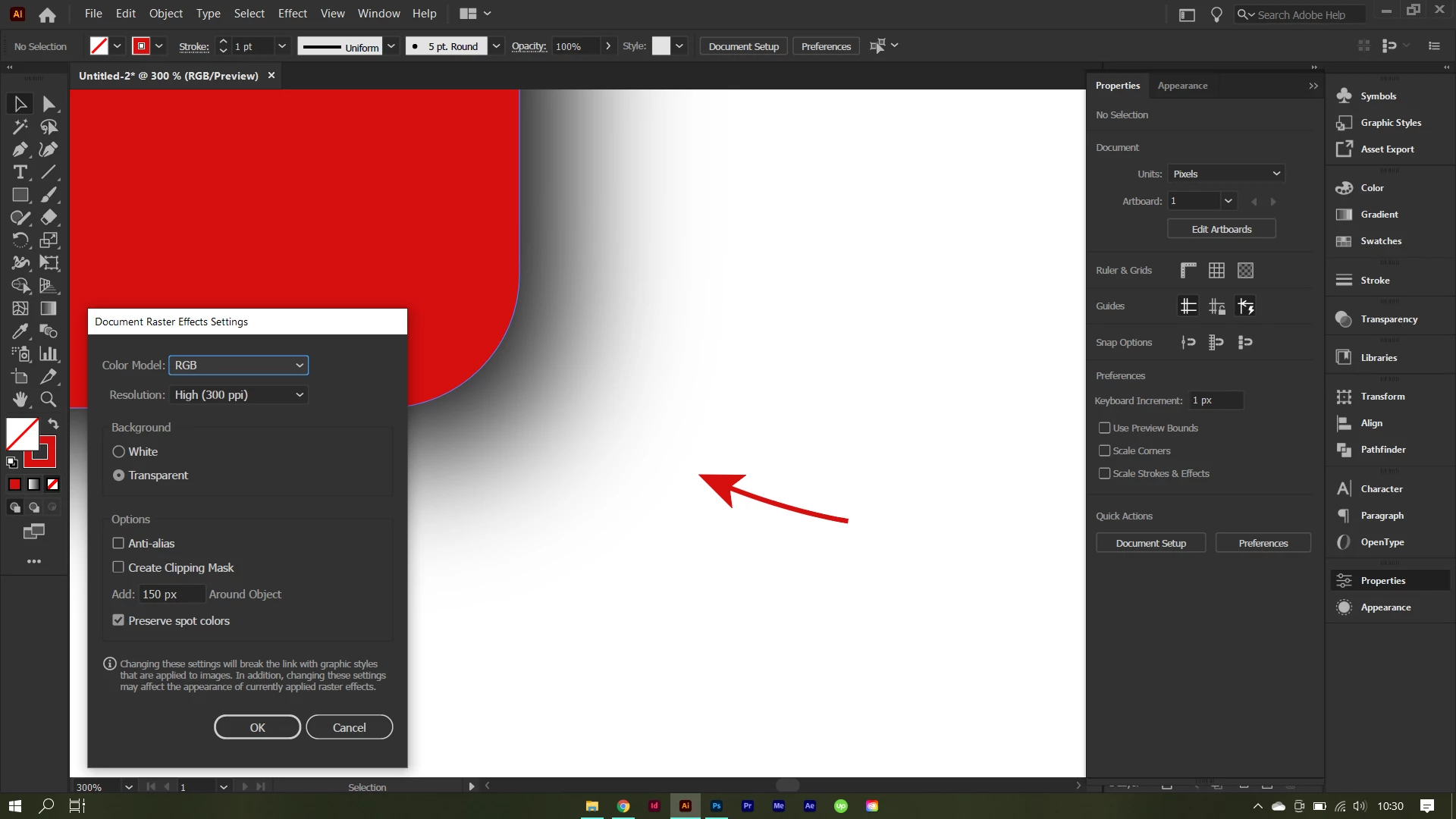
As you can see it's not smooth enough, and this is my Raster Effect Setting
Screenshot (7).png

And this is the export for web result

Untitled-2.png

My device is Omen 15

Radeon Software Version - 19.40.54.01
Radeon Software Edition - Adrenalin
Graphics Chipset - AMD Radeon(TM) Graphics
Memory Size - 512 MB
Memory Type - DDR4
Core Clock - 1750 MHz
Windows Version - Windows 10 (64 bit)
System Memory - 16 GB
CPU Type - AMD Ryzen 9 4900H with Radeon Graphics


Please help me solve this 😞

TOPICS
Performance
609
Translate
Report
Community guidelines
Be kind and respectful, give credit to the original source of content, and search for duplicates before posting. Learn more
community guidelines

correct answers 1 Correct answer

Community Expert , Mar 31, 2021 Mar 31, 2021

It may be your display. I cannot detect this border.

Translate
Adobe
Community Expert ,
Mar 30, 2021 Mar 30, 2021

What I see is Adobe Illustrator, not Photoshop. I'll move your question to that forum.

Translate
Report
Community guidelines
Be kind and respectful, give credit to the original source of content, and search for duplicates before posting. Learn more
community guidelines
Community Expert ,
Mar 31, 2021 Mar 31, 2021
LATEST

It may be your display. I cannot detect this border.

Translate
Report
Community guidelines
Be kind and respectful, give credit to the original source of content, and search for duplicates before posting. Learn more
community guidelines