Participant
May 16, 2022
Answered

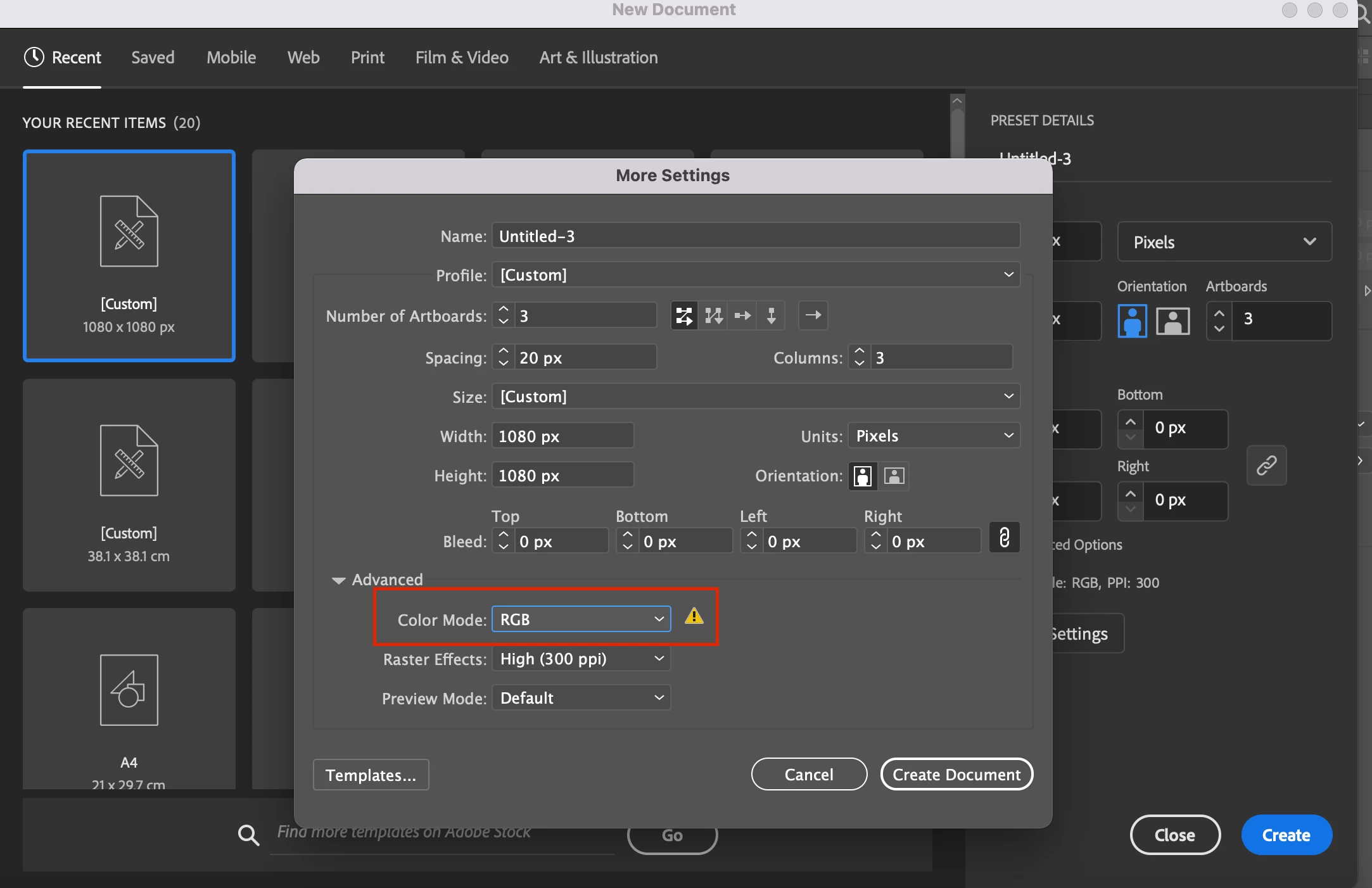
There is a yellow triangle next to the RGB option. how do I fix the problem ?
  • May 16, 2022
  • 2 replies
  • 500 views

    This topic has been closed for replies.
    Correct answer Ton Frederiks

    If you hover over the triangle it will answer your question.

    You try to create an RGB document based on a CMYK document profile. All your swatches will look washed out/muted.

    It is better to create an RGB document based on an Art & Illustration profile.

    2 replies

    Ton Frederiks
    Community Expert
    Ton FrederiksCommunity ExpertCorrect answer
    Community Expert
    May 16, 2022

    If you hover over the triangle it will answer your question.

    You try to create an RGB document based on a CMYK document profile. All your swatches will look washed out/muted.

    It is better to create an RGB document based on an Art & Illustration profile.

    Participant
    May 16, 2022

    I'm using illustrator and the colorsdon't look as vibrant anymore

    Nancy OShea
    Community Expert
    Community Expert
    May 16, 2022

    CMYK colors look drab on screen compared to RGB.  That's normal and expected.


    [Moderator moved from Using the Community (forums) to Illustrator.]


    Nancy O'Shea— Product User & Community Expert
