
umi_12
Participant
May 12, 2018
Answered

Thin line circle problem

  • May 12, 2018
  • 1 reply
  • 582 views

I need to make AI file to laser cut wood. I sketched in thin red line (0.001 pt) the shapes I want to cut.

Straight lines look fine, but I have a problem with curved edges that has an uneven thickness as you can see:
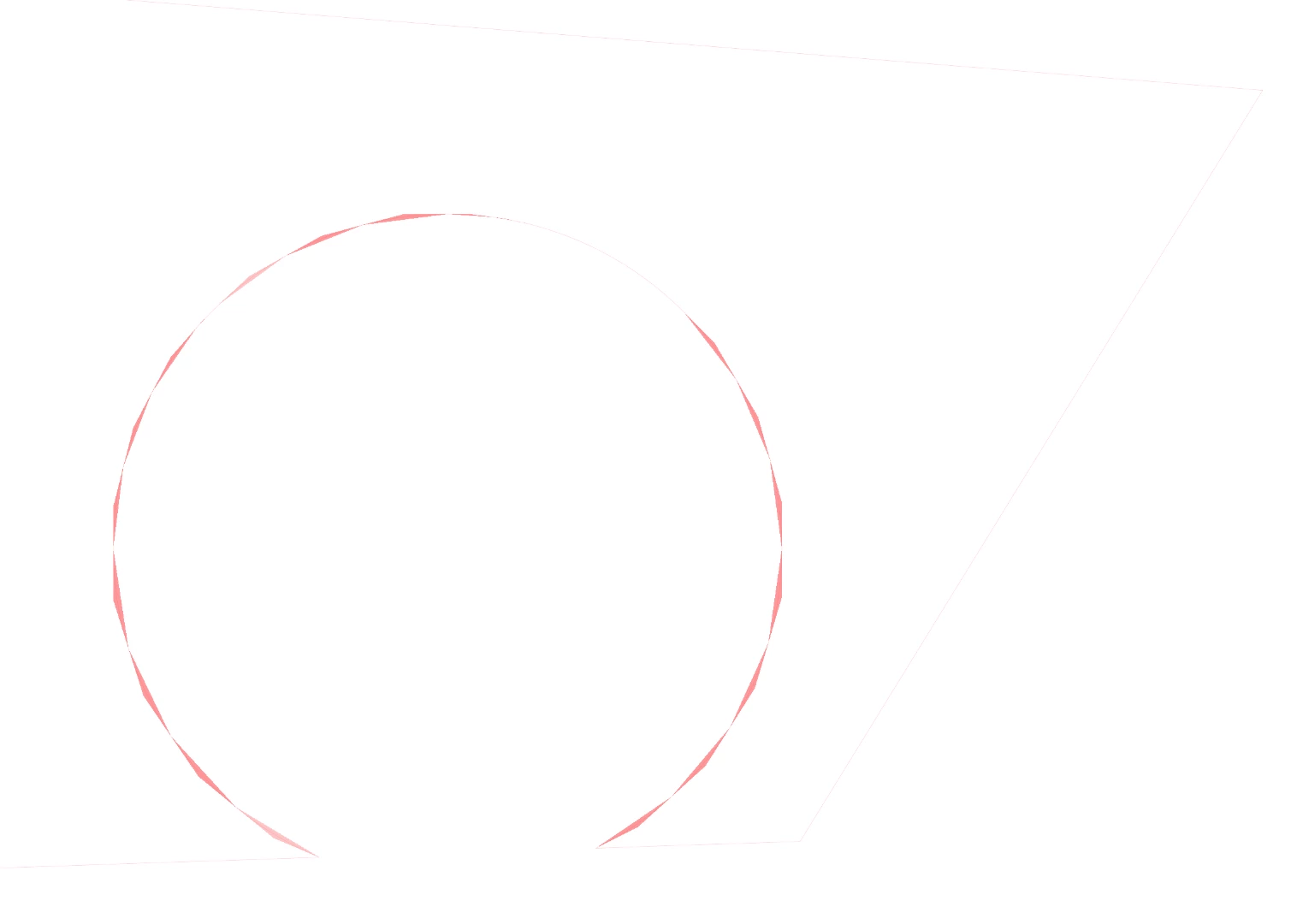
If I increase the thickness of the stroke, the circle looks fine.

The line profile is uniform.

Thanks in advance

This topic has been closed for replies.
Correct answer Jacob Bugge

umi,

You may try Ctrl/Cmd+E.

This toggles between GPU and CPU Preview, GPU possibly causing the issue.

This is what GPU is about:

https://helpx.adobe.com/illustrator/kb/gpu-performance-preview-improvements.html

Graphics cards have been included in the system requirements:

https://helpx.adobe.com/illustrator/system-requirements.html

Apart from an inadequate card, the issue can be caused by lack of driver updating, lack of proper recognition of the card by the computer, and whatnot.

You may try a graphics card update, or wait it out hoping the issue gets sorted.

1 reply

Jacob Bugge
Community Expert
Jacob BuggeCommunity ExpertCorrect answer
Community Expert
May 12, 2018

umi,

You may try Ctrl/Cmd+E.

This toggles between GPU and CPU Preview, GPU possibly causing the issue.

This is what GPU is about:

https://helpx.adobe.com/illustrator/kb/gpu-performance-preview-improvements.html

Graphics cards have been included in the system requirements:

https://helpx.adobe.com/illustrator/system-requirements.html

Apart from an inadequate card, the issue can be caused by lack of driver updating, lack of proper recognition of the card by the computer, and whatnot.

You may try a graphics card update, or wait it out hoping the issue gets sorted.

umi_12
umi_12Author
Participant
May 12, 2018

Thanks!

Cmd+E solved it

Jacob Bugge
Community Expert
Community Expert
May 12, 2018

You are welcome, umi.