
Known Participant
January 3, 2020
Beantwortet

thin white lines/boxes appearing when saving as PDF in X-1a:2001 or X-3:2002 format for book printer

  • January 3, 2020
  • 3 Antworten
  • 9799 Ansichten

Hey there,


Newbie here. I managed to create a book cover in Illustrator, get it uploaded to Amazon KDP print (massive thanks to you guys helping me with last problem!!!!) and, after a fine proof copy, hit publish on Amazon. So far so good. Reader copies look nearly as good as the proof, so I know my original file can create a satisfactory printed cover.


However, when I try to create a PDF of the cover for Ingram Spark (the necessary second printer for bookstores and libraries) the file suddenly gets very thin white lines/rectangles around many of the images, esp along the spine. Presumably, these will show up on the final book cover if they're in the PDF. Question is: how do I get rid of them?


Ingram Spark requires the PDF be either X-1a:2001 or X-3:2002, so that's what I'm selecting when I save a copy as PDF in Illustrator. If I save it as Illustrator Default PDF, the file is fine--no lines/boxes.


Here's a screenshot of the PDF with the lines. You might have to look at your screen from the side to see them.
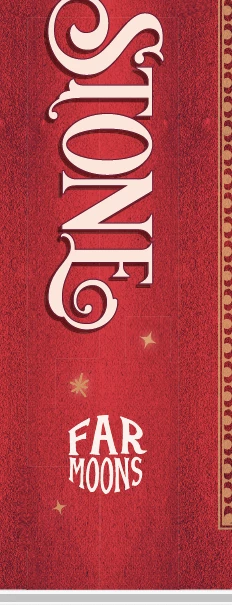
Some of the outlined objects have glow effects, but it also runs along some areas where there's a hidden seam (like where I mirrored and joined the red leather background together) or where multiple objects meet. If I flatten the transparencies before I export, the problem is even worse.  Note: the background images are overlapped so it's not gaps between them. 


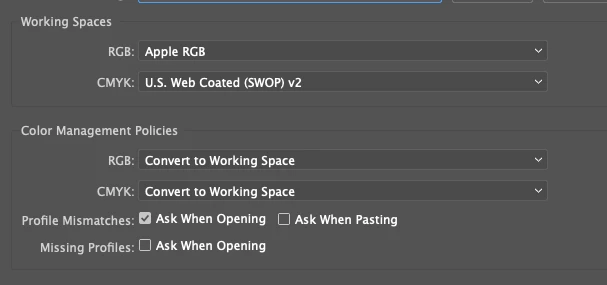
The color mode is CMYK which is what the printer requires and here is a pic of the color settings:
 

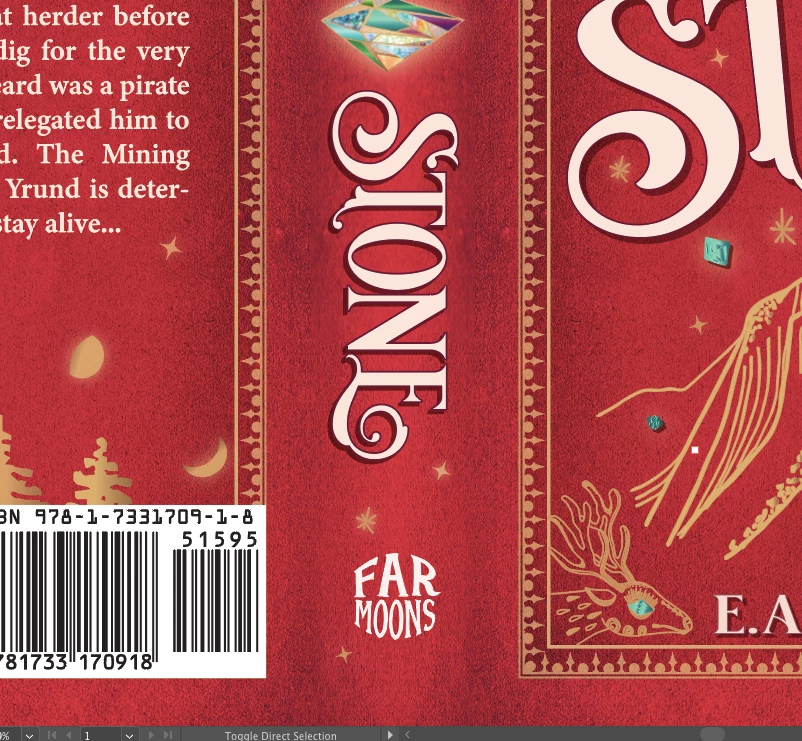
Here's a pic of the Ai file looking fine before trying to save as the PDF X-1a:2001 or X-3:2002:


Anybody have some advice?


My setup:

MacBook Air running Mojave 10.14.6

Intel HD Graphics 6000 1536 MB

Ai 2020 updated two weeks ago


Thank you!


EA 

Beste Antwort von Monika Gause

Stitching artefact. Should not produce issues in commercial printing. Have they asked for this type of PDF in their specs?

Please read the Adobe PDF on transparency. http://67.227.198.33/~ghp/wp-content/uploads/2011/05/Transparency_DesignGuide.pdf

3 Antworten

Trystero
Known Participant
August 13, 2024

In your pictures I see many errors:

"Apple RGB" is a very old color space from the time of fixed resolution displays with Gamma 1.8 and MacOS9, not in use anymore. It is still available only for compatibility when opening old works.

In these days, in Photoshop and other Adobe Apps you must select a preset like Europe Prepress or North America Prepress, and  sRGB or AdobeRGB as RGB color space (Gamma 2.2).

The thin white boxes appears in PDF X1 or X3 if the compatibilty is with Adobe Acrobat 4. If you choose 5 or 6 those boxes disappear.

Monika Gause
Community Expert
Community Expert
August 13, 2024

@Trystero  schrieb:


The thin white boxes appears in PDF X1 or X3 if the compatibilty is with Adobe Acrobat 4. If you choose 5 or 6 those boxes disappear.


This is an old thread.

If you had read it, you would have found that that was the requirement by the printer. A lot of printers will also accept PDF/X-4, but you will have to discuss it with them.

finnh55468497
Participant
April 4, 2022

I think you are using Acrobat 4 (PDF 1.3)-compatibility when you export from Indesign. Switch to Acrobat 5 (PDF 1.4) (in general - on the upper right). I had the same issue. I think its because the older standard cannot handle transparancy well.


I know the post is old. But if it helps anyone ...

Monika Gause
Community Expert
Community Expert
April 4, 2022

Generally before exporting (or even before starting the project): contact the printing servioce about their file spedifications. Yes, many (if not most) can handle PDF/X-4. But not all of them.

finnh55468497
Participant
April 4, 2022

Thanks. I know. But Im being practical here. I use PDF-X3 for most of my work. But sometimes you get material you haven't produced that behave strangely. Then its better to have a good dialog with your printer, and solve it in a practical manner, rather then use hours to solve something that really isn't a problem...

Monika Gause
Community Expert
Community Expert
January 3, 2020

Stitching artefact. Should not produce issues in commercial printing. Have they asked for this type of PDF in their specs?

Please read the Adobe PDF on transparency. http://67.227.198.33/~ghp/wp-content/uploads/2011/05/Transparency_DesignGuide.pdf

Participant
April 4, 2024

When I worked on magazines we came across this problem and finally had to solve it. Like others have noted there isn't any problem with print output because the lines are so fine. For digital assets on the otherhand it is visually present and a quality issue. The production designer I worked with did trial and error to solve the problem. There are a couple of settings in the PDF preset that you need to have selected. 

  1.  Make sure your compatability is at or above Acrobat 5.
  2.  In the General tab select the box "Optimize for Fast Web View"

That's it. I will output beautifully like it should. 

Participant
June 25, 2025

this just worked perfectly for me! Thank you!!