
Participating Frequently
November 14, 2020
Answered

tmp files growing in excess with Google Drive Stream in finder?

  • November 14, 2020
  • 2 replies
  • 6939 views

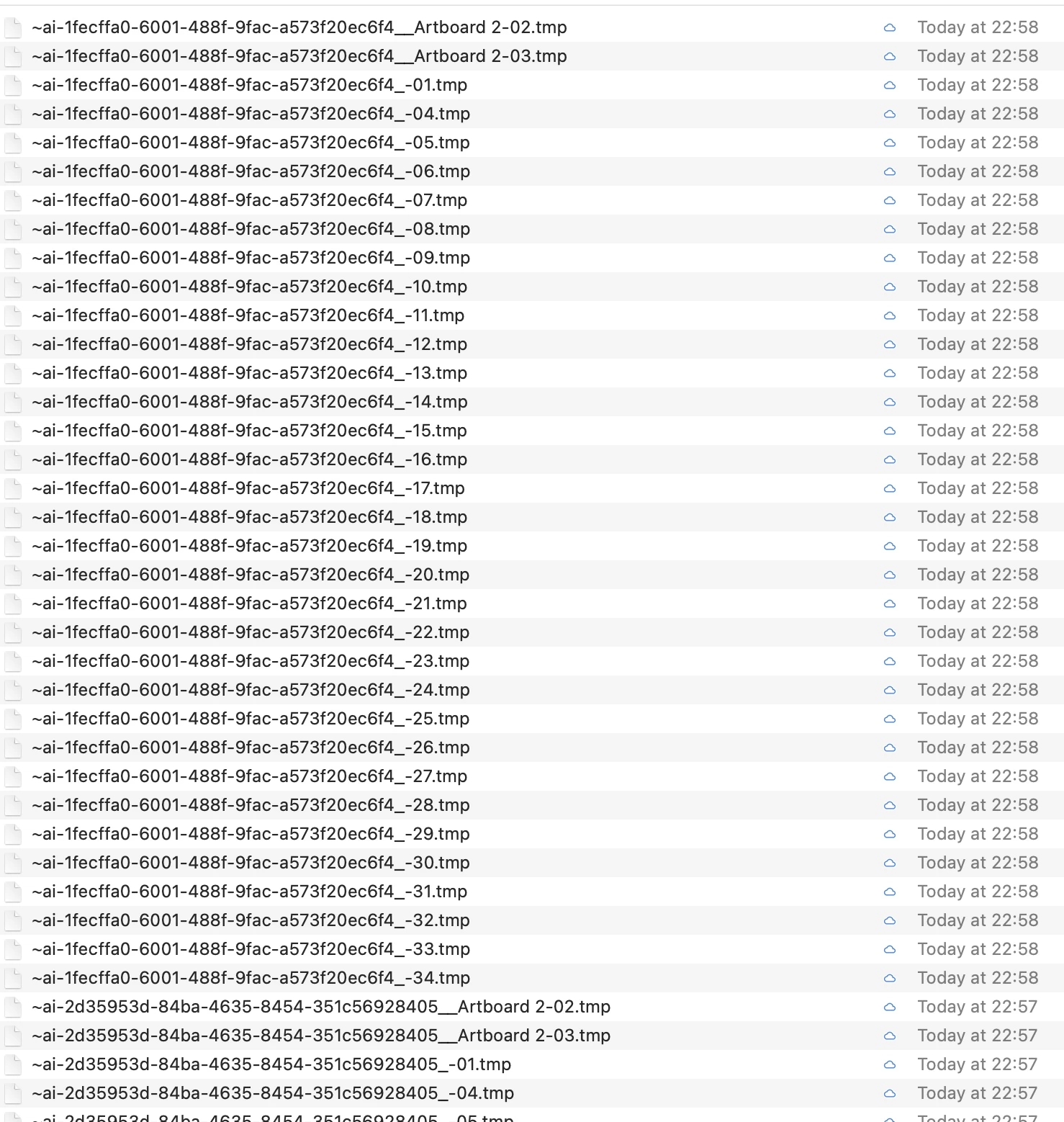
Using Catalina and now Big Sur there seems to be a lot of temp files showing in Google Drive Stream in the finder all of a sudden? 

Any ideas? as you can see, this is literally a quarter of the files?
 

This topic has been closed for replies.
Correct answer Ashutosh_Mishra

Hi there,


Sorry to hear about this. Please try saving files on Adobe Creative Cloud instead of Google Drive & let us know if you have the similar behavior there. This information will help us assist you accordingly.


Regards,

Ashutosh

2 replies

Ashutosh_Mishra
Ashutosh_MishraCorrect answer
Inspiring
November 28, 2020

Hi there,


Sorry to hear about this. Please try saving files on Adobe Creative Cloud instead of Google Drive & let us know if you have the similar behavior there. This information will help us assist you accordingly.


Regards,

Ashutosh

DanielBlazquez
Inspiring
March 4, 2021

It is NOT a solution. In many companies we work in specific workspaces and designers cannot choose the backup system. 

This problem only happens with Illustrator (tried Photoshop and XD) and sometimes Illustrator does not save the latest version correctly.

Participant
January 9, 2023

As anyone found a solution to this?? My design coworker and I are having this very same issue and we have to use Google Drive, there isn't another alternative. The files on his computer save correctly, but for some reason, I am only seeing tmp files, and the original ai file is a previous date. Please, any recommendations would be very helpful! 

Monika Gause
Community Expert
Community Expert
November 15, 2020

What happens when you disable "Save in background" in the preferences?

Tony5E60Author
Participating Frequently
November 15, 2020

Not sure but if I try, shall I delete them all first?


what's the side effects of doing this out of interest?

Monika Gause
Community Expert
Community Expert
November 15, 2020

Did the AI files themselves get saved correctly? In that case you don't need the temp files anymore.


"Save in background" allows you to carry on working in Illustrator while Illustrator is saving a file.


Illustrator has trouble saving directly to servers. This can even lead to file corruption. It also has trouble with certain Cloud solutions. And all this might happen to one user, but not to others. So actually nobody knows why and when it happens.