
Participating Frequently
November 14, 2020
Answered

tmp files growing in excess with Google Drive Stream in finder?

  • November 14, 2020
  • 2 replies
  • 6939 views

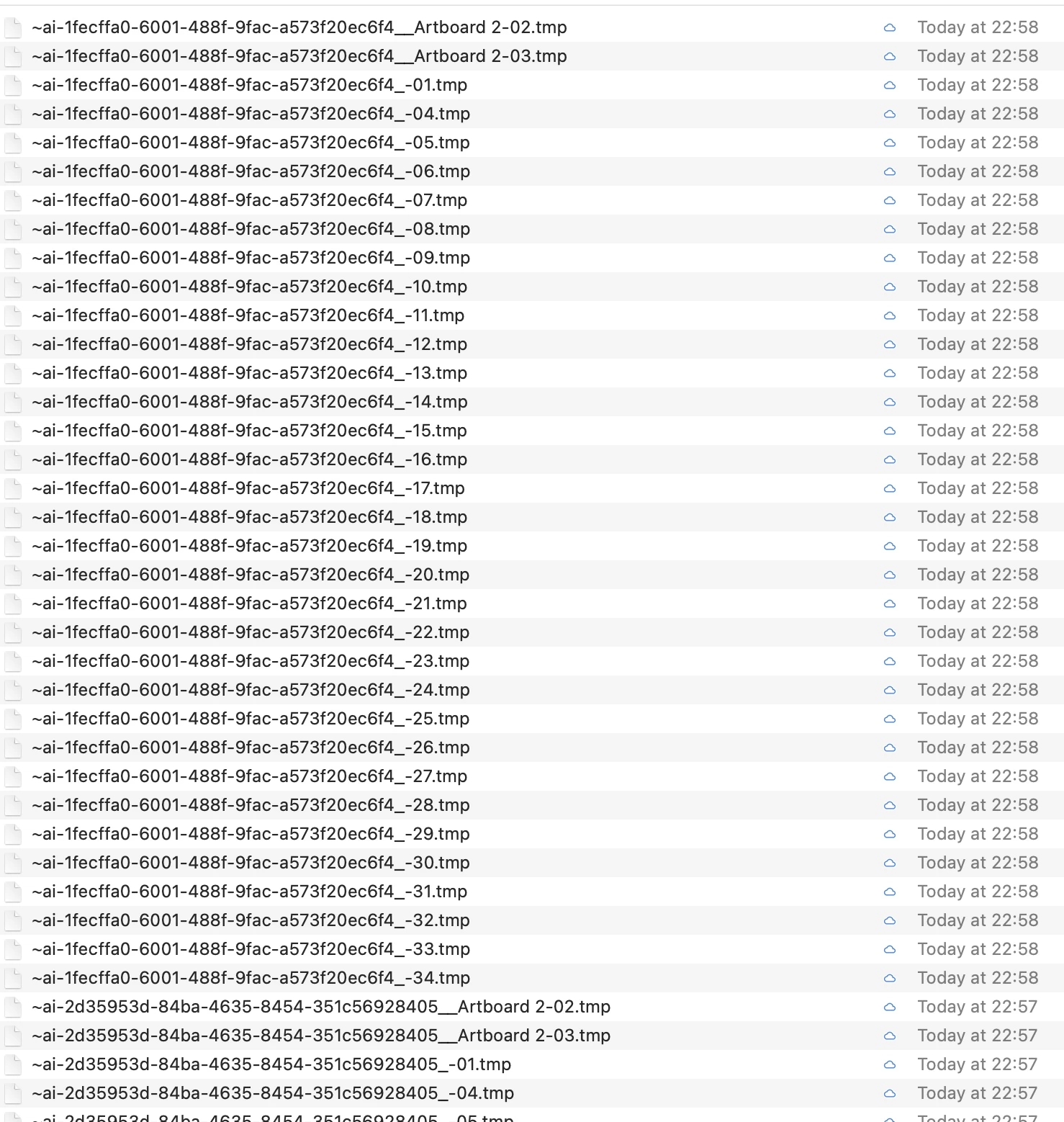
Using Catalina and now Big Sur there seems to be a lot of temp files showing in Google Drive Stream in the finder all of a sudden? 

Any ideas? as you can see, this is literally a quarter of the files?
 

This topic has been closed for replies.
Correct answer Ashutosh_Mishra

Hi there,


Sorry to hear about this. Please try saving files on Adobe Creative Cloud instead of Google Drive & let us know if you have the similar behavior there. This information will help us assist you accordingly.


Regards,

Ashutosh

2 replies

Ashutosh_Mishra
Ashutosh_MishraCorrect answer
Inspiring
November 28, 2020

Hi there,


Sorry to hear about this. Please try saving files on Adobe Creative Cloud instead of Google Drive & let us know if you have the similar behavior there. This information will help us assist you accordingly.


Regards,

Ashutosh

Tony5E60Author
Participating Frequently
November 28, 2020

thanks will give this a go - never tried this. I'm just wondering whether its because I have about 24 artboards?

Monika Gause
Community Expert
Community Expert
November 15, 2020

What happens when you disable "Save in background" in the preferences?

Participant
March 22, 2023

Disabling "Save in background" fixed the problem for me! Thank you.