
Inspiring
August 29, 2022
Answered

Tools panel missing

  • August 29, 2022
  • 3 replies
  • 992 views

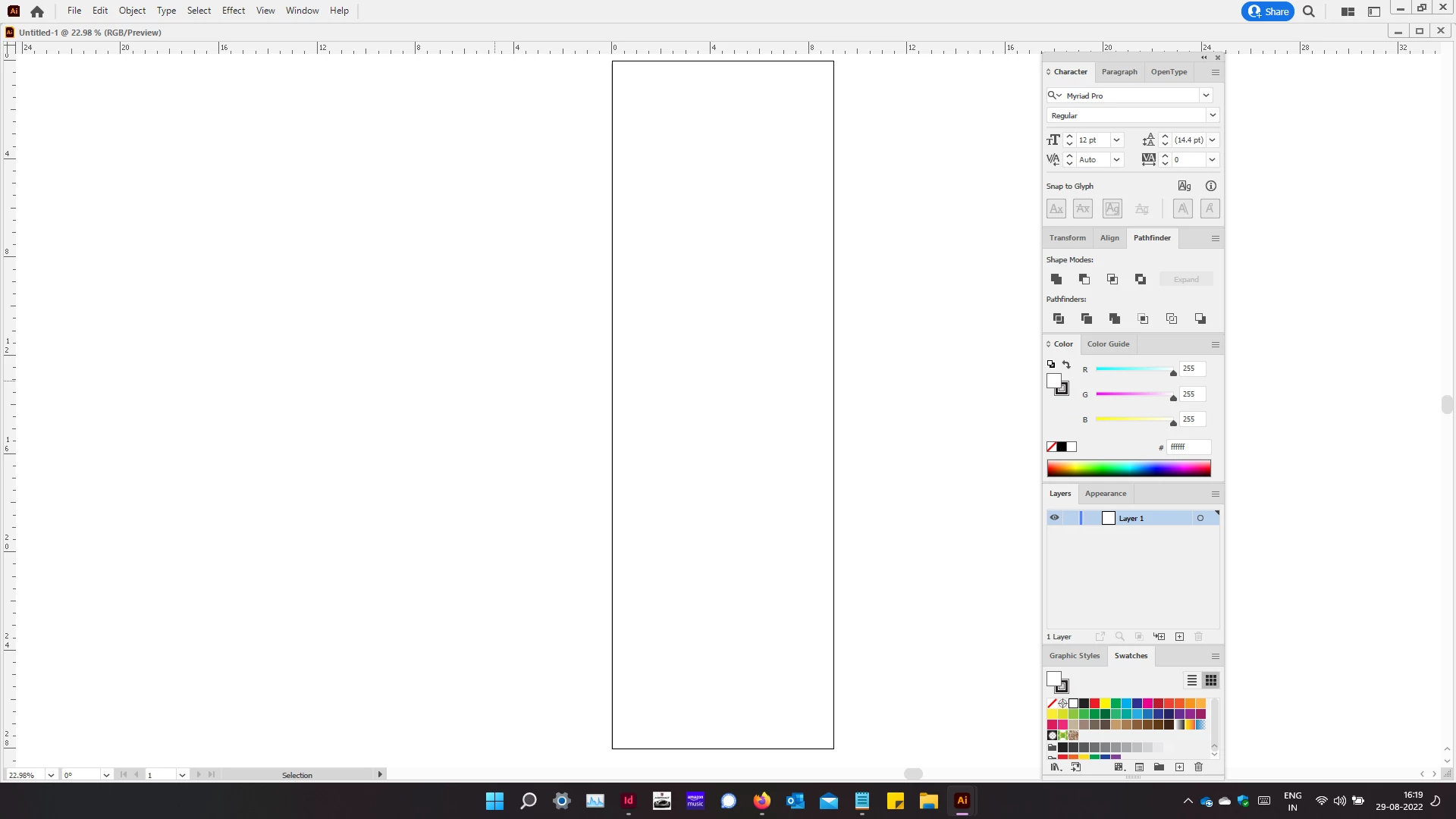
Why is that the tools panel & library panel goes missing in Illustrator?

Remember having this issue for Indesign too but in InDesign switching workspaces back & forth did the trick but in illustrator nothing happens. Saw a video where there said hitting the Tab buttton works but not for me.


Any help greatly appriciated.

Attching the screenshot for referance.


Vijay
 

This topic has been closed for replies.
Correct answer Vijay Ramachandran

I have no idea what happened but everything seems to be fine now. I didn't open Illustrator for a day since I was busy with Indesign. I opened Illustrator late last night & everything was back to normal. Fingers crossed.


Thanks for all the support.


Vijay.

3 replies

Mike_Gondek10189183
Community Expert
Community Expert
August 29, 2022

I do not think Tab is your issue as that is just a shortcut, but can help to understand exactly what it does.


Tab - toggles between show and hide all panels

Shift Tab - toggles between show and hide all panels except tool


Maybe F4  https://helpx.adobe.com/photoshop-elements/using/keys-showing-or-hiding-panels.html


Your tools and library might be buried under your other panels. Clean up your panels and define a workspace. Then choose window >> workspace >> (name of your workspace) and should go back to that. 


Do you have a 2nd monitor as that complicates things as you can be turning that on or off, or have display issues where the video driver blanks out and reset things. 

Vijay RamachandranAuthorCorrect answer
Inspiring
August 31, 2022

I have no idea what happened but everything seems to be fine now. I didn't open Illustrator for a day since I was busy with Indesign. I opened Illustrator late last night & everything was back to normal. Fingers crossed.


Thanks for all the support.


Vijay.

Charu Rajput
Community Expert
Community Expert
August 29, 2022

Hi,

I am not sure whether it will work for you, but Could you please try clicking the Tab key?

Best regards
Inspiring
August 29, 2022
Have already tried that. Not working.

Regards,

Vijay

Sent via Outlook for Android<>, please excuse typos.
Anubhav M
Community Manager
Community Manager
August 29, 2022

Hello Vijay Ramachandran,


Sorry to hear about this experience. I hope the suggestions shared by Mike helped resolve the problem. If not, kindly try resetting Illustrator's preferences by following the steps shared in this article (https://helpx.adobe.com/illustrator/kb/troubleshoot-preference-issues.html) and sharing your observations.
Disclaimer: Please note that resetting preferences will remove all custom settings, and Illustrator will launch with the defaults. You may take a backup of these settings from the location mentioned in the article. 

Looking forward to hearing from you.


Thanks,
Anubhav

Anna Lander
Inspiring
August 29, 2022

did you try to choose them in the Window menu? You can find "Toolbars" in the top section of the menu and "Libraries" in the main section, look somewhere in the middle.