gloriad64706371
Known Participant
April 15, 2017
Answered

Tracing different size shapes

  • April 15, 2017
  • 4 replies
  • 1111 views

I think the easiest way for me to explain this is :

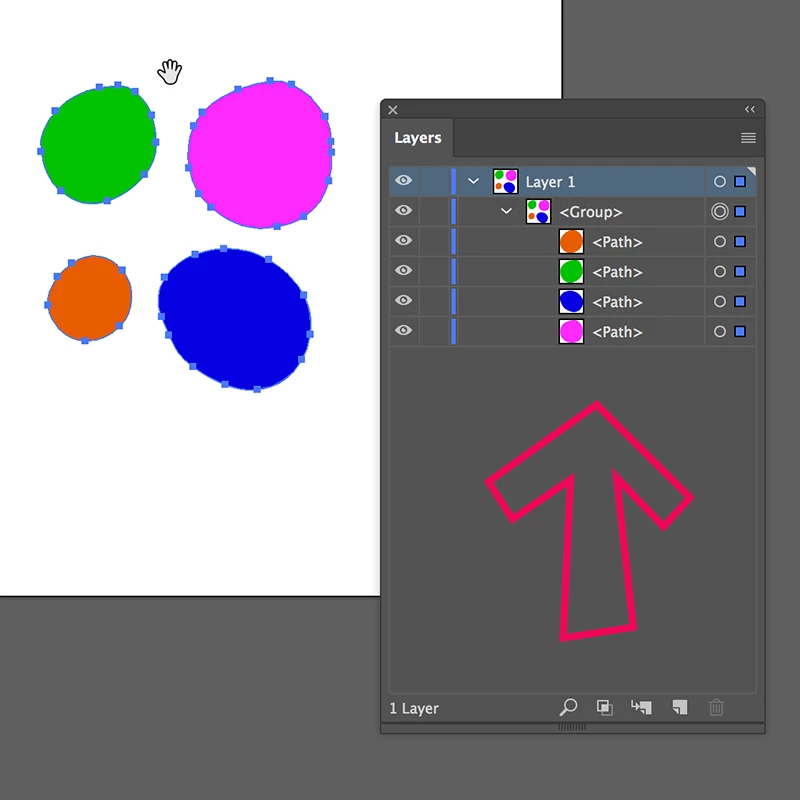
Say I have 4 shapes with curves, each one a bit larger than the other.  Each shape is a different color and I want them on individual layers.

What is the easiest way to trace each shape on each layer?

I tried the image trace, but it traced one and the others disappeared.

I'm guessing this is a simple procedure, but I want to shorten the learning curve.
This topic has been closed for replies.
Correct answer carlosgarro

It's not automatic but it's easy:

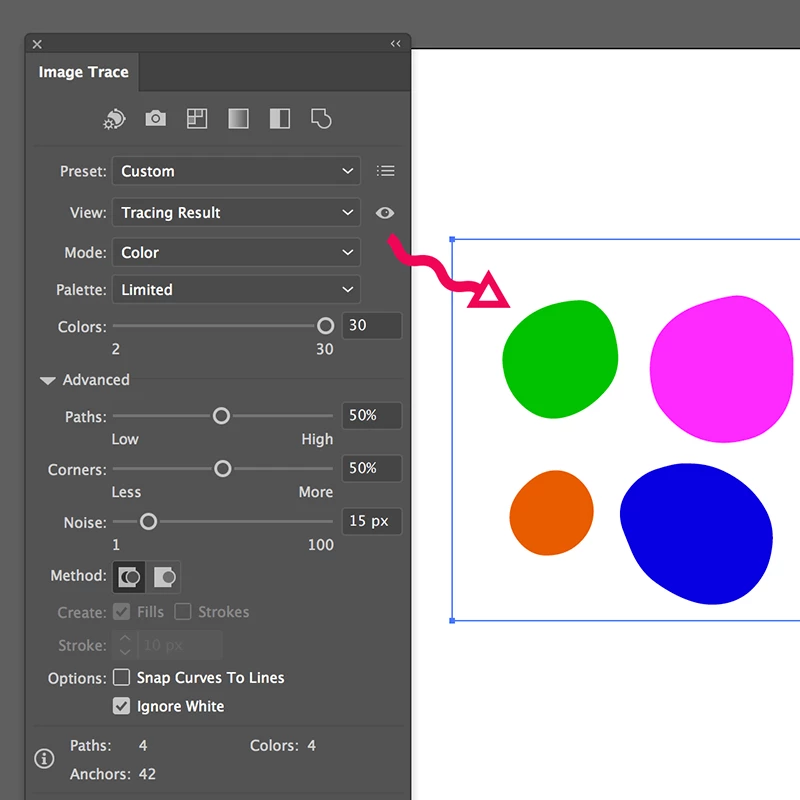
Trace your image using your settings (depend on your workflow)

Release the tracing image, then you can name every layer to your liking and move it to a different level if you need.

Best Regards

4 replies

gloriad64706371
Known Participant
April 16, 2017

Am I correct is saying that if I use the pen tool, the traced end product will be seamless, unlike when I use the line segment tool?

The problem I had with that is, when I went on to the next size (2nd object), it would start a new object.  It wanted to grab onto the corner of the first size, even after I choose deselect.

gloriad64706371
Known Participant
April 16, 2017

I've found that I can use the line segment tool and go around the first object on layer one.  Then use the curvature pen to round things out.

Go on to the next size on the next layer and so forth.

It's working in Reader the way I want it to.

However...

The problem with that is the points don't precisely connect.

So I'll try again with the pen tool.

Next question I have, is how do I get rid of the lines I'm tracing over?  

Monika Gause
Community Expert
Community Expert
April 16, 2017

Next question I have, is how do I get rid of the lines I'm tracing over? 

Where did you get them from?

Placed an image? Just delete it when you're done.

gloriad64706371
Known Participant
April 16, 2017

The lines I want to delete are from the image I saved as a pdf from my drafting program.

How do I delete them alone, without deleting my new lines ?  My tracing is over them fairly precise and I can't see them.

carlosgarro
Community Expert
carlosgarroCommunity ExpertCorrect answer
Community Expert
April 16, 2017

It's not automatic but it's easy:

Trace your image using your settings (depend on your workflow)

Release the tracing image, then you can name every layer to your liking and move it to a different level if you need.

Best Regards

Monika Gause
Community Expert
Community Expert
April 15, 2017

Please show.

gloriad64706371
Known Participant
April 16, 2017

I want 4 - 8 different sizes, each in a different color on their own layer.

carlosgarro
Community Expert
Community Expert
April 16, 2017

Sorry! My answer was general and I post it before your explanation.